
Step1 : Click “后台管理” 。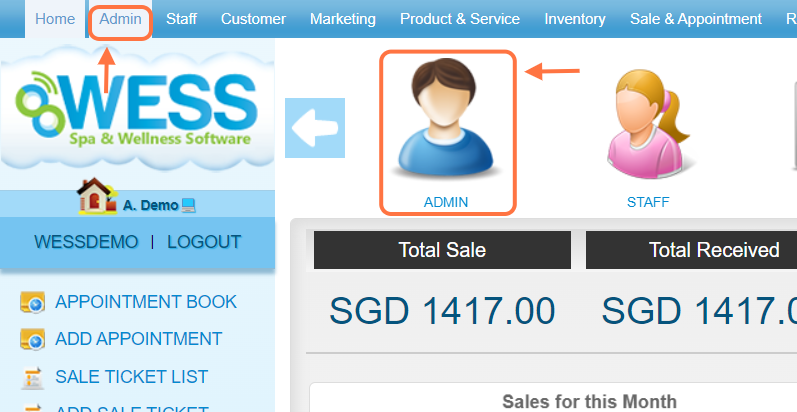
Step2 : Click “ROLE(角色)” 。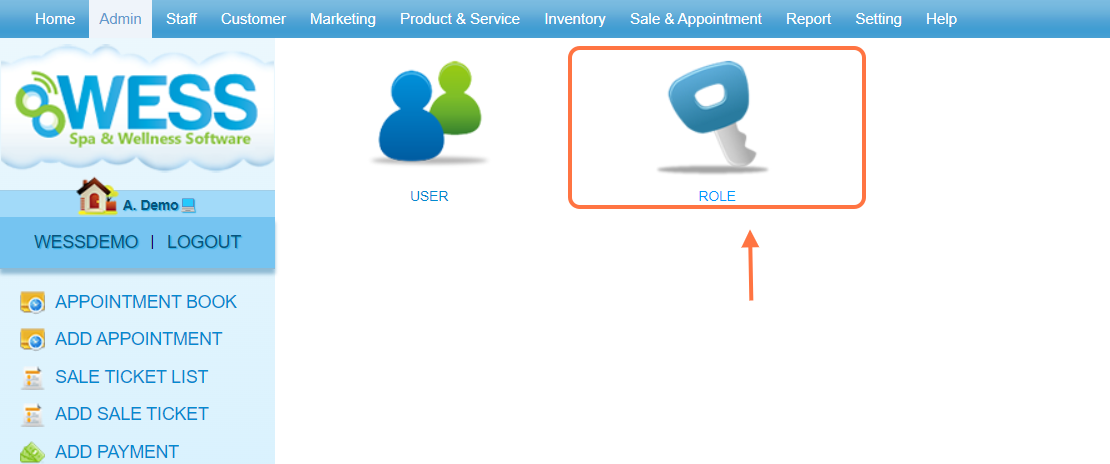
步骤3:点击 铅笔图标 ”✏️” 为 更改.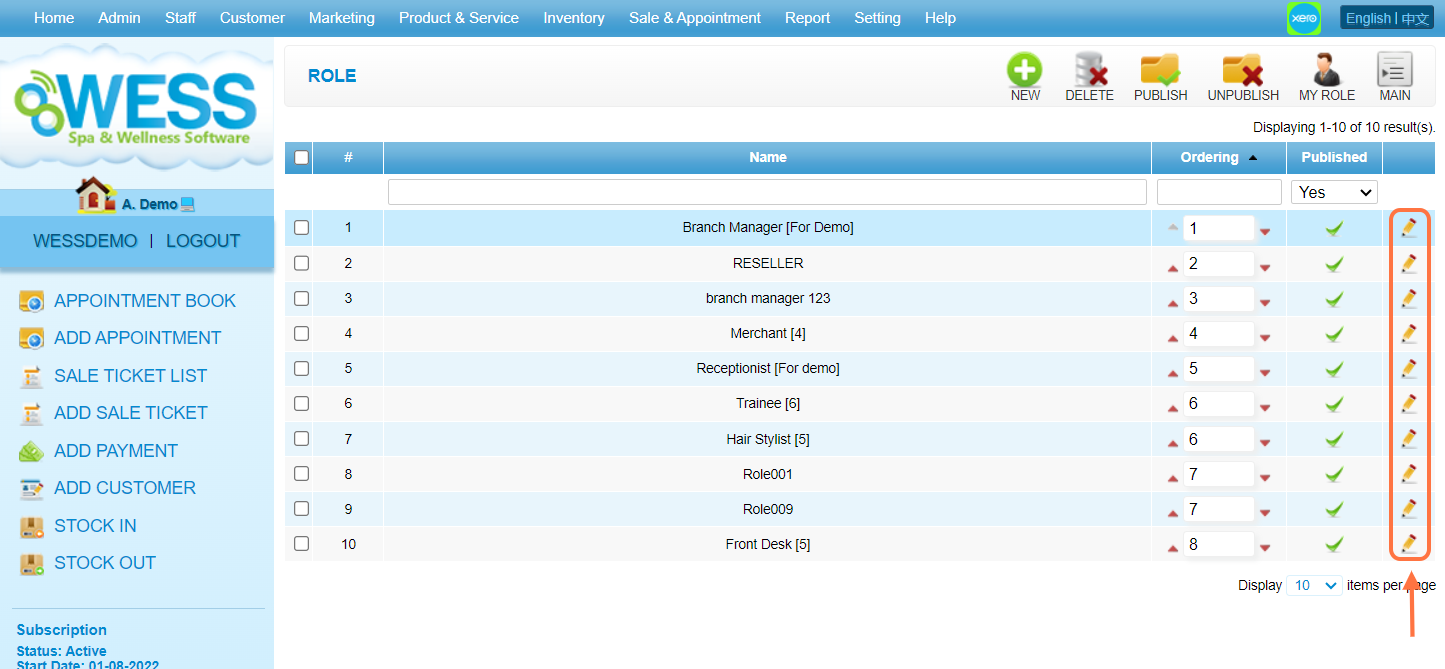
Step 4: Click the “Report” tab.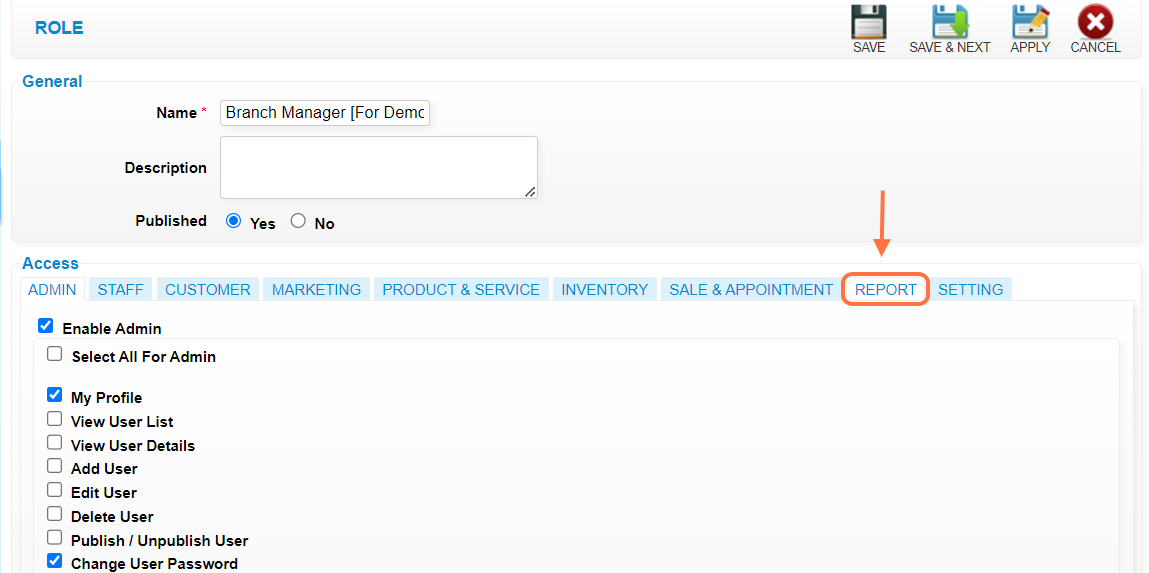
步骤5: 勾选 选框 “☑️” to select the “View All Employee Commission”. 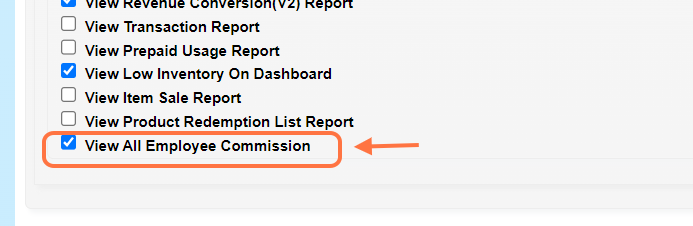
步骤6: 点击任何的 保存图标 “💾” to save. 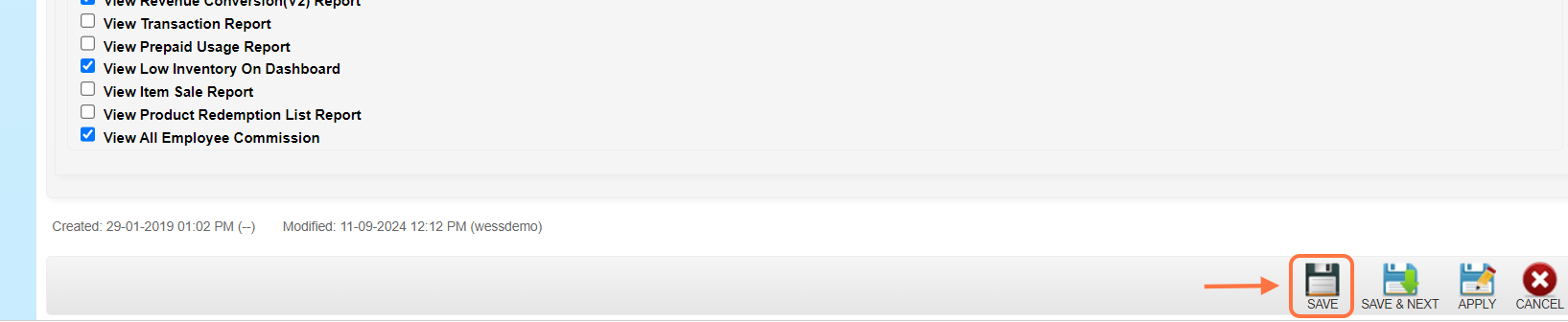
步骤7:确保 记录 已 保存.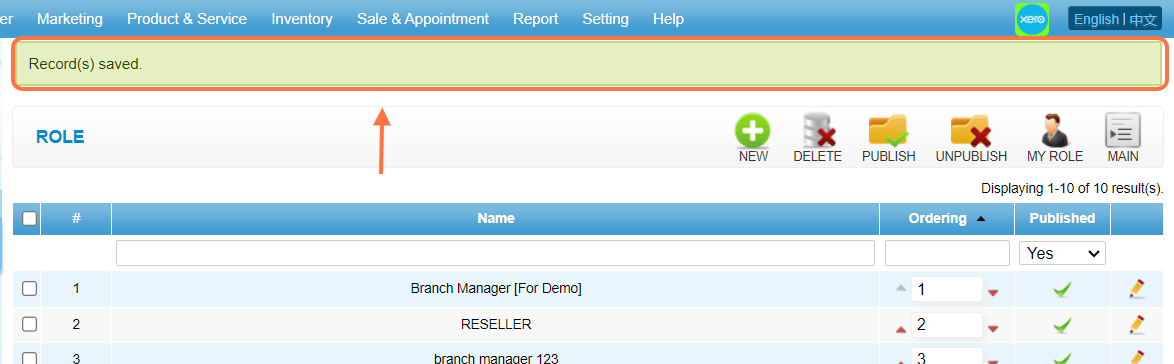
Last Updated: Sept 2024
Step1 : Click “后台管理” 。
Step2 : Click “ROLE(角色)” 。
步骤3:点击 铅笔图标 ”✏️” 为 更改.
Step 4: Click the “Report” tab.
步骤5: 勾选 选框 “☑️” to select the “View All Employee Commission”.
步骤6: 点击任何的 保存图标 “💾” to save.
步骤7:确保 记录 已 保存.
Last Updated: Sept 2024