Sale & Appointment(销售 & 预约)

如何使用系列优惠券?

步骤1:点击 “Sale & Appointment(销售 & 预约)” .Step 1: Click “Sale & Appointment” .

步骤2:点击 ”SALE TICKET(销售优惠票)” .Step 2: Click “SALE TICKET” .

步骤3:点击 “NEW(新建)” .Step 3: Click “NEW” .

步骤4:设置一个客户名然后选择一个客户Step 4: Enter a “Customer” name and select a customer.

Step 5: Click “员工” .Step 5: Click “Employee” .

Step 6: Select an employee and click “SET(设定)“.Step 6: Select an employee.

步骤7: Select the item .Step 8: Select the item.

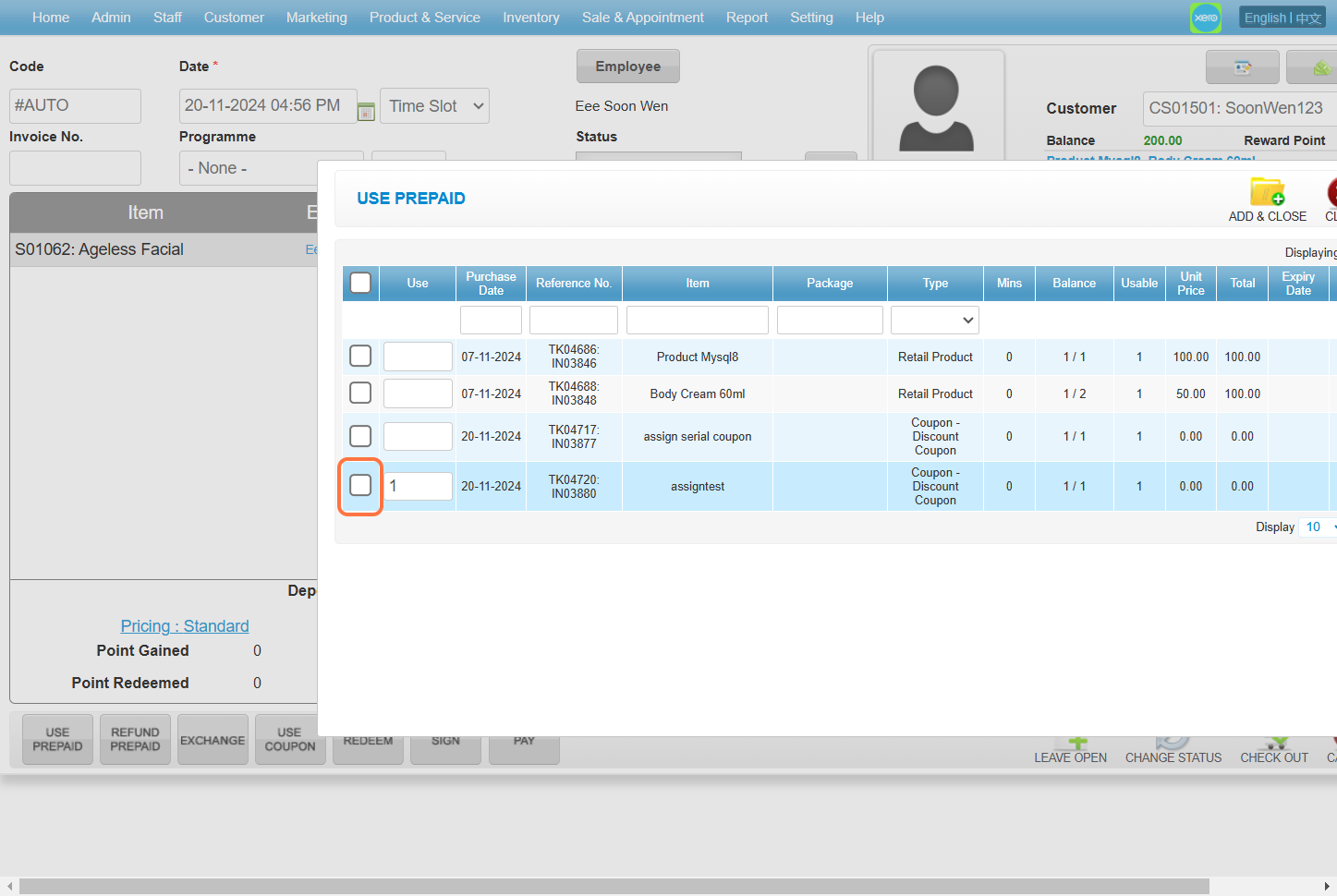
步骤8: Click “USE PREPAID(使用预付费)” .Step 8: Click "USE PREPAID".

步骤 9:选择序列号优惠券。Step 10: Select the serial coupon.

Step 10: Make sure enter the correct “Serial Number(序列号)” .Step 11: Make sure enter the correct “Serial Number”.

步骤11: Click on the “➕” to add .Step 12: Click on the “➕” to add.

Step 12: Click “ADD & CLOSE(添加并关闭)” .Step 13: Click "ADD & CLOSE".

Step 13: Click “ADD & CLOSE(添加并关闭)” to add the coupon .Step 14: Click "ADD & CLOSE" to add the coupon.

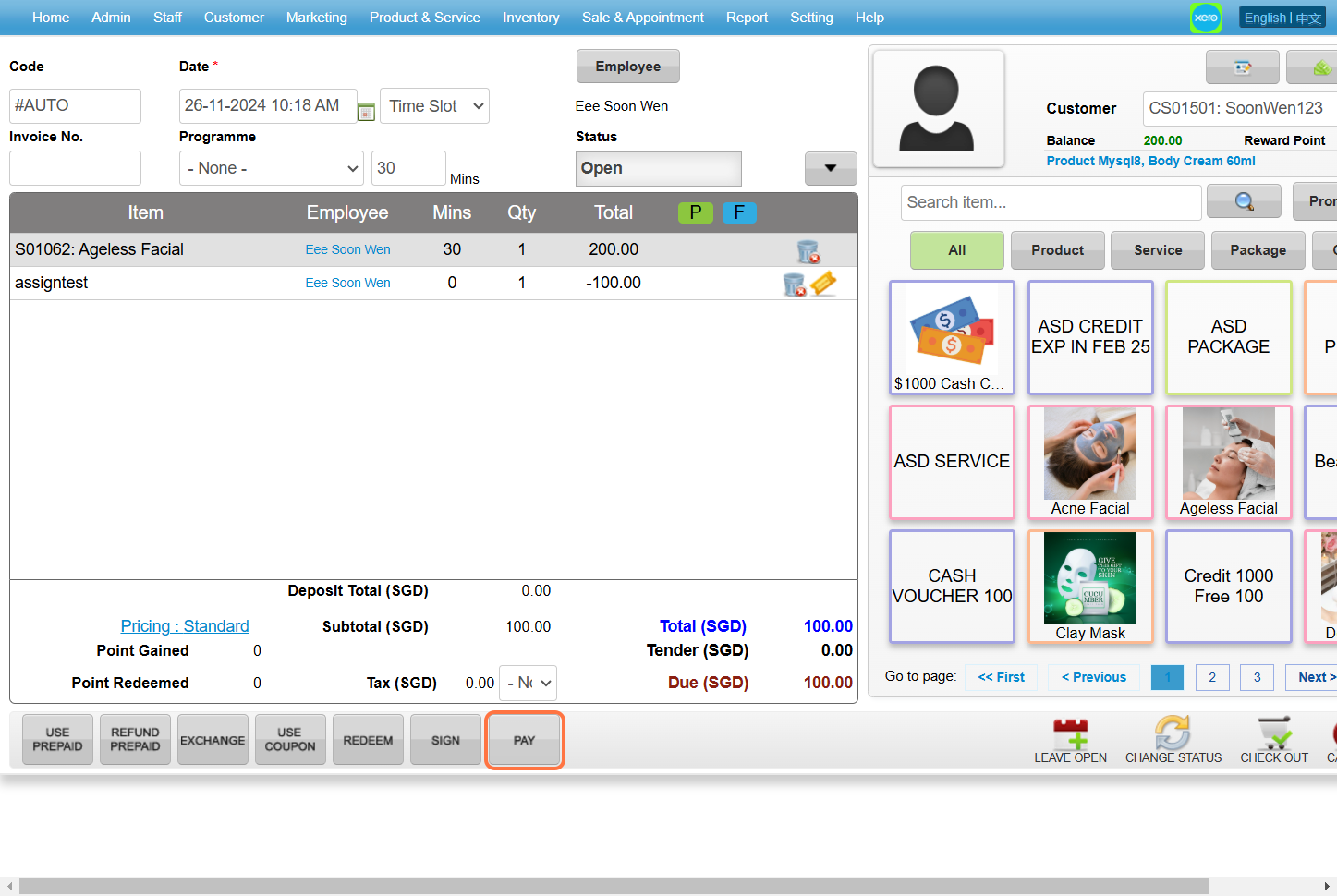
Step 14: Click “PAY” .

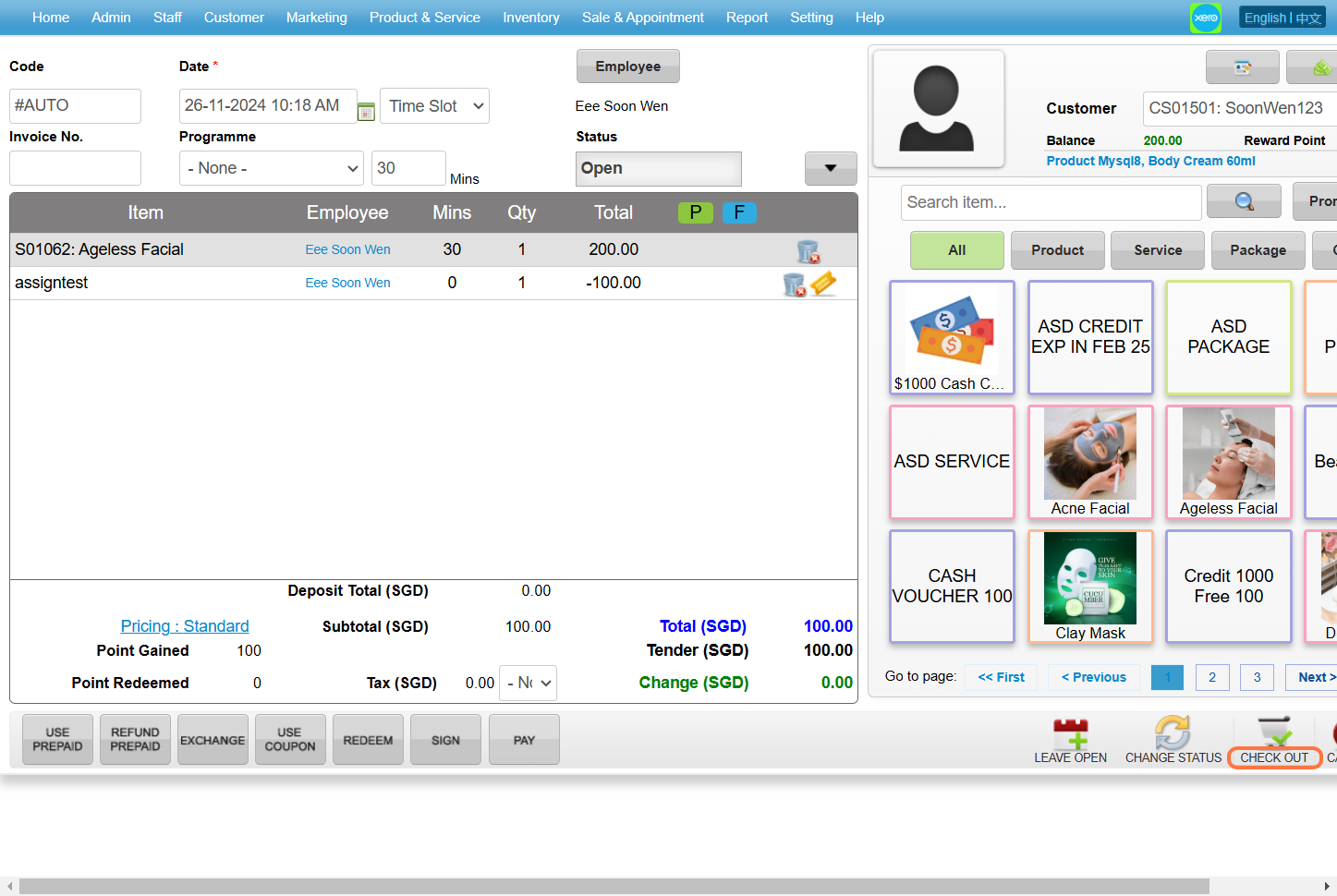
[!]该商品价格为 200,使用价值 100 的优惠券后,减去了 100。Step 15: Click "PAY".
Step 15: Click “CHECK OUT(结账)” .Step 16: Click "CHECK OUT".

最后更新:2024年11月

还是解决不了问题?别担心,我们会在这里为你提供帮助

还是解决不了问题?
别担心,我们会在这里为你提供帮助

WESS