
步骤1 : 点击 “STAFF”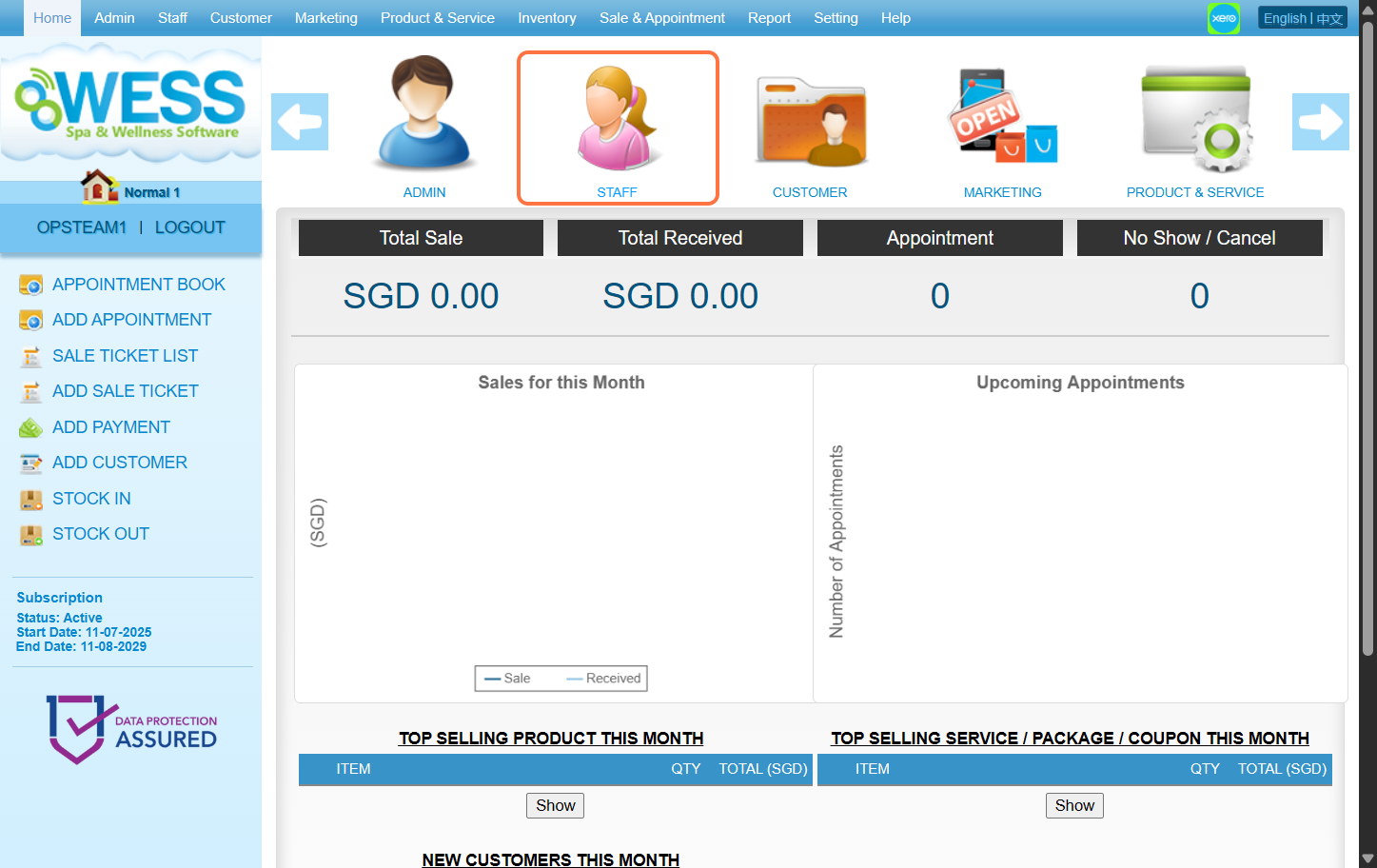
步骤2:点击 “EMPLOYEE(员工)”。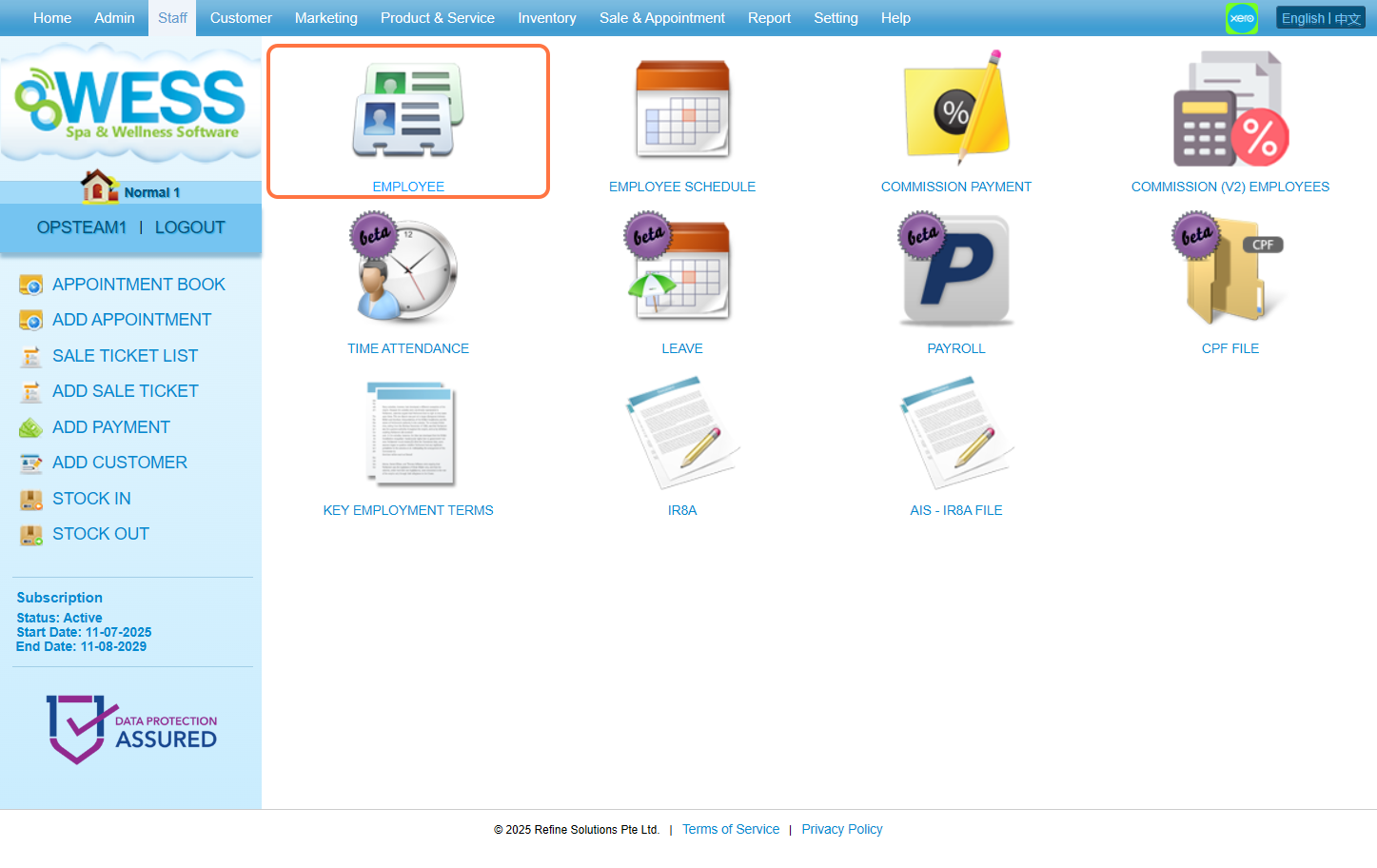
步骤3:点击 “NEW(新建)”。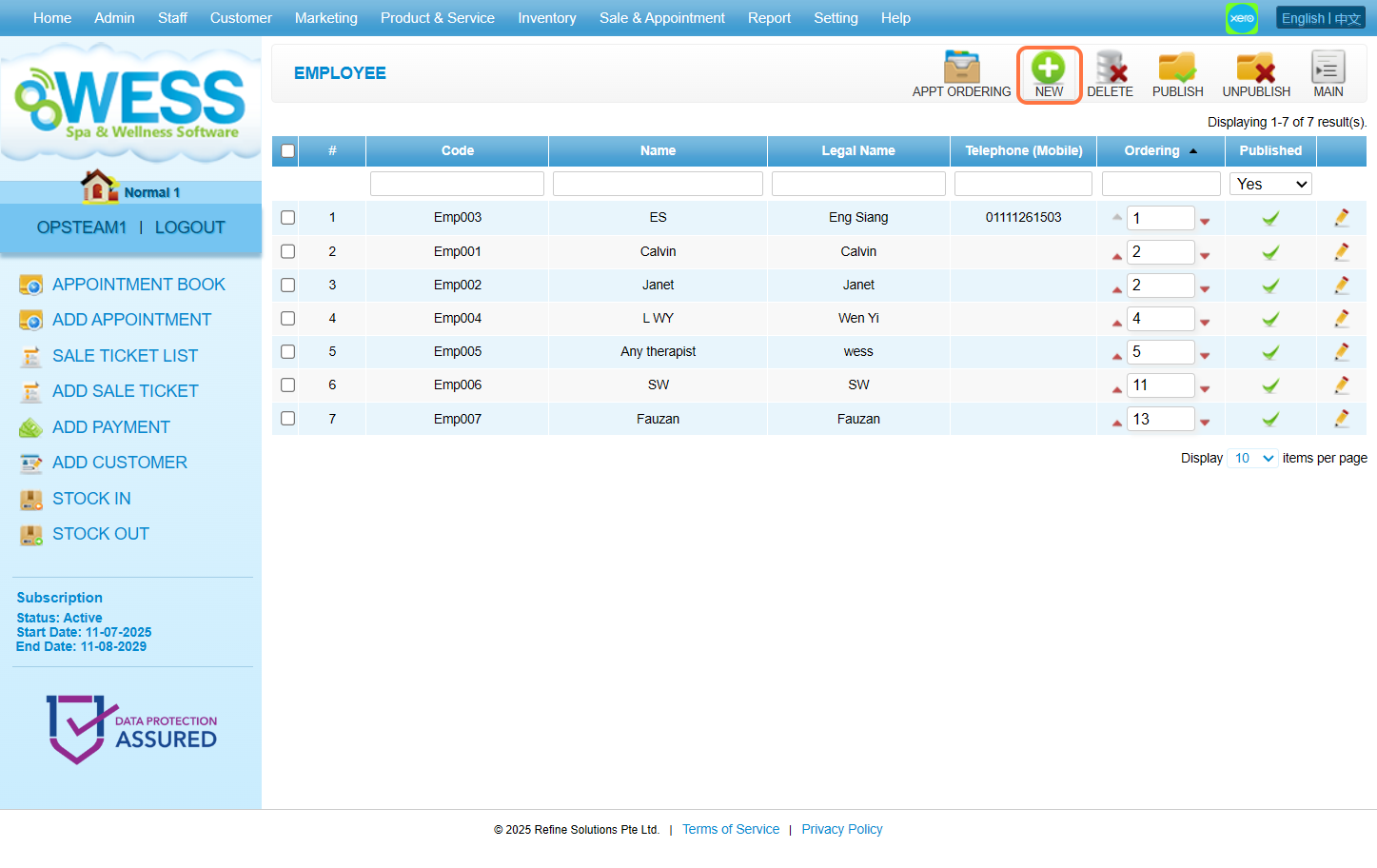
步骤4:输入 员工资料
[!]工资单标签页下的法定名称也必须填写,才能保存。
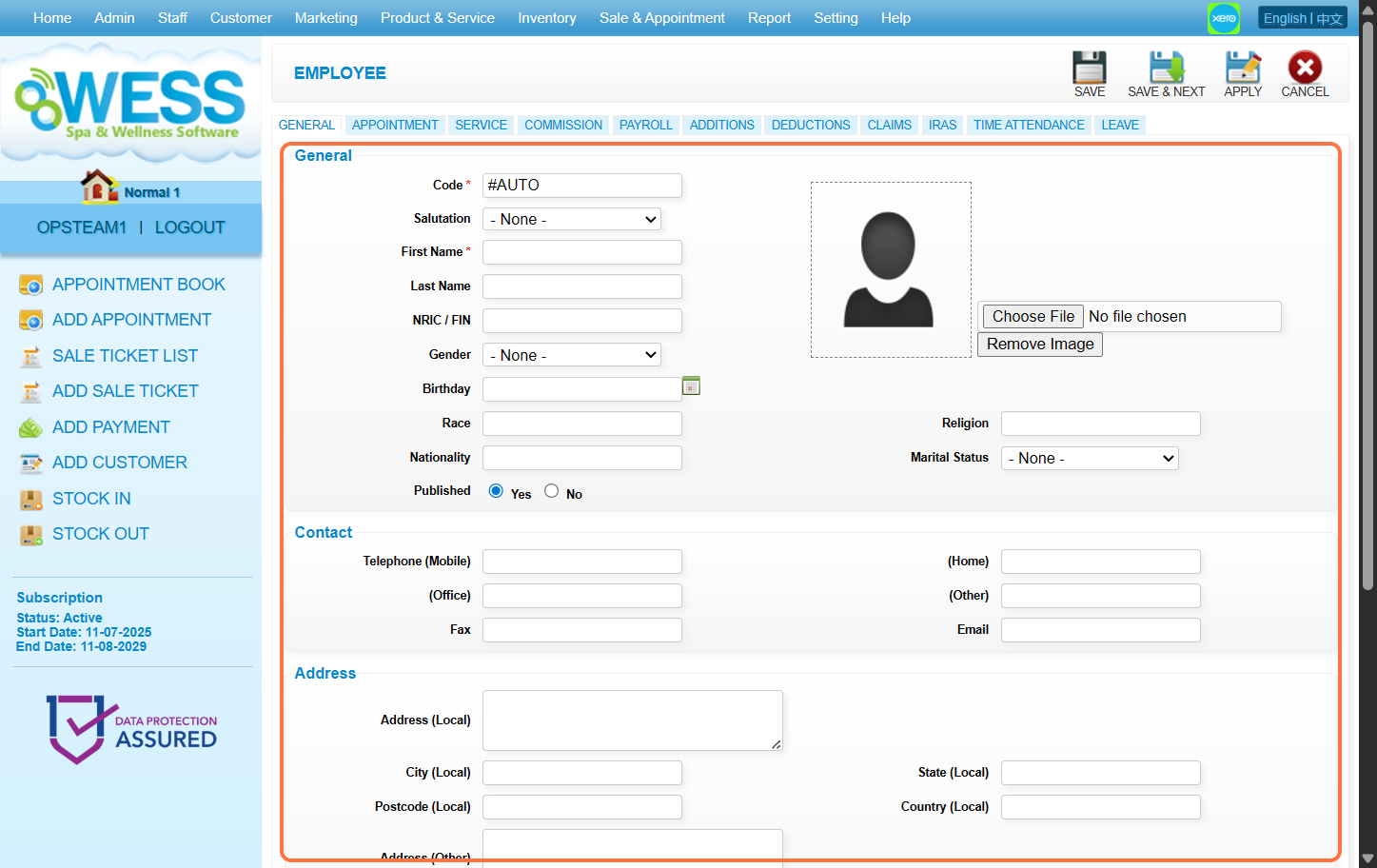
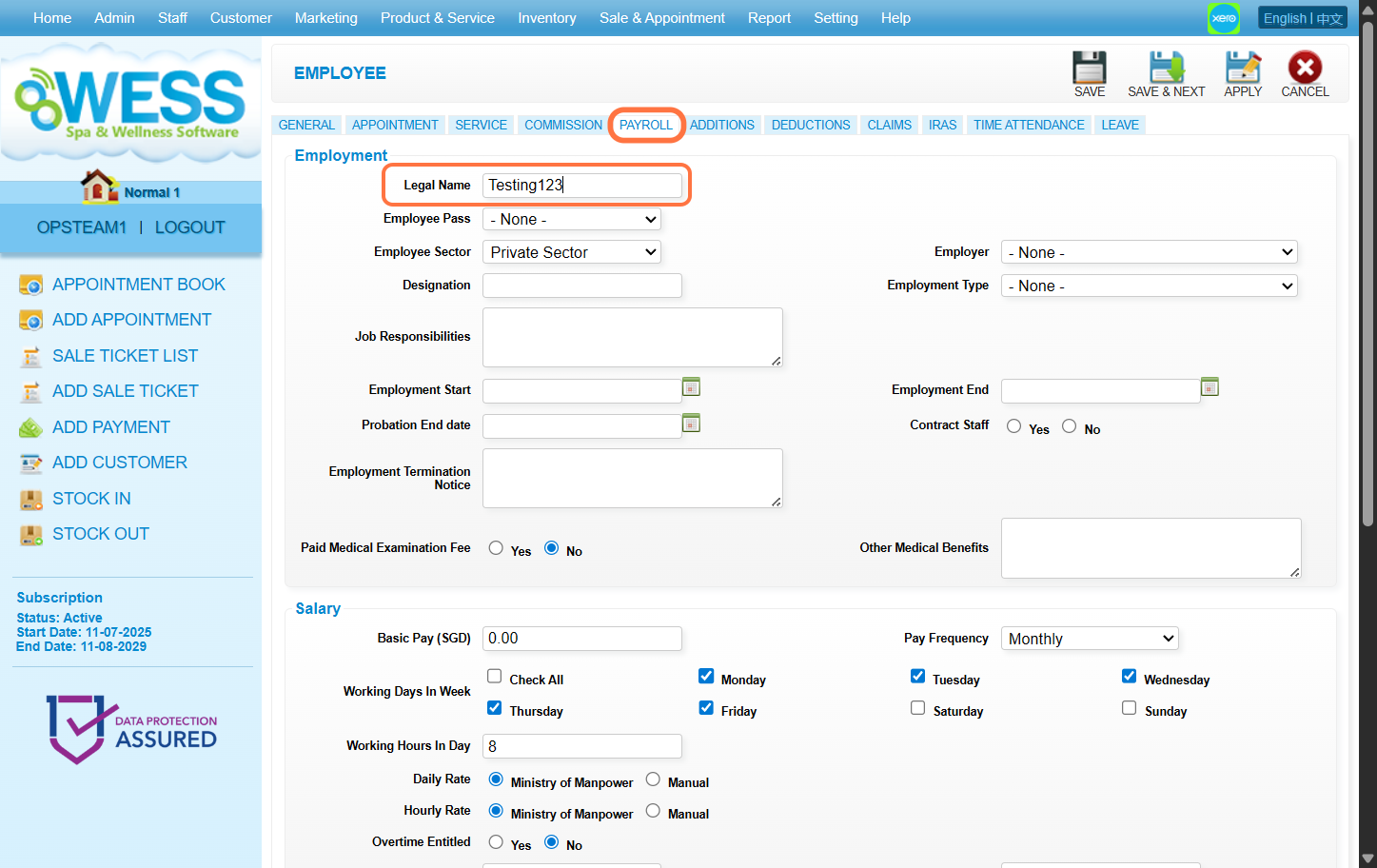
步骤5:点击 “SAVE(保存)”。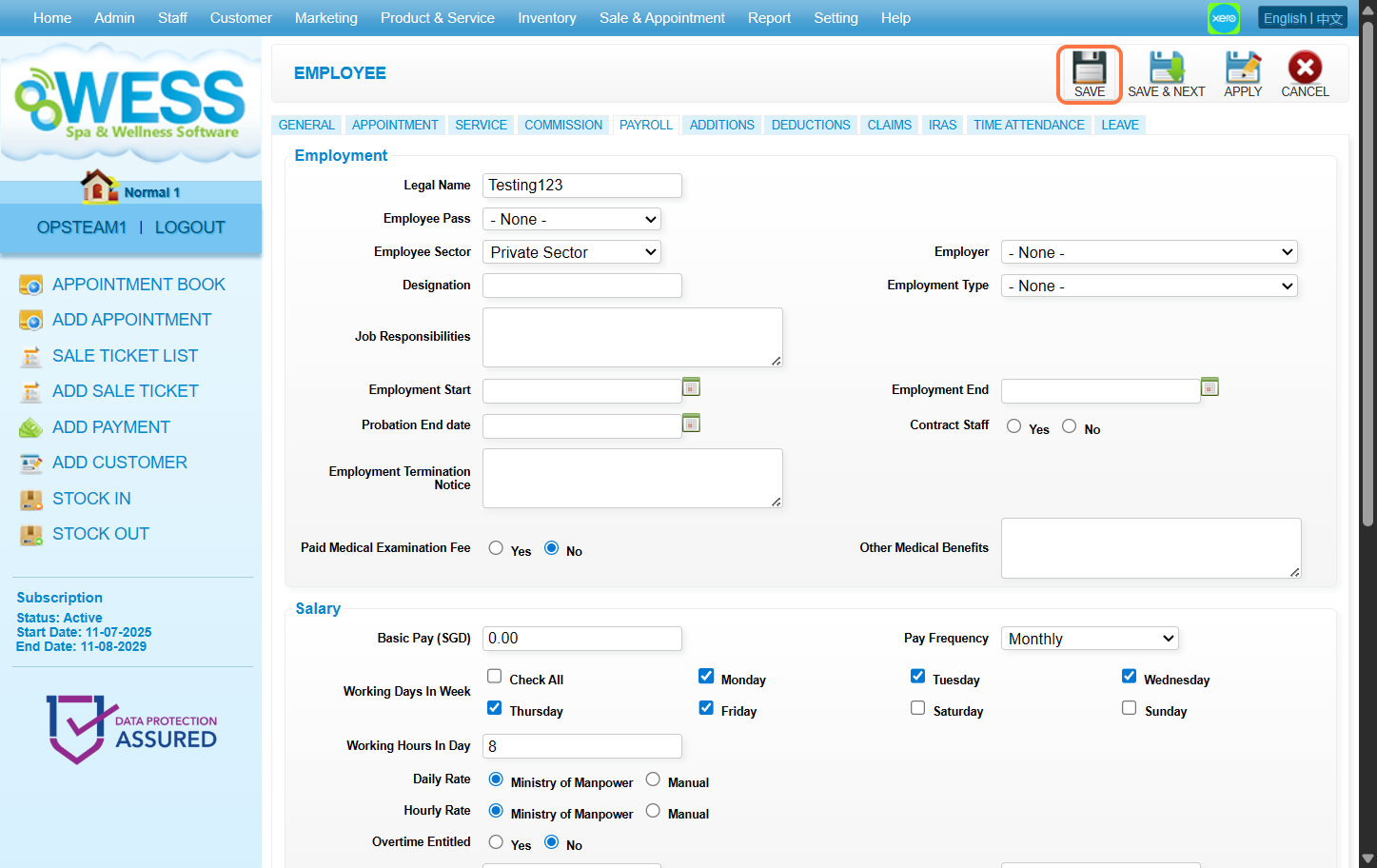
最后更新:2025年8月
步骤1 : 点击 “STAFF”
步骤2:点击 “EMPLOYEE(员工)”。
步骤3:点击 “NEW(新建)”。
步骤4:输入 员工资料
[!]工资单标签页下的法定名称也必须填写,才能保存。
步骤5:点击 “SAVE(保存)”。
最后更新:2025年8月