
Step1 : Click “Admin” .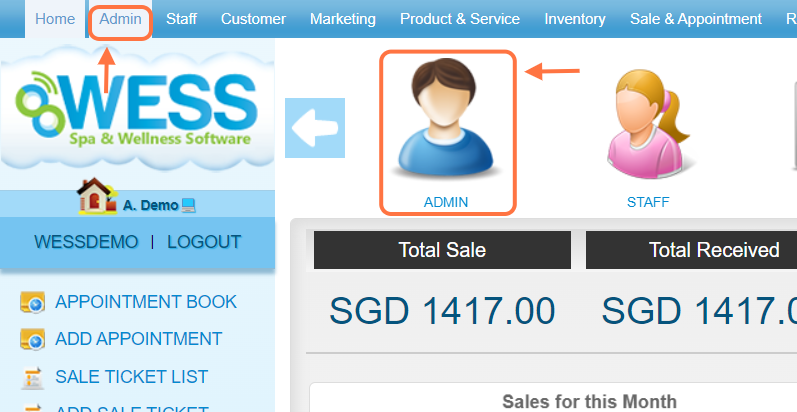
Step2 : Click “ROLE” .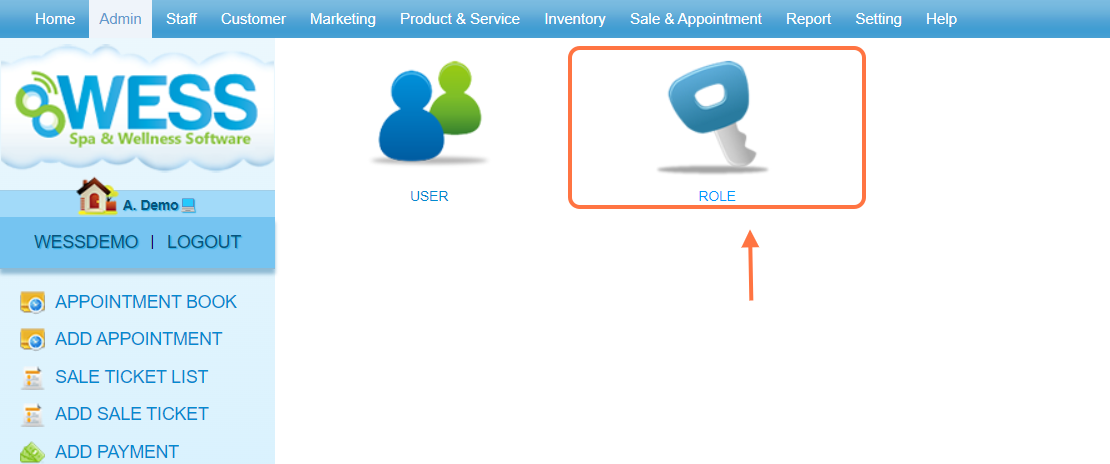
Step 3: Click on the pen icon “✏️” to edit.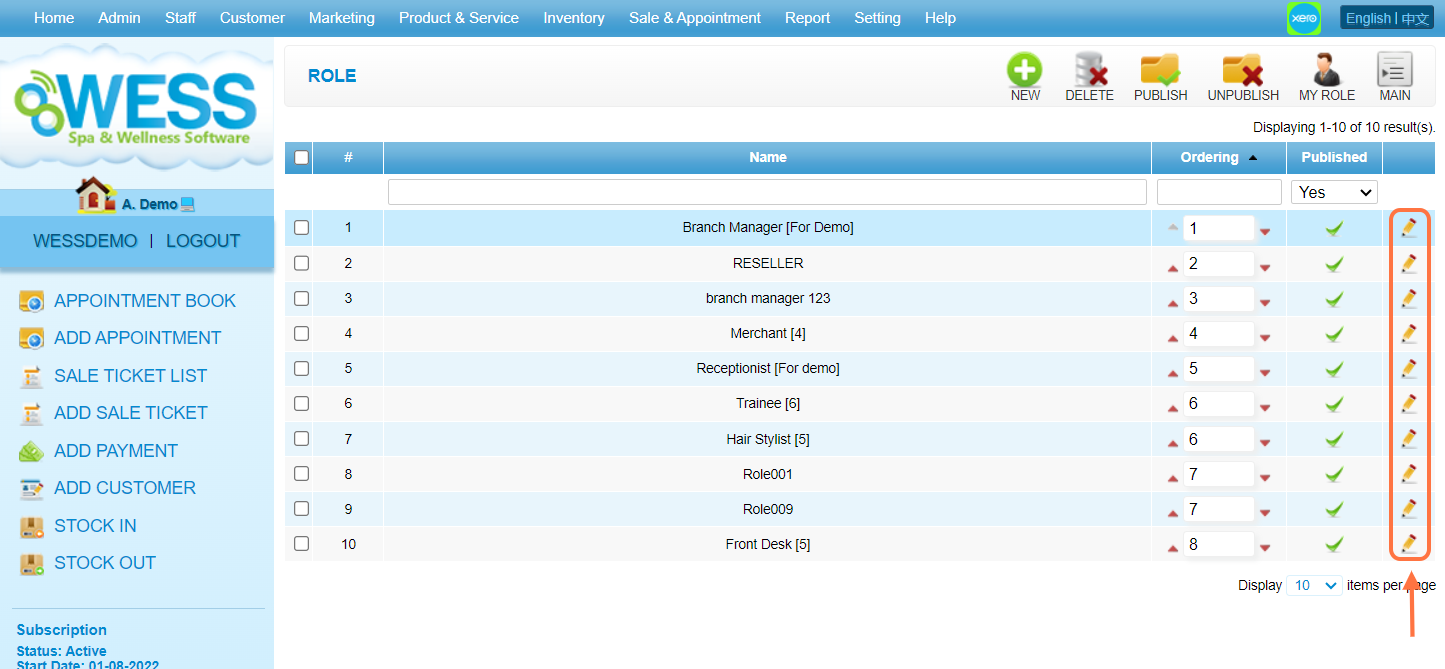
Step 4: Click the “Report” tab.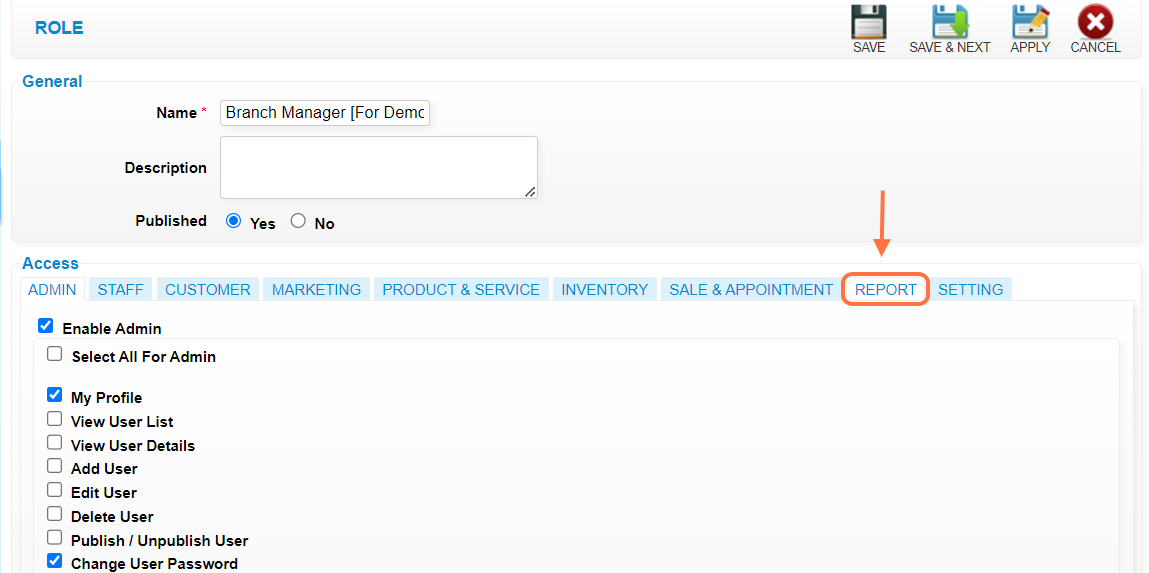
Step 5: Tick the checkbox “☑️” to select the “View All Employee Commission”. 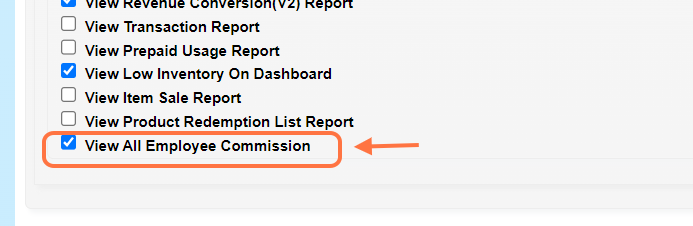
Step 6: Click any Save icon “💾” to save. 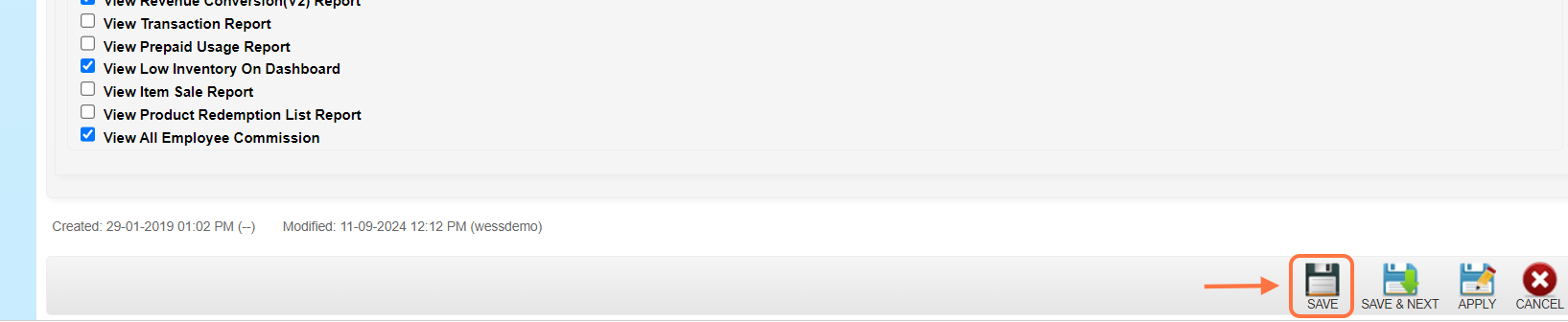
Step 7: Make sure the record has been saved.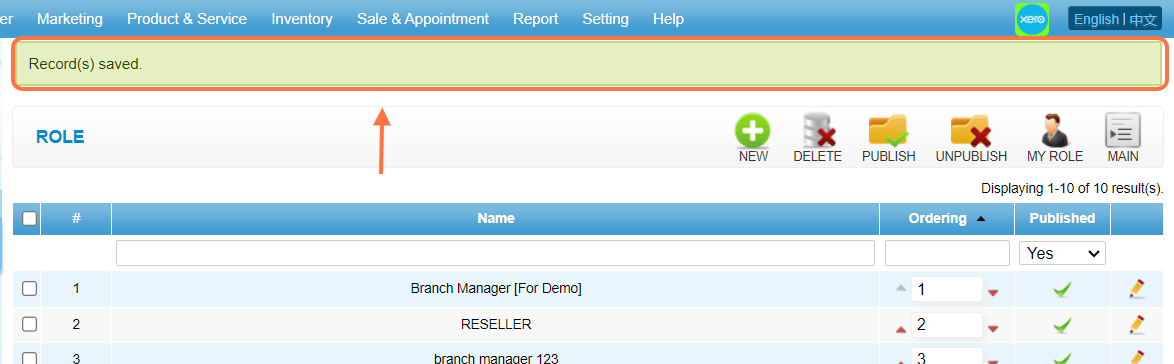
Last Updated: Sept 2024