
Step 1: Download the installation file here ↓↓
Download Link: TeamViewer installation page
or
search TeamViewer on your browser (any browser including Google Chrome, Firefox, Microsoft Edge, Internet Explorer, Opera, Chromium or etc)
Click the Link
Step 2: Click Download TeamViewer
Step 3: Click on the Downloaded TeamViewer_Setup file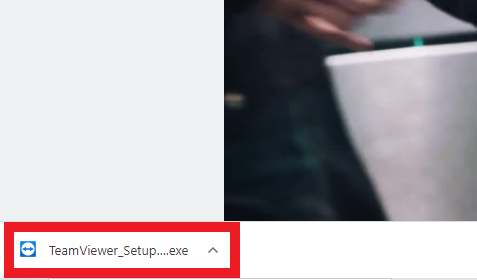
Step 4: If prompted, click “Yes” or “Install anyway” on the dialog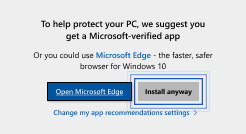
Step 5: Pick Default installation and click Accept – next to proceed 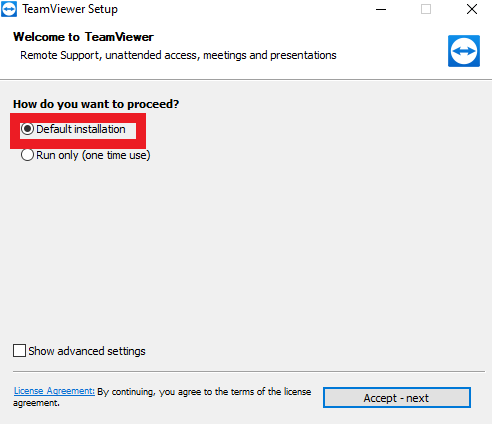
Step 6: Pick I want to use the free version for personal use and click Finish to proceed. The installation is done. 
Last update: April 2021