
Step 1: Click “Sale & Appointment”.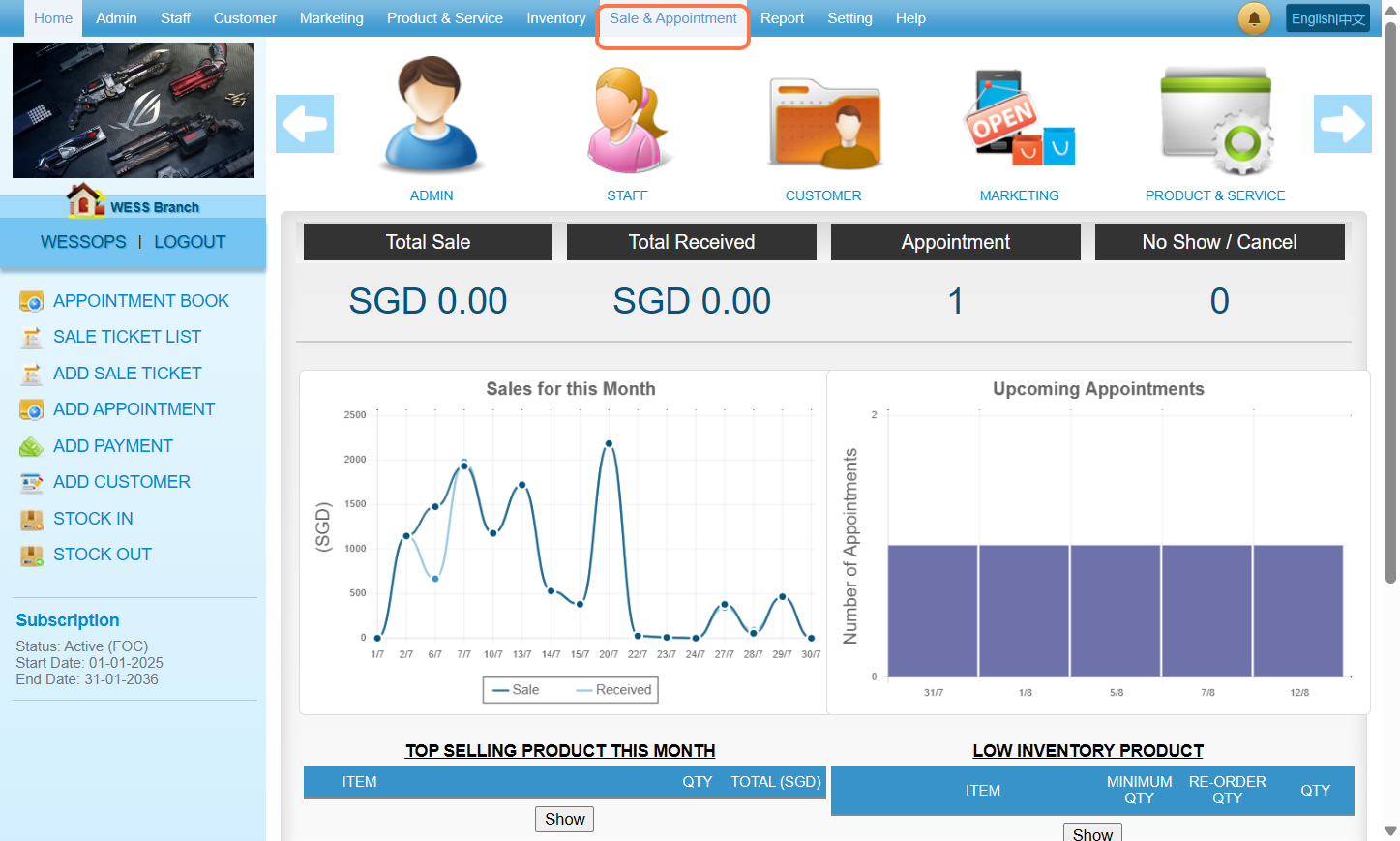
Step 2: Click “RECURRING APPOINTMENT”.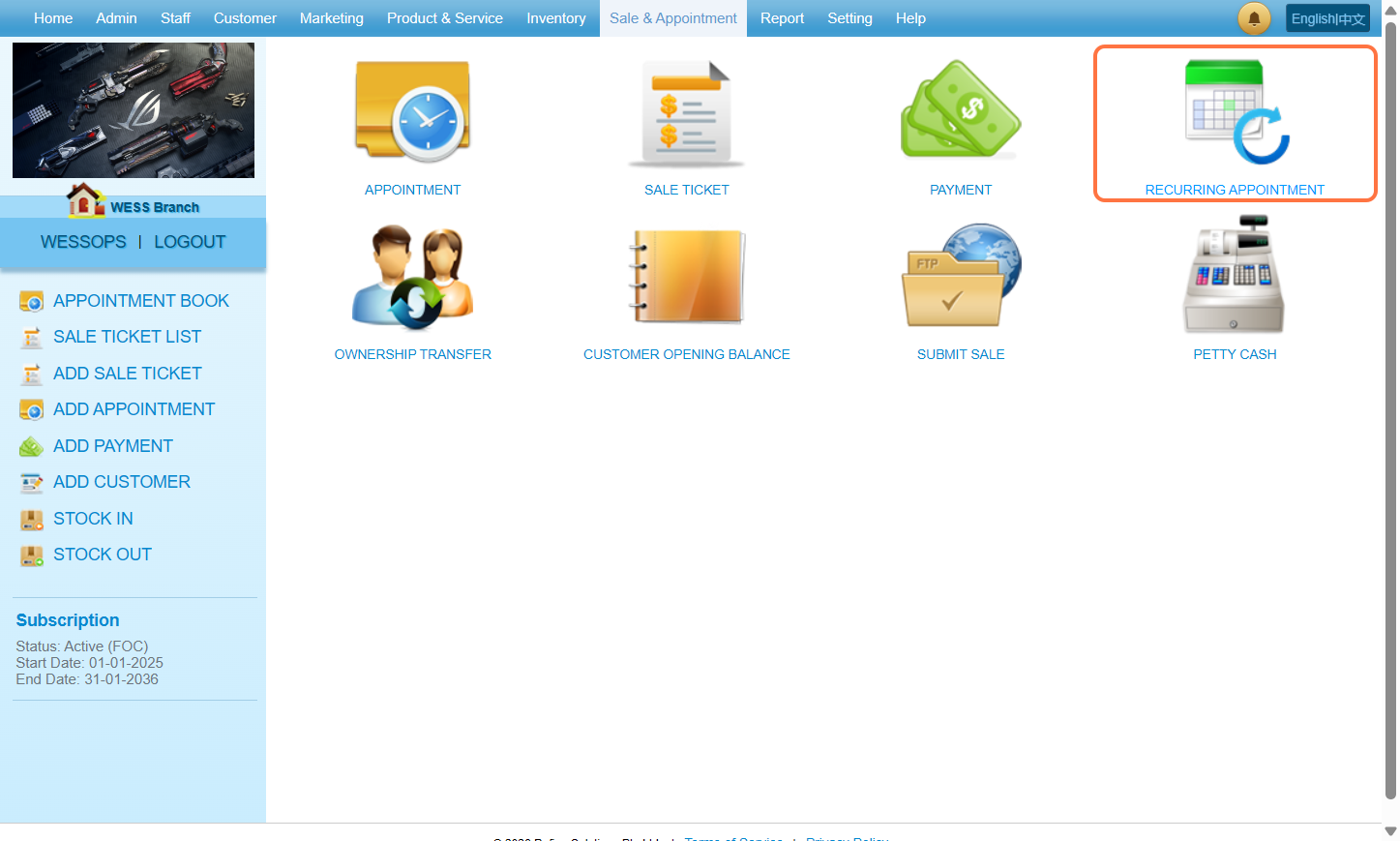
Step 3: Fill in appointment details.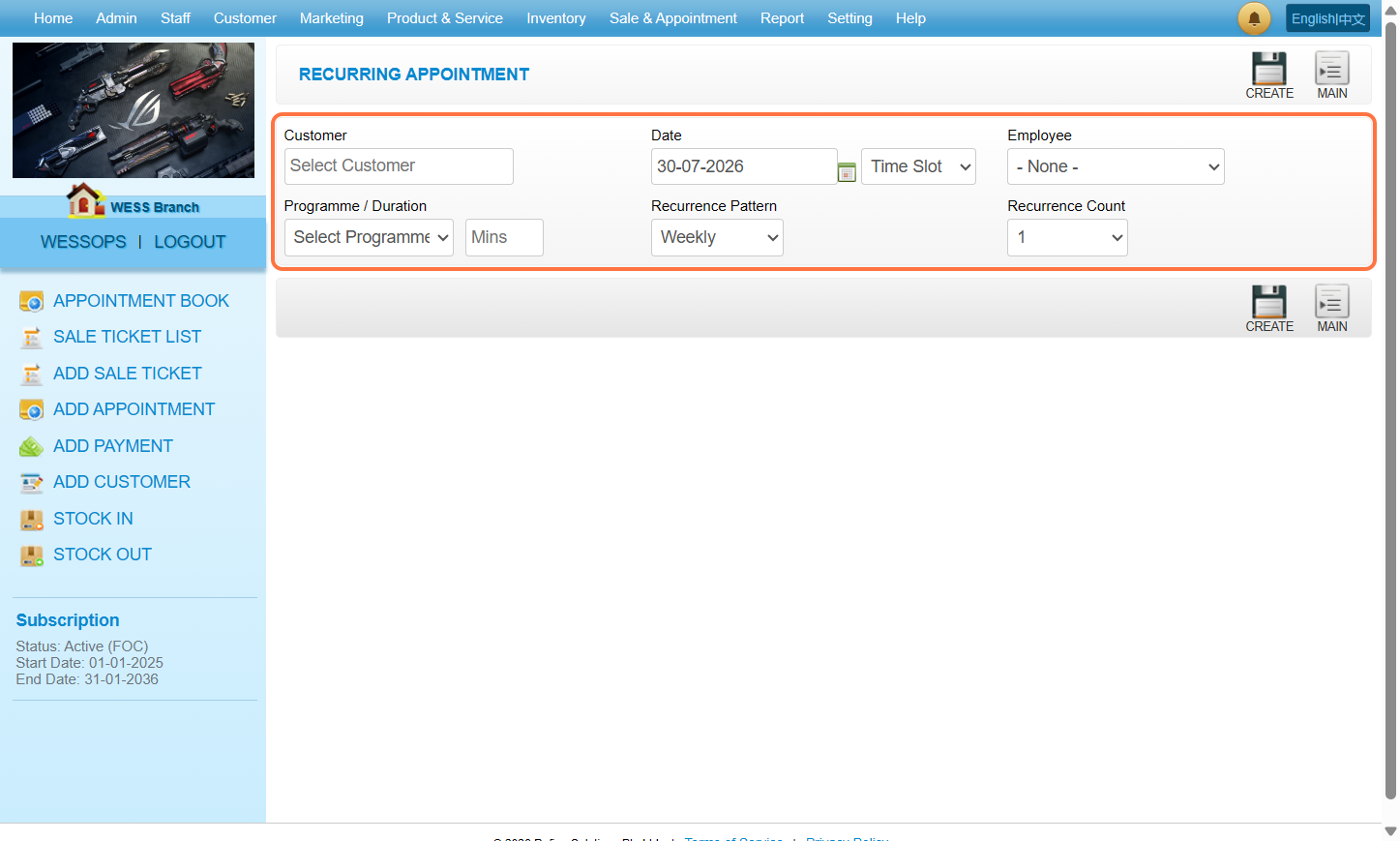
Step 4: The recurring appointment will show at the preview section.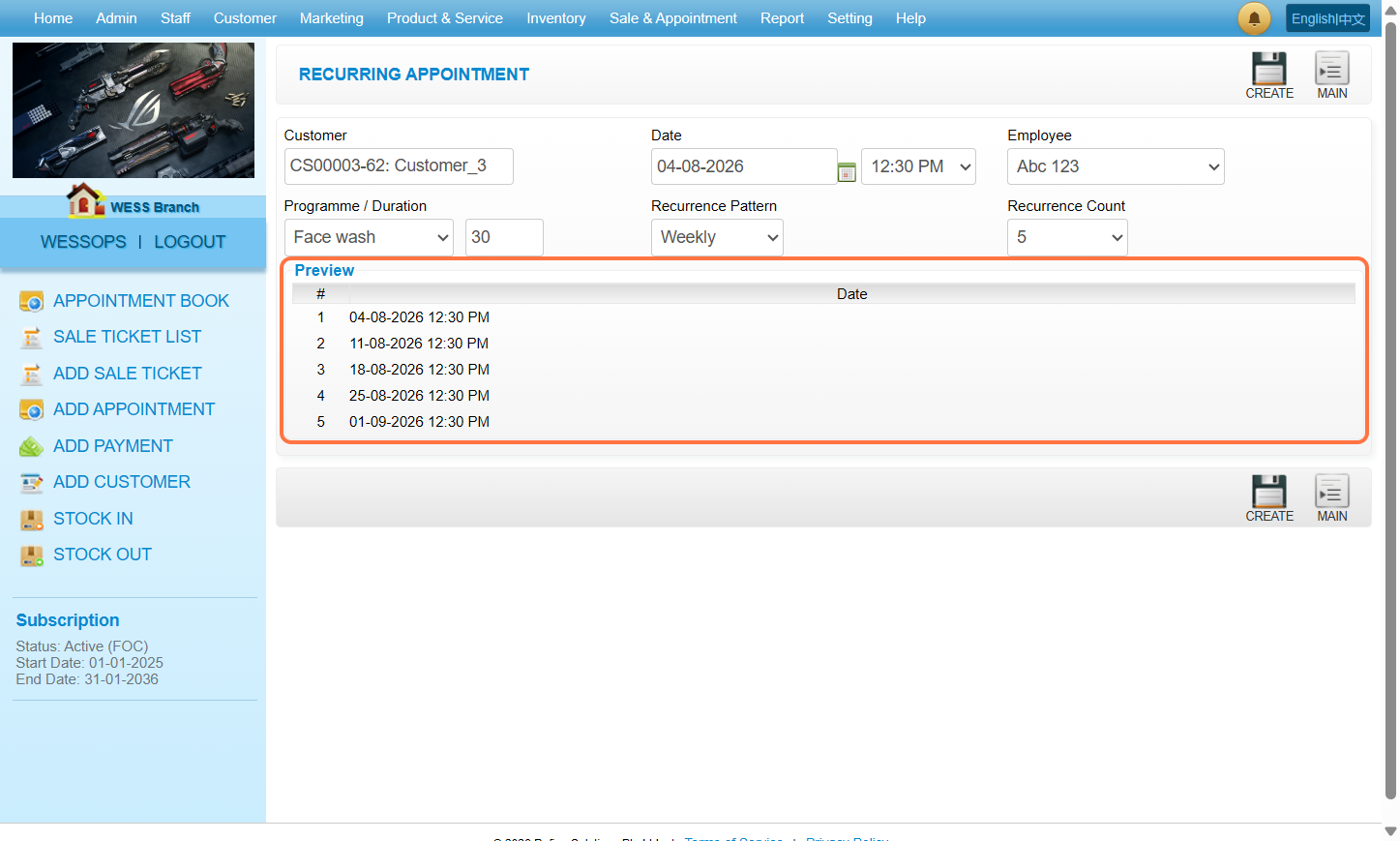
Step 5: Click “CREATE”.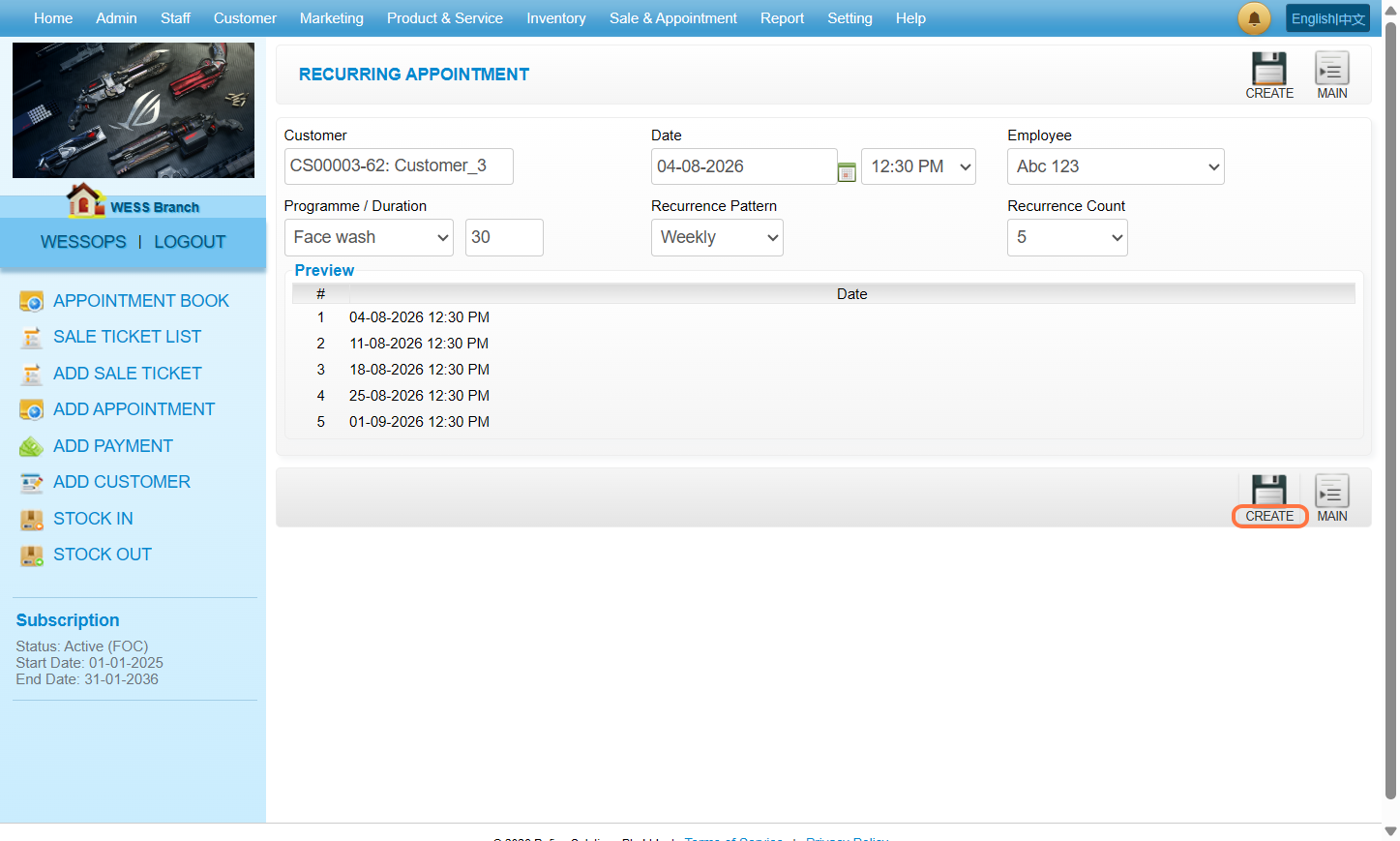
Step 6: Make sure the recurring appointments created.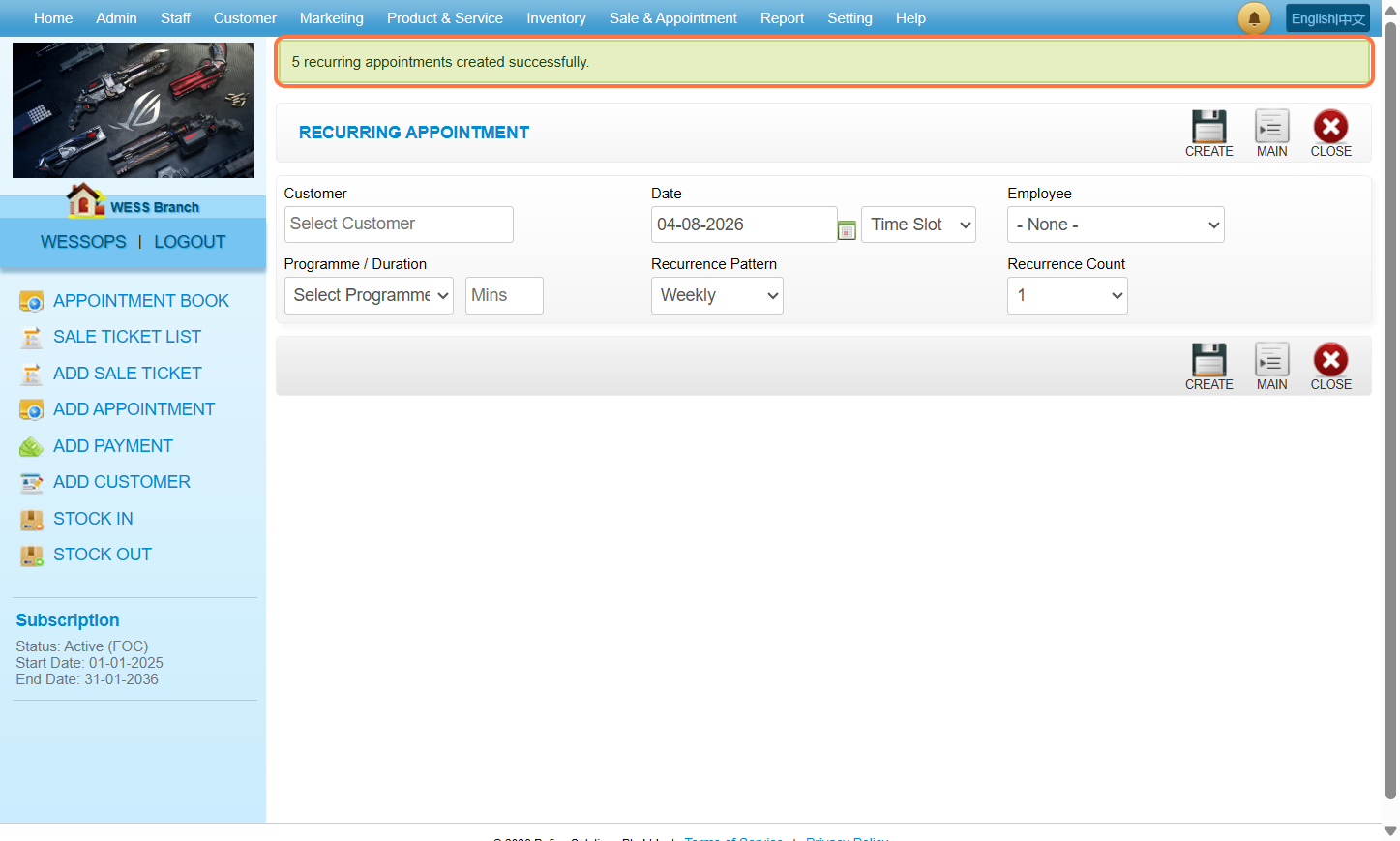
Last Updated: August 2026