
Step 1: Click on “SETTING”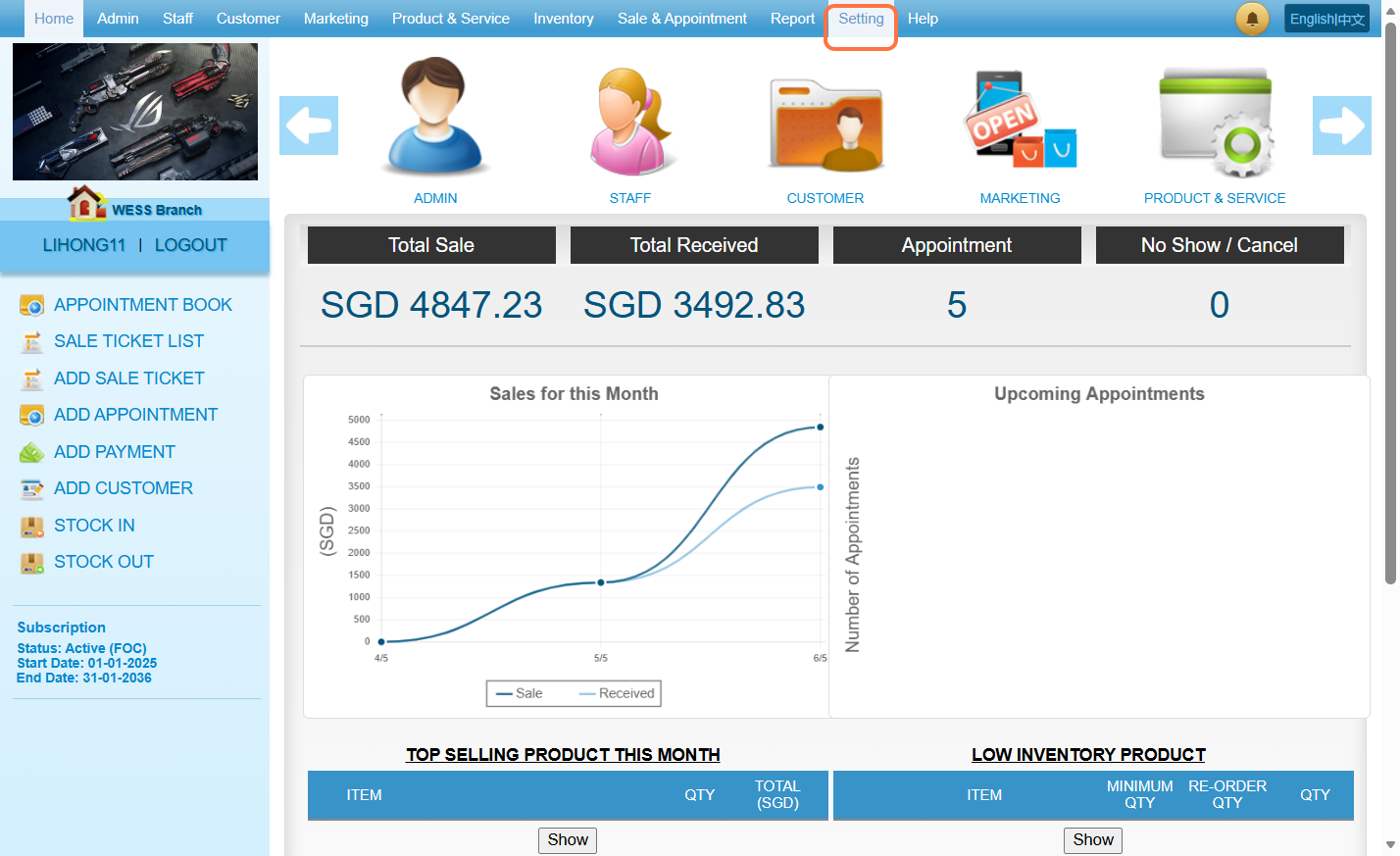
Step 2: Click on “CUSTOMER NEW ENTRY SETTING”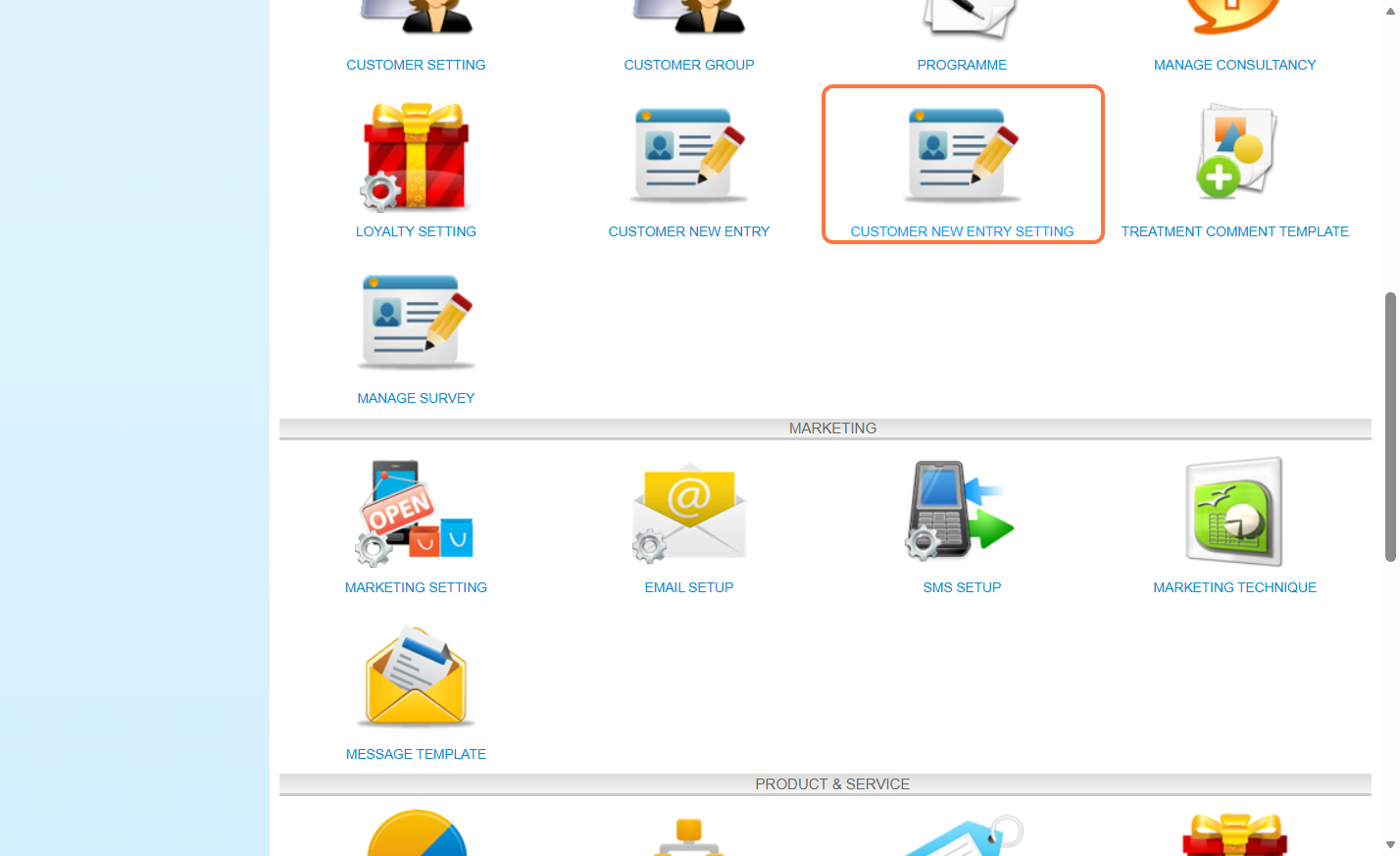
Step 3: Select “Yes”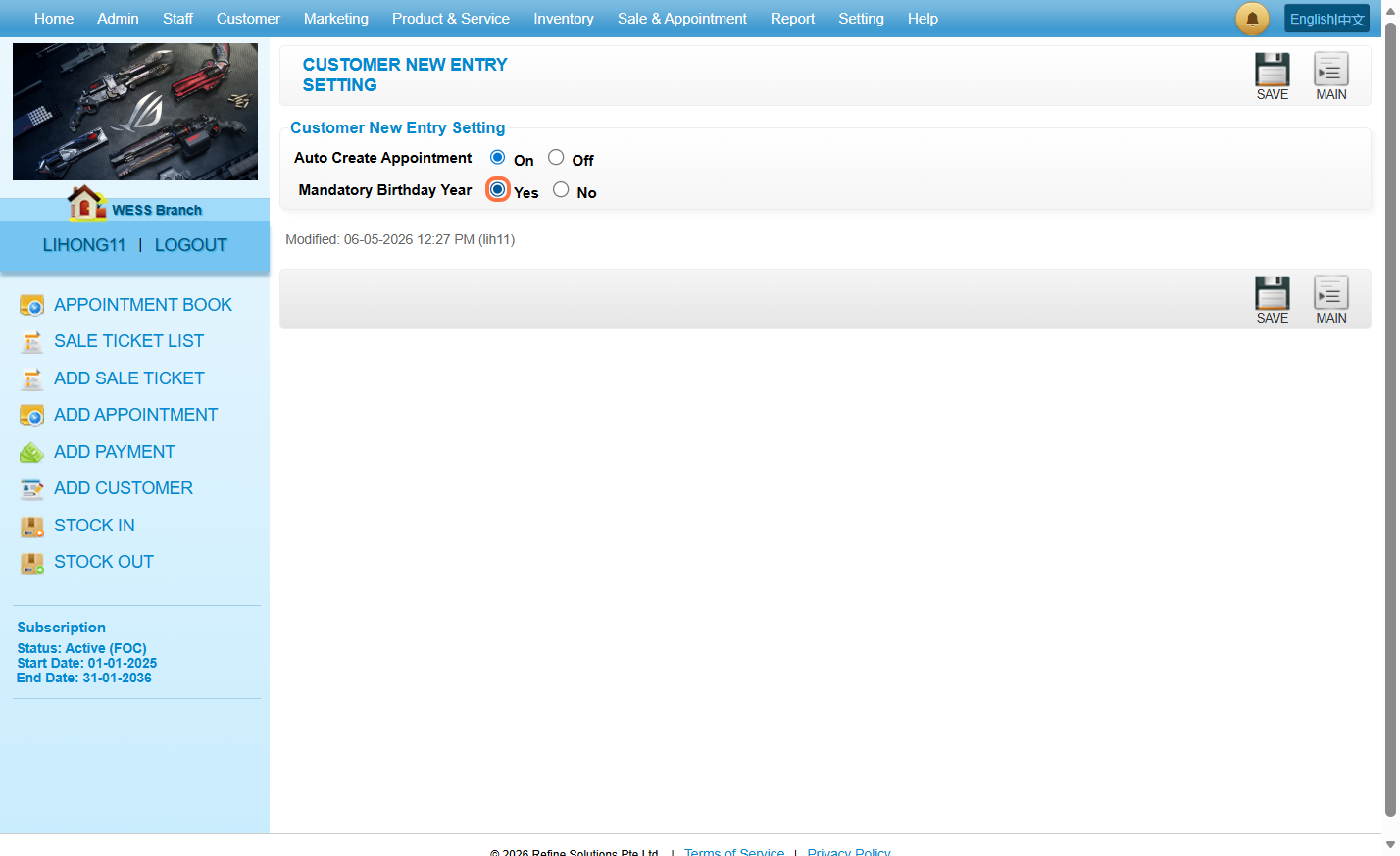
Step 4: Click on “SAVE”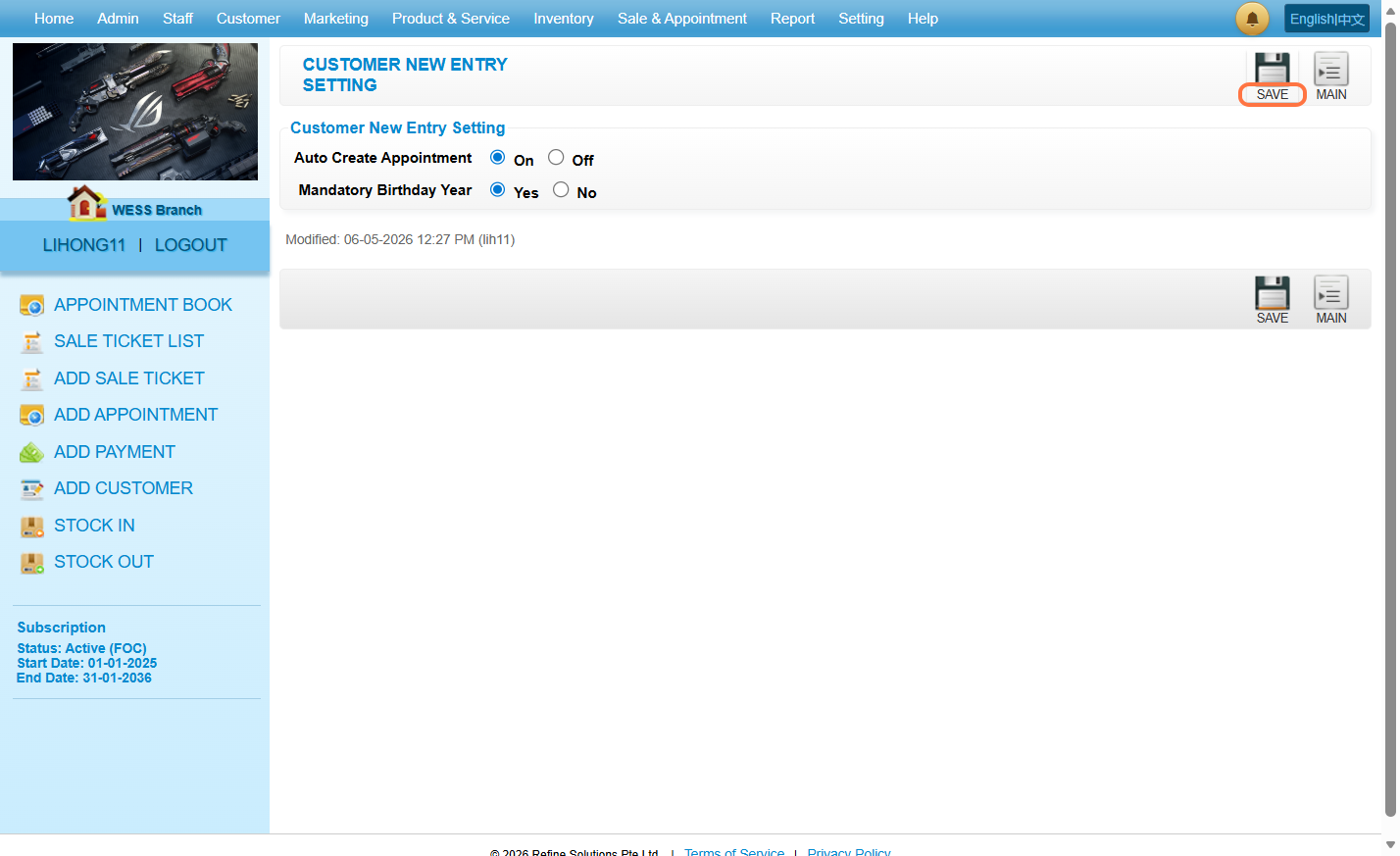
As a result: when the user does not select a birth year before clicking the “CREATE” button, the system will display an “Invalid birthday” error because the year defaults to “0”.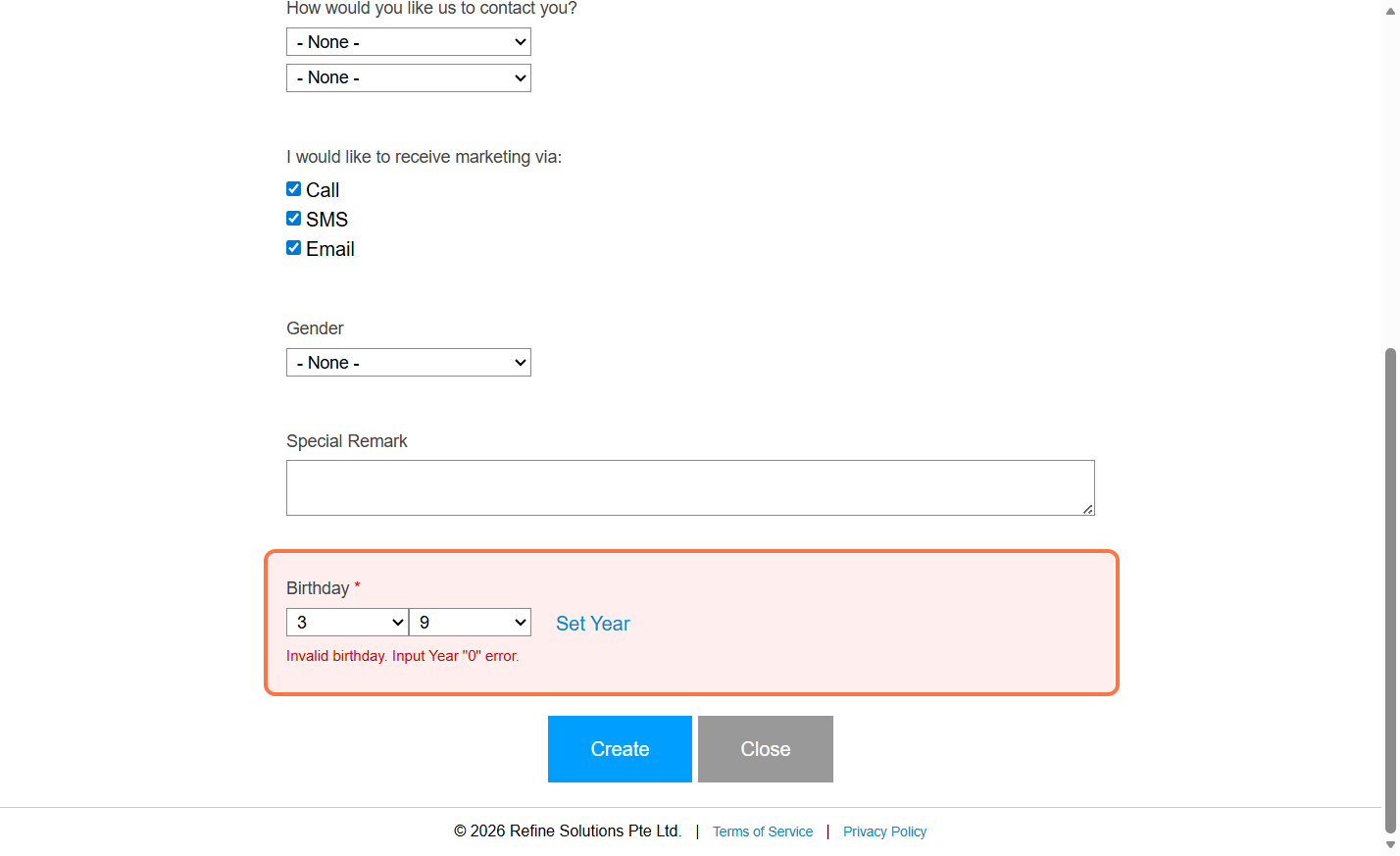
Last Updated: May 2026