
Step 1: Click “SETTING”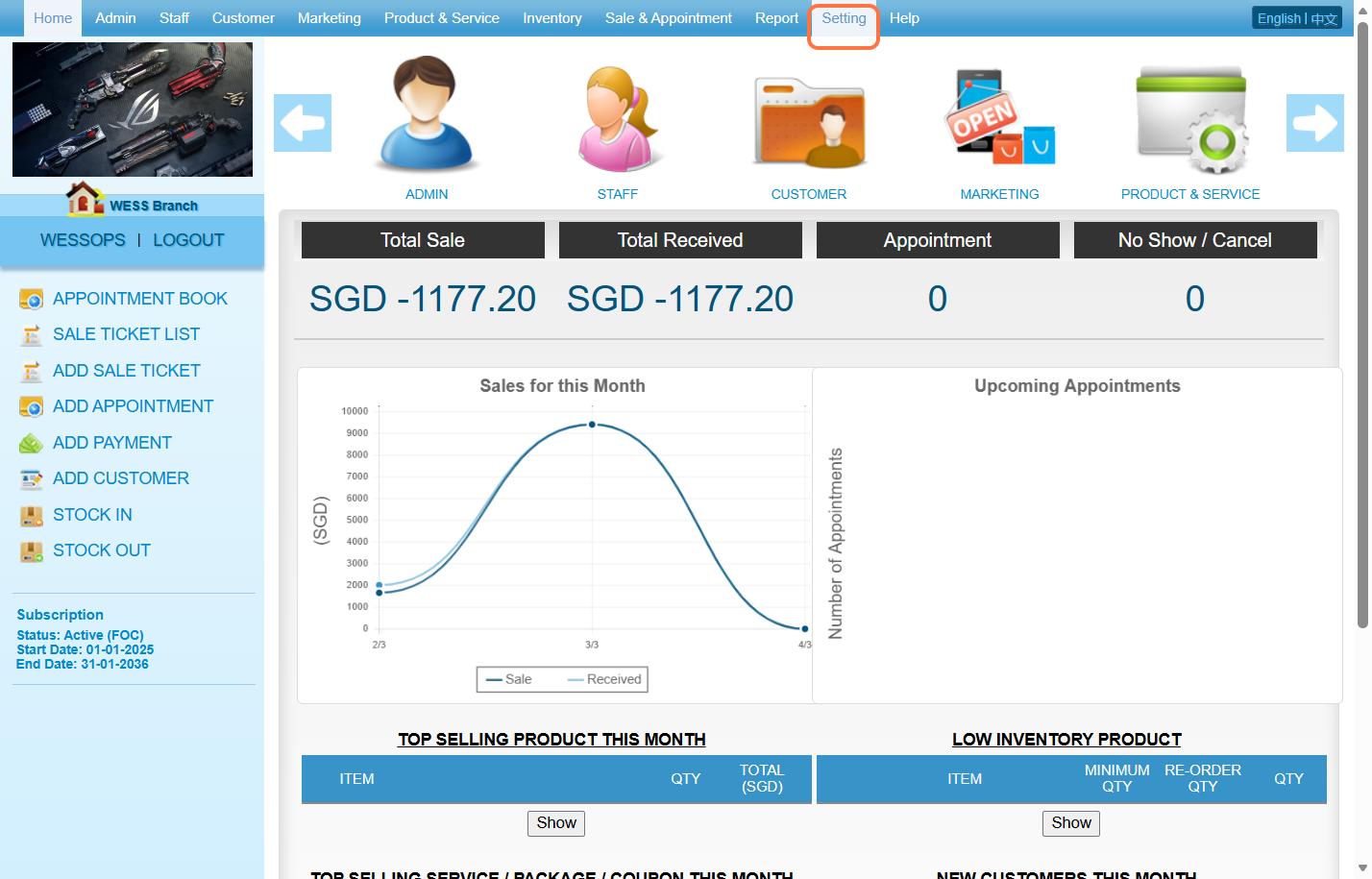
Step 2: Click “MARKETING SETTING”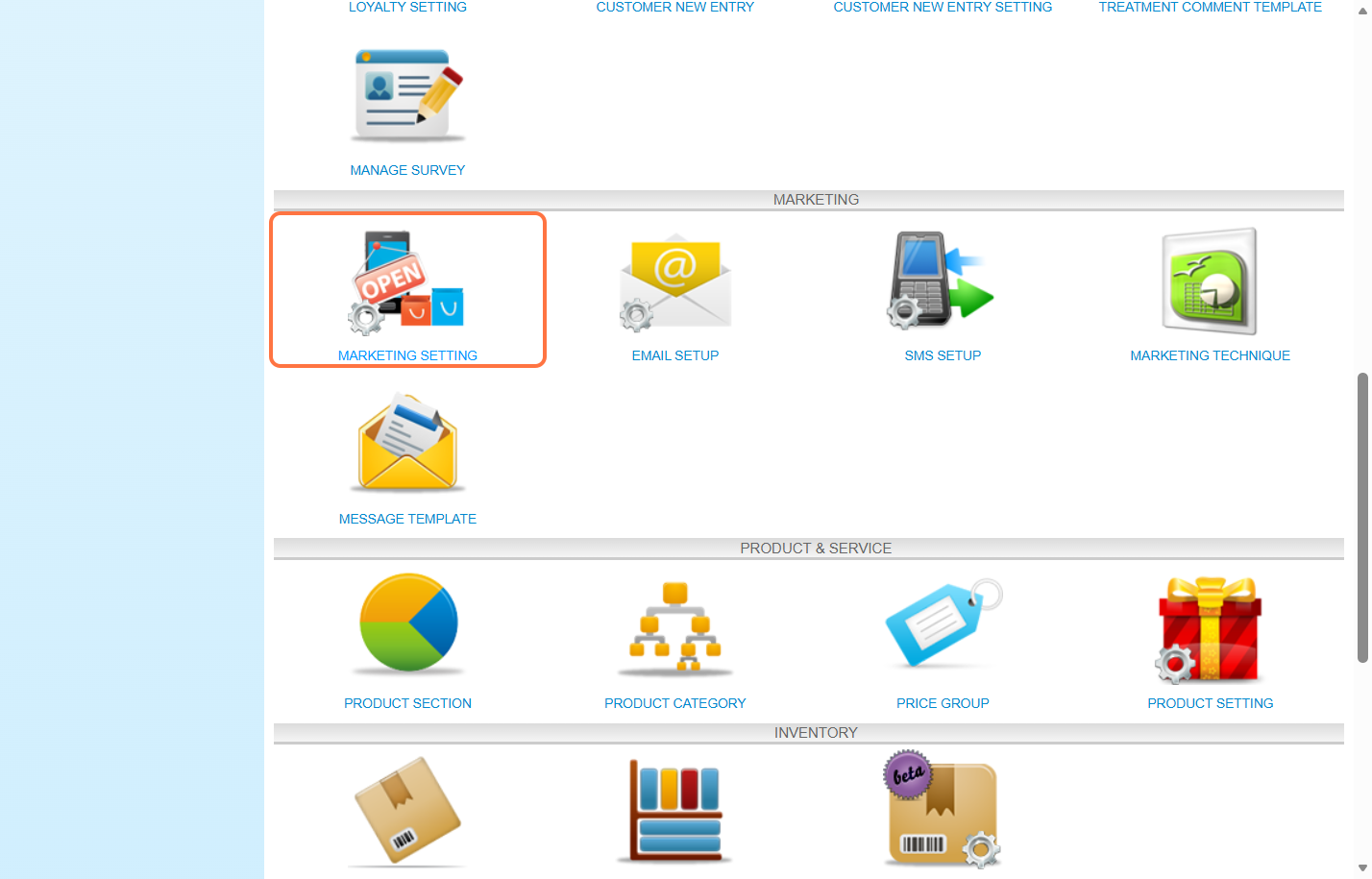
Step 3: You can choose to send this message to the customer by email or SMS.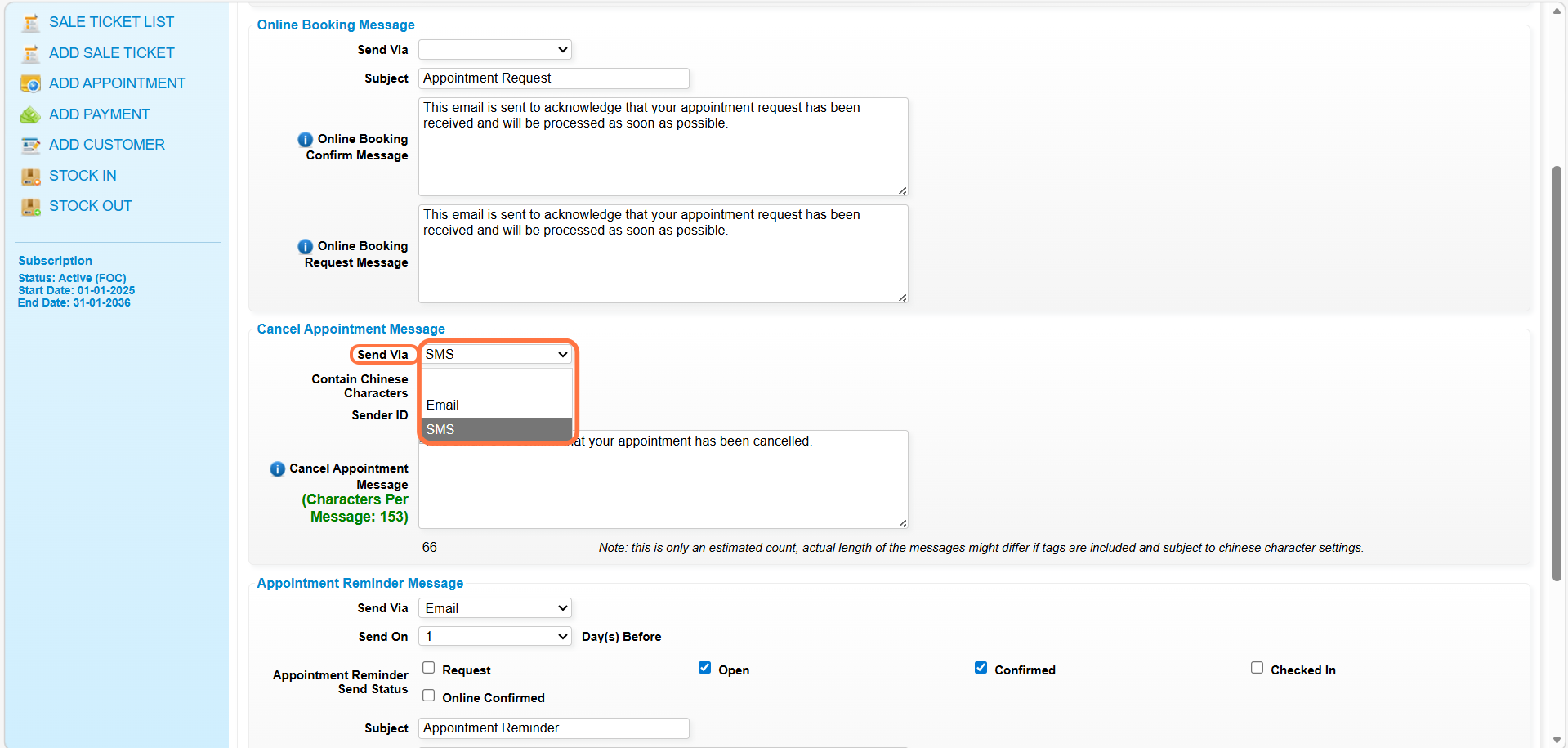
Step 4: You can fill in the appointment cancellation message here.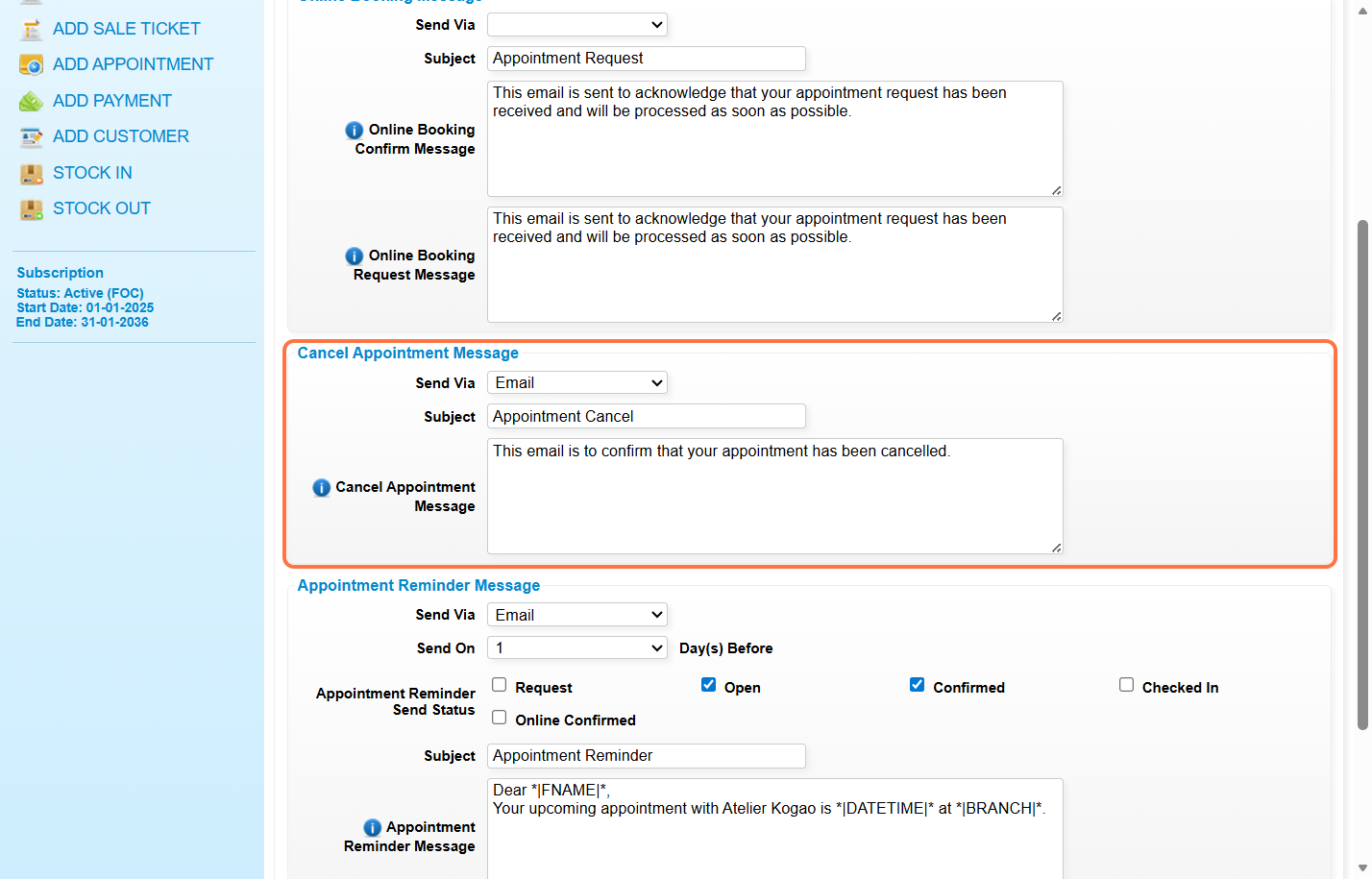
Step 5: You can move your mouse icon to the “i” icon to know more available merge tags(*these merge tags can use in message)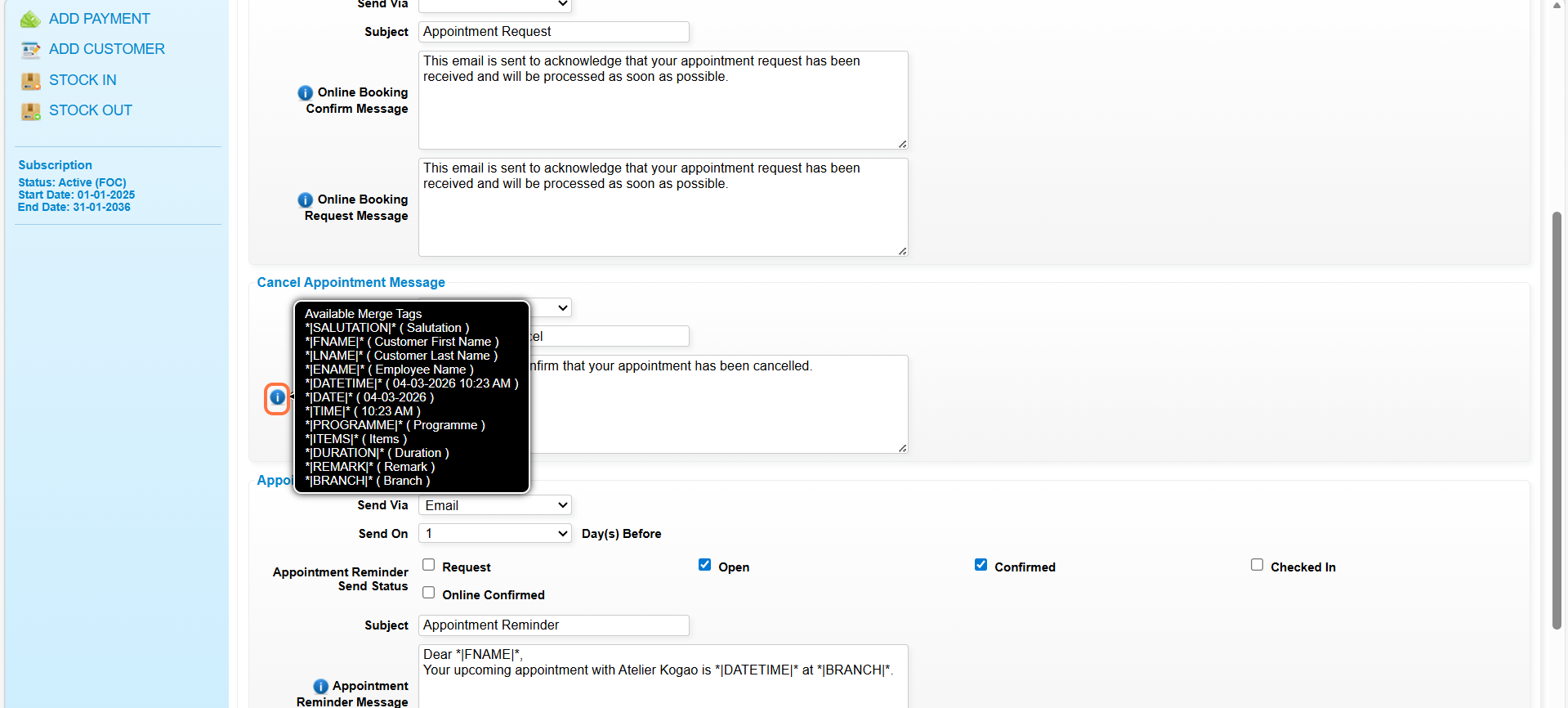
Step 6: Click “SAVE”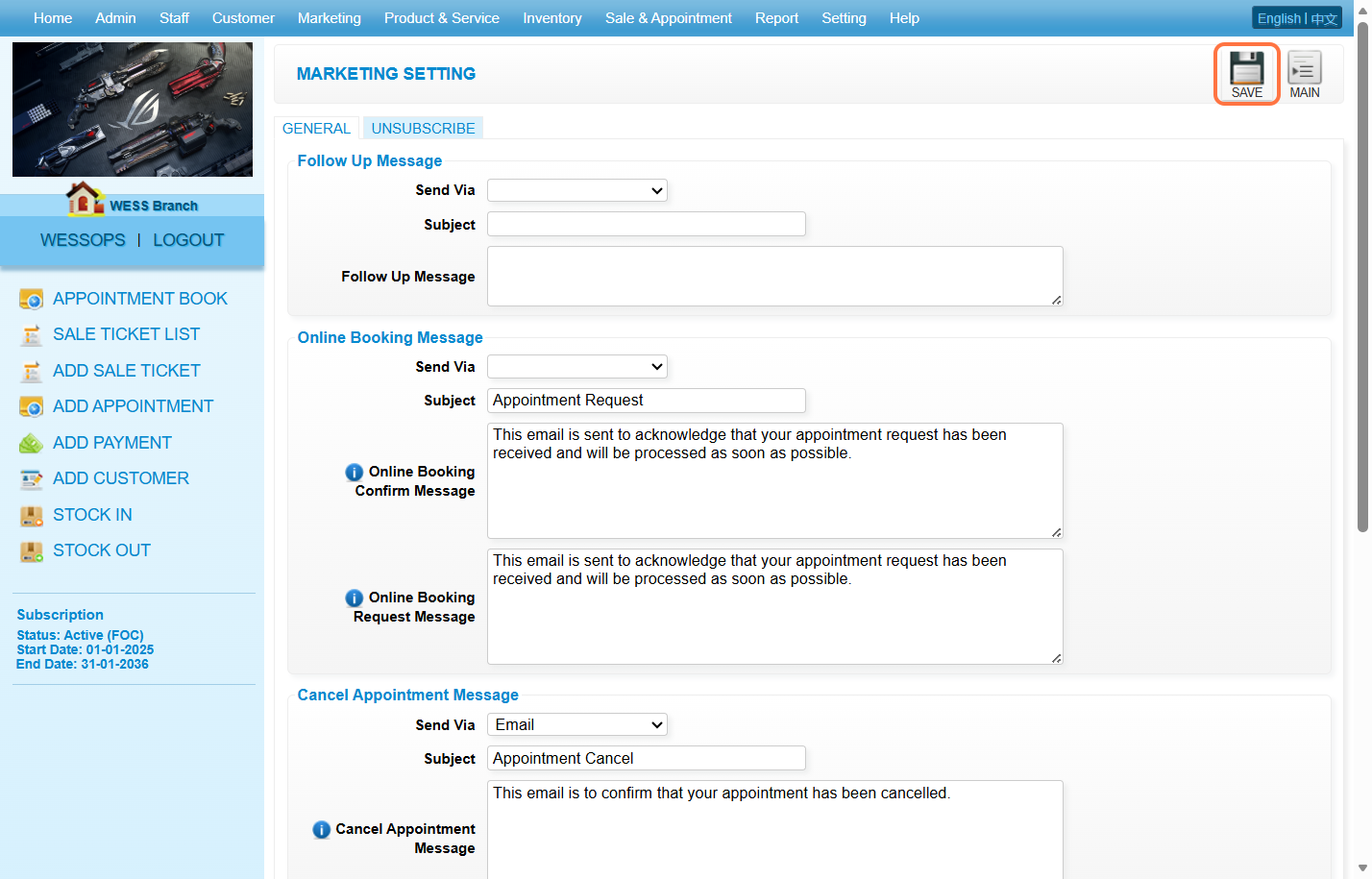
Last update: March 2026