
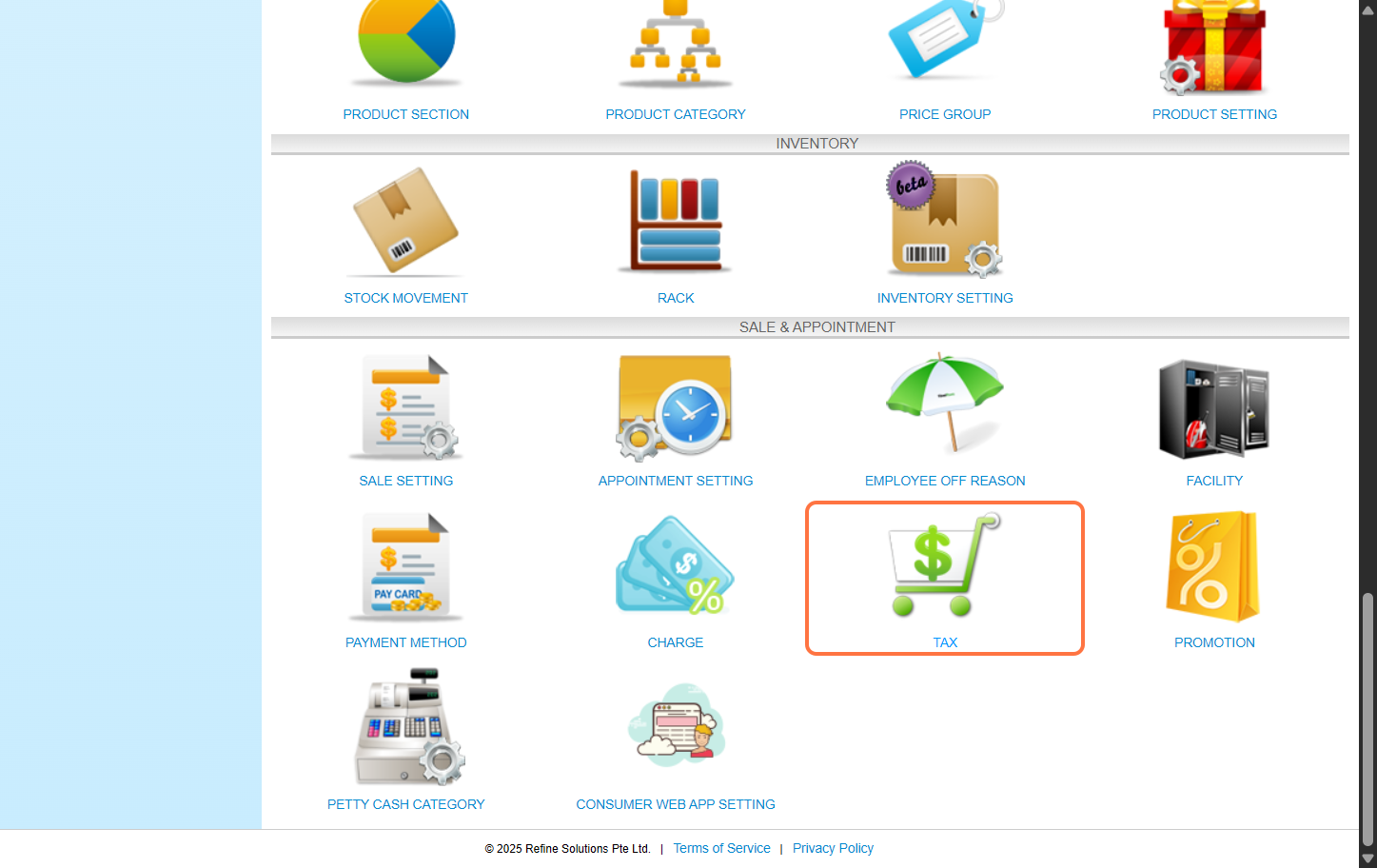
Step 1: Click “Setting”.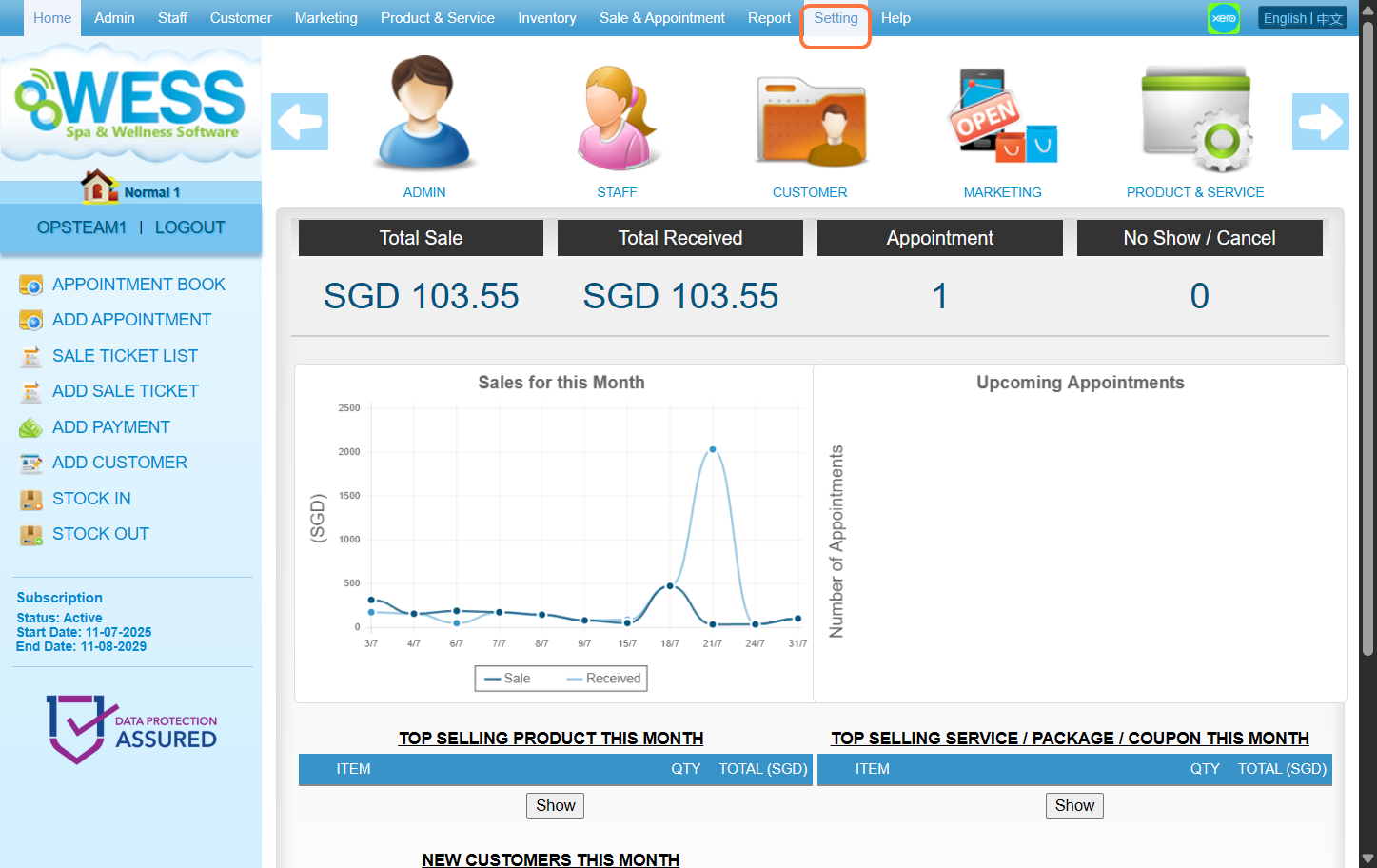 Step 2: Click “TAX”.
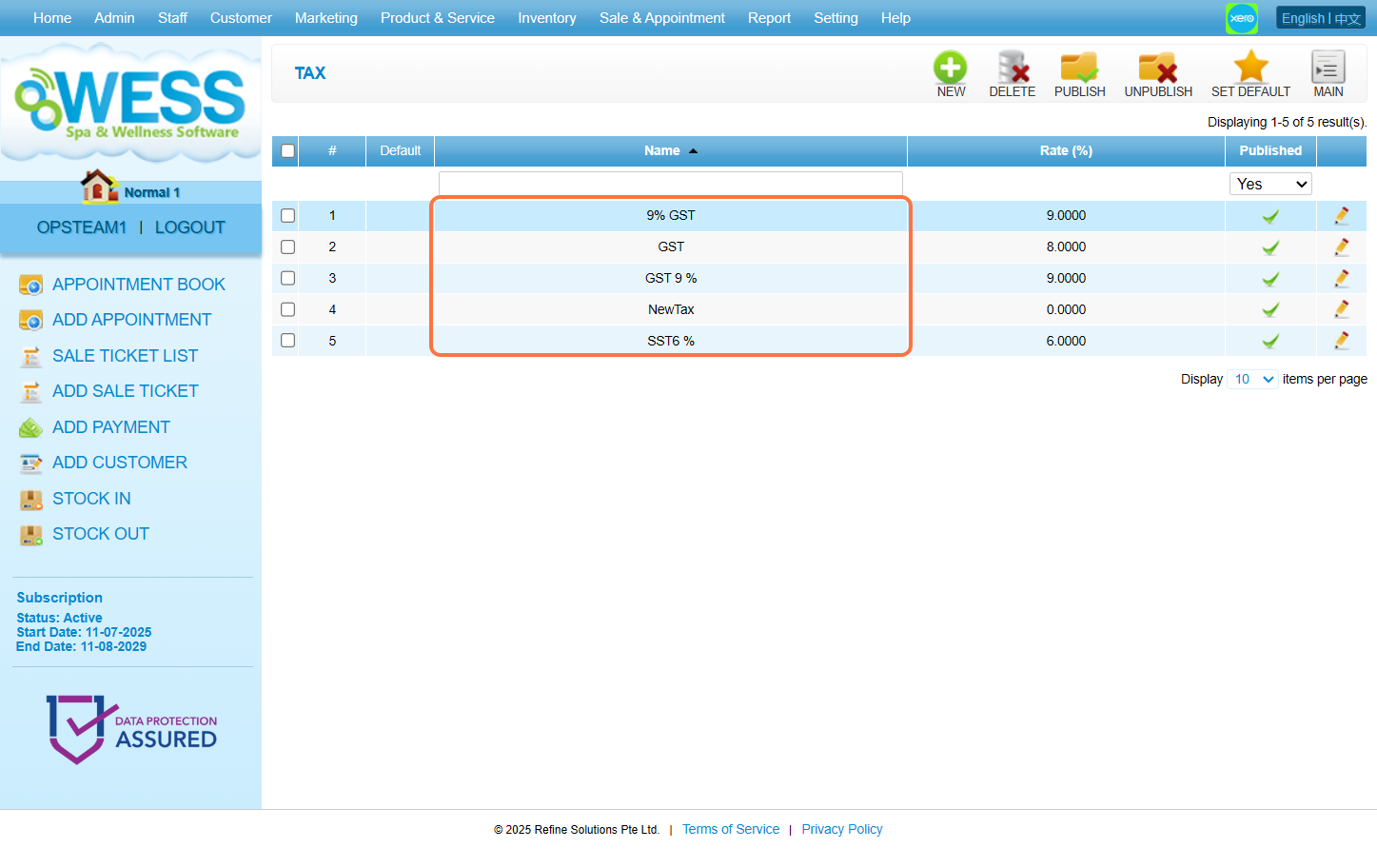
 Step 3: Select the tax option you want to edit.
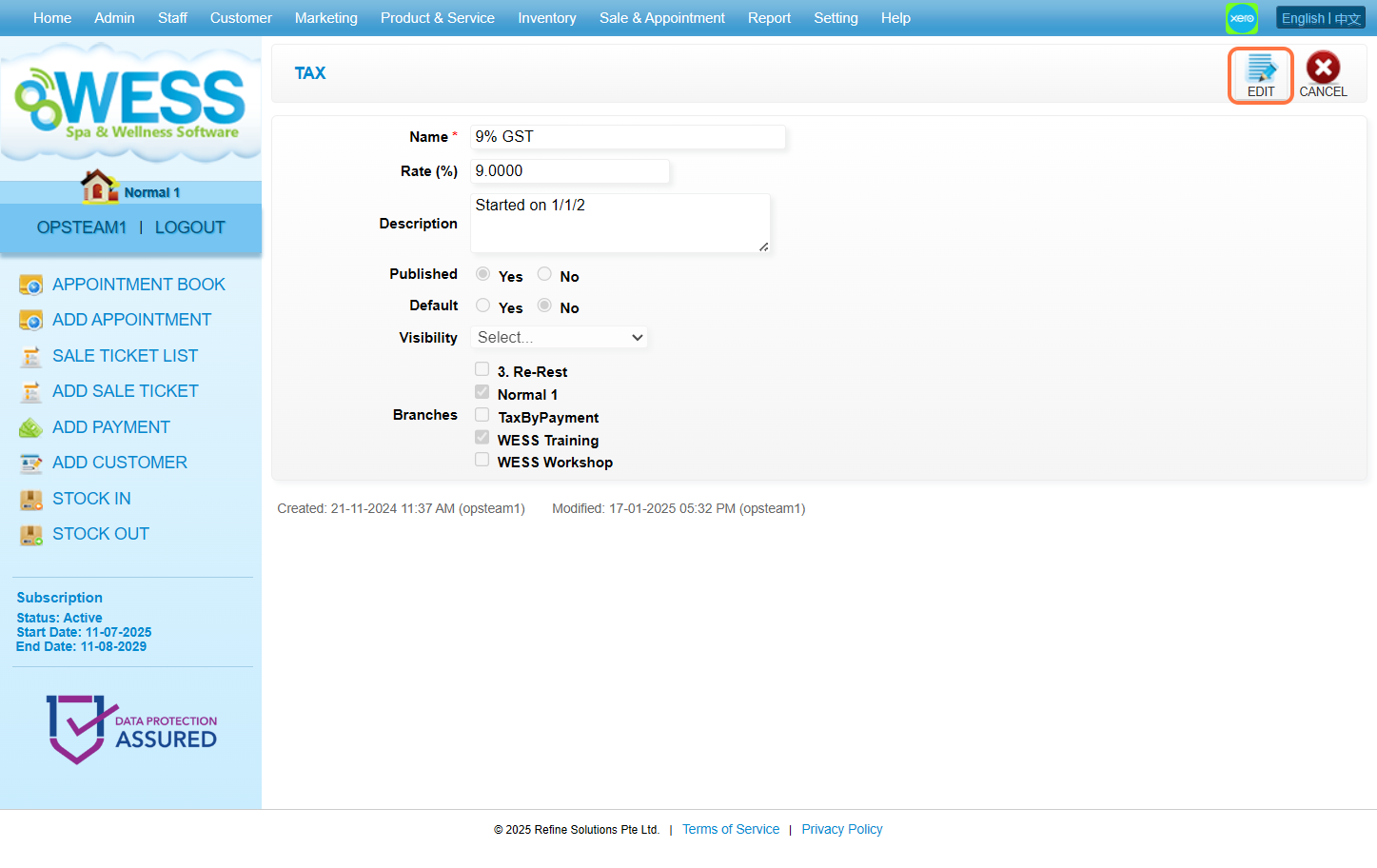
 Step 4: Click “EDIT”
 Step 5: Make any edit changes that is needed.
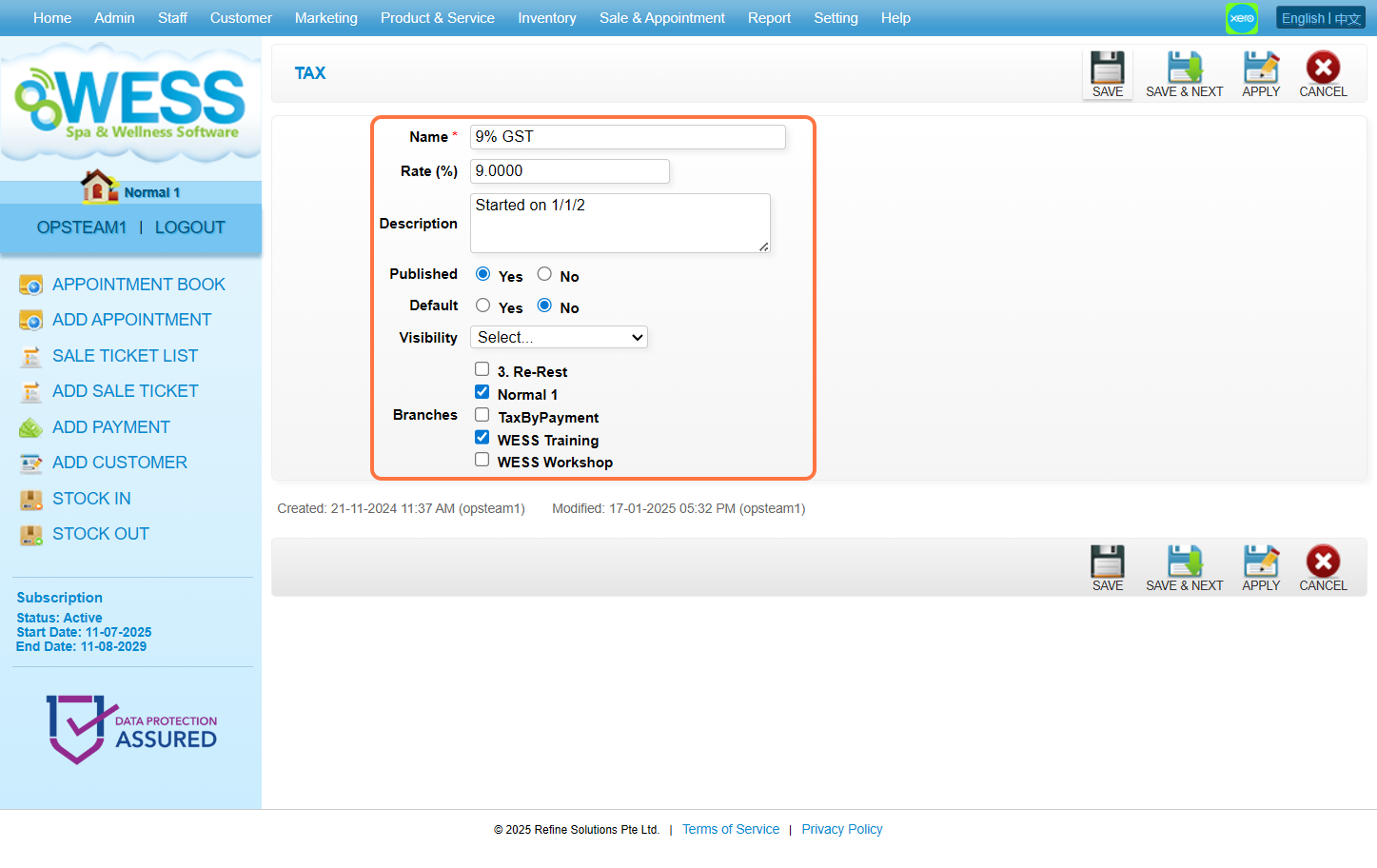 Step 6: Click “SAVE”.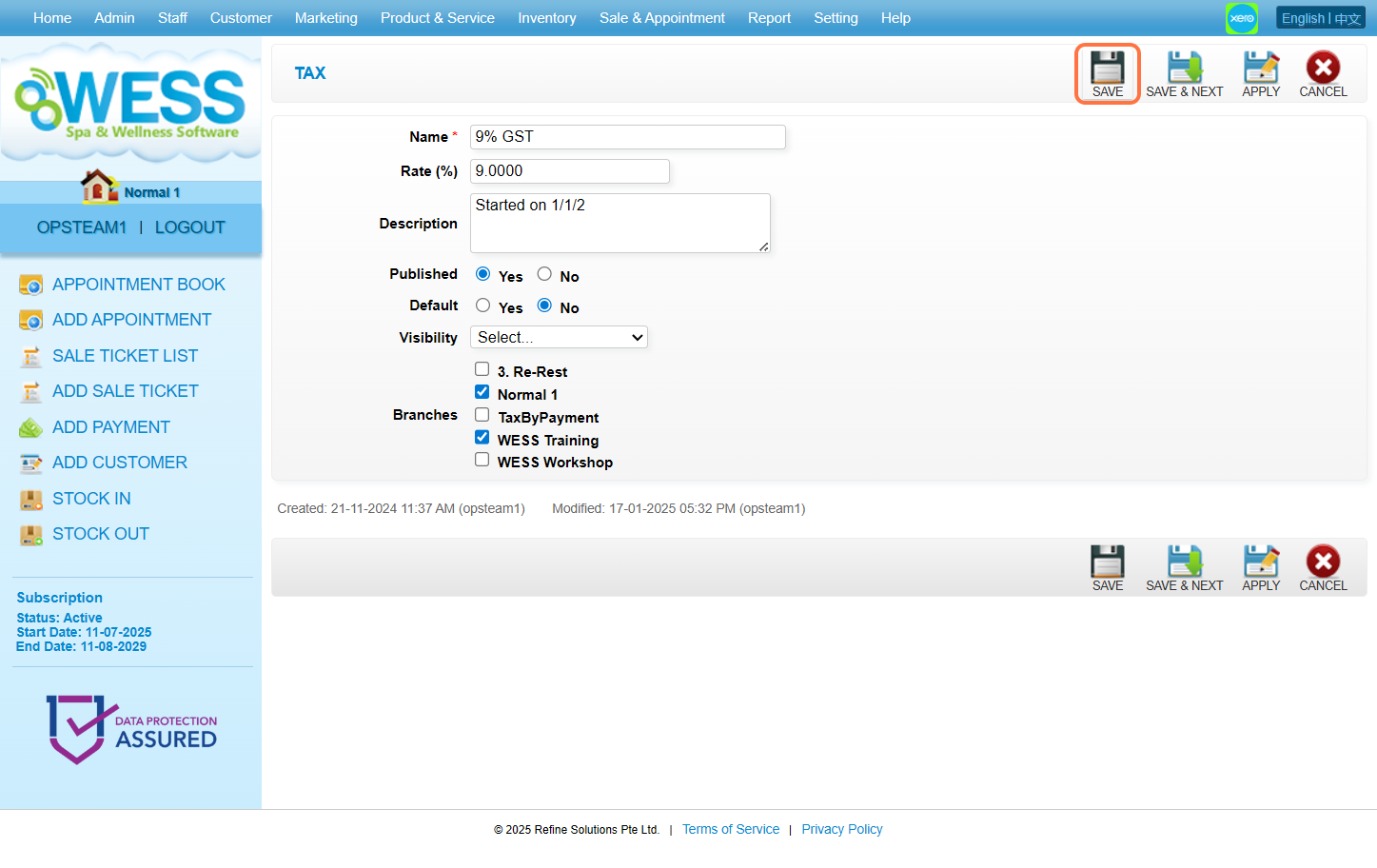
Step 2: Click “TAX”.
Step 3: Select the tax option you want to edit.
Step 4: Click “EDIT”
Step 5: Make any edit changes that is needed.
Step 6: Click “SAVE”.
Last Update: August 2025