
Step 1: Click on “SETTING”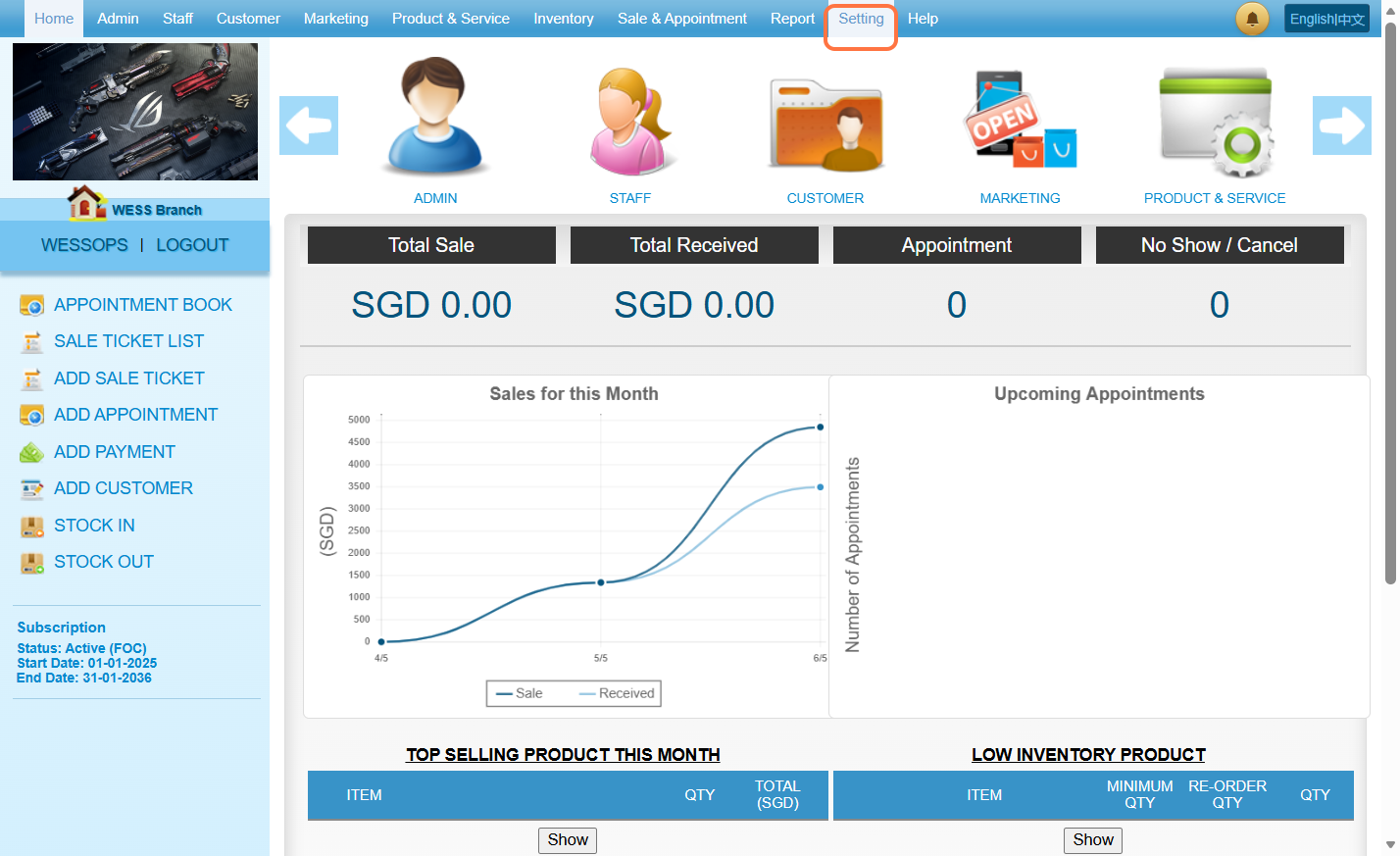
Step 2: Click on “CUSTOMER NEW ENTRY”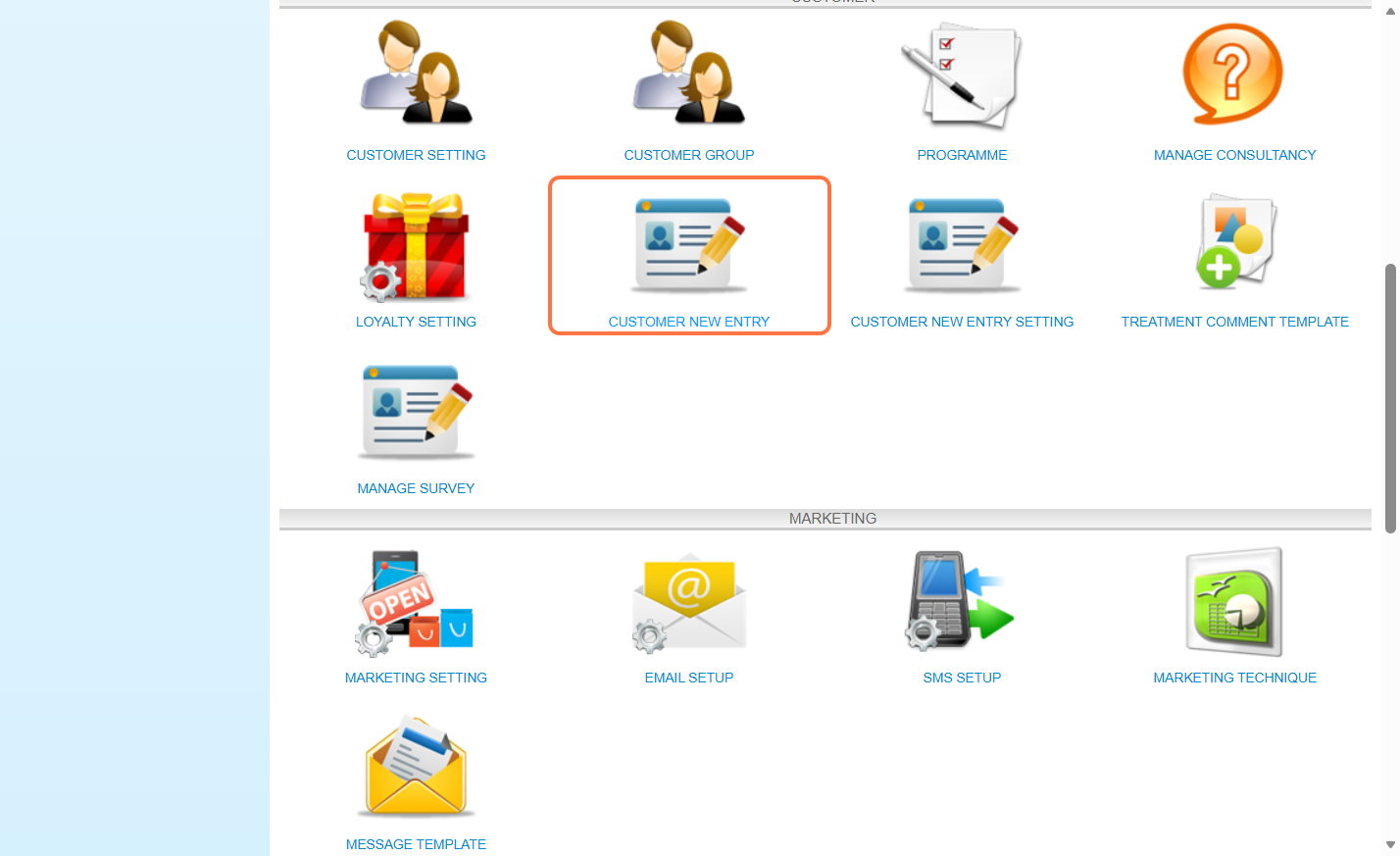
Step 3: Click on “NEW”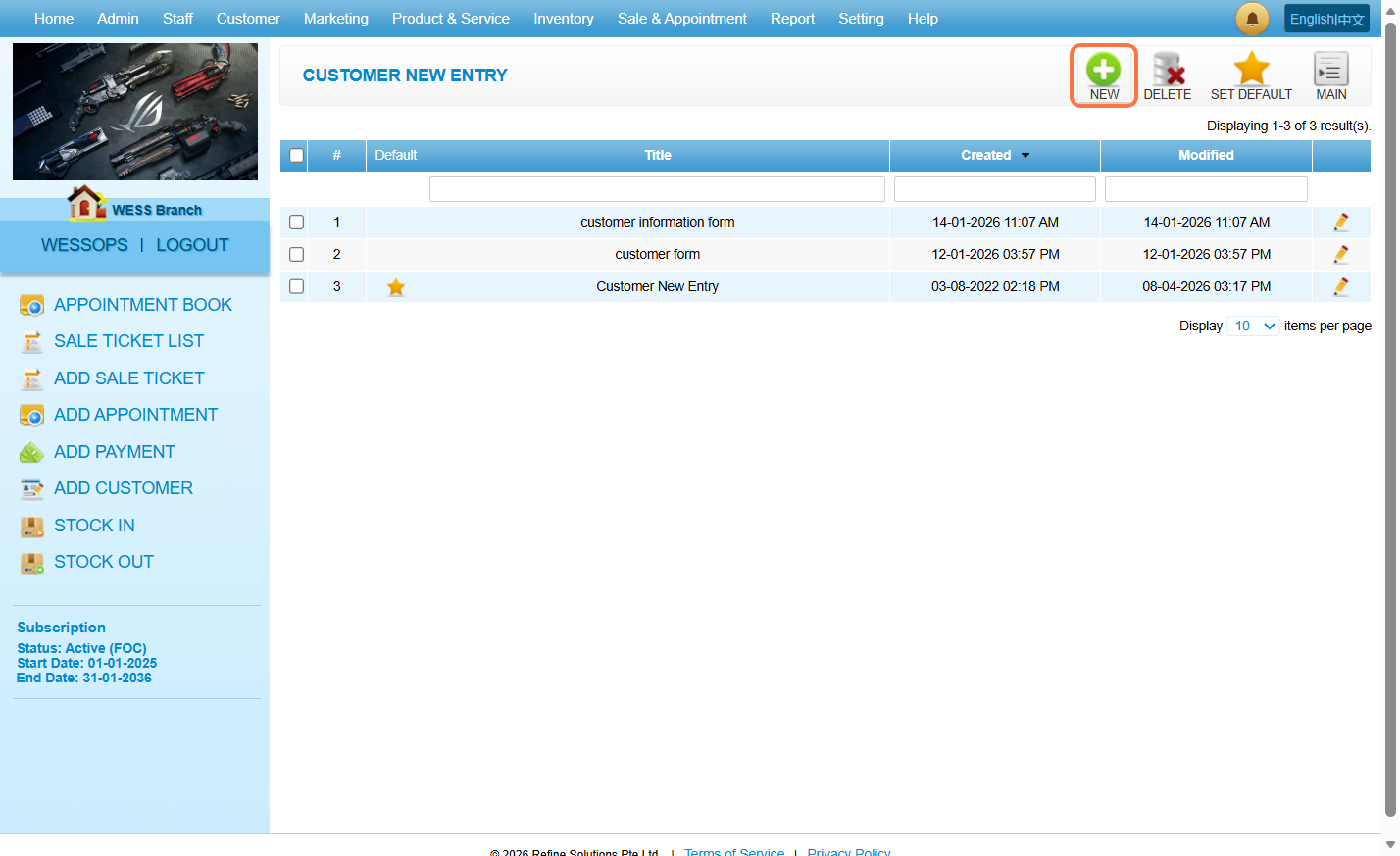
Step 4: Fill in the title and description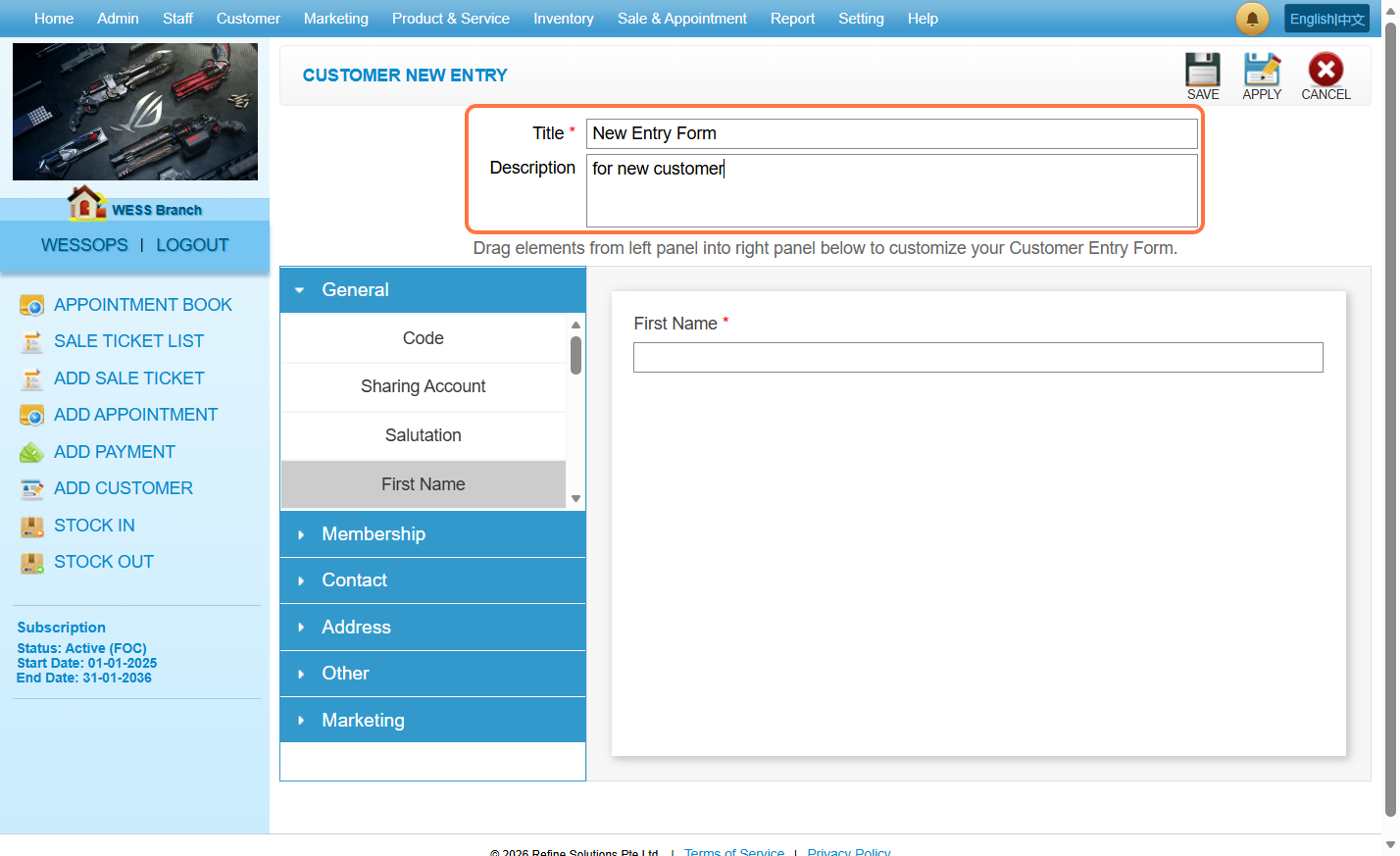
Step 5: Drag and drop the field needed from the left panel to the right panel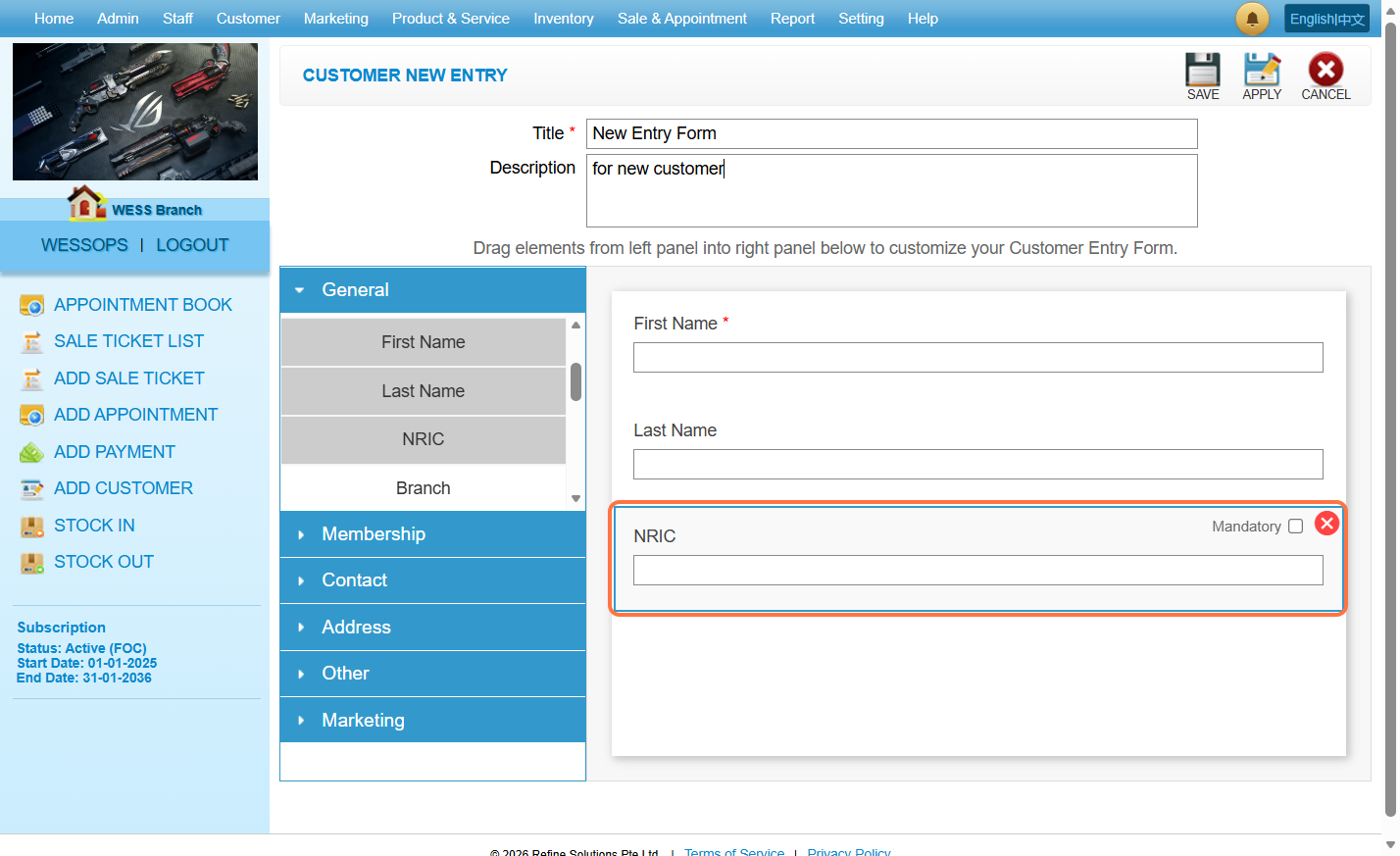
Step 6: Click on “SAVE”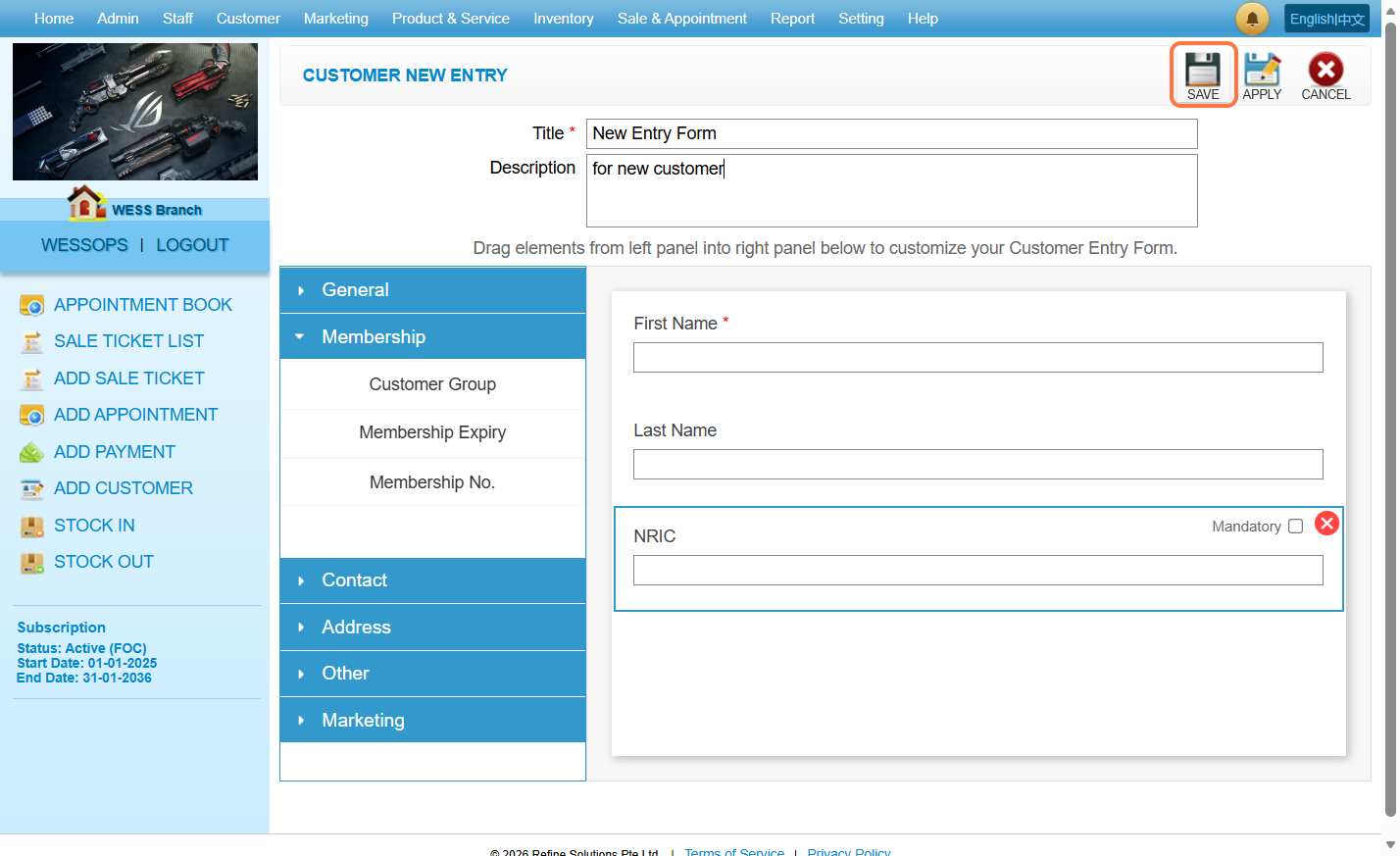
Step 7: To set a form as the default form, tick the checkbox next to the desired form.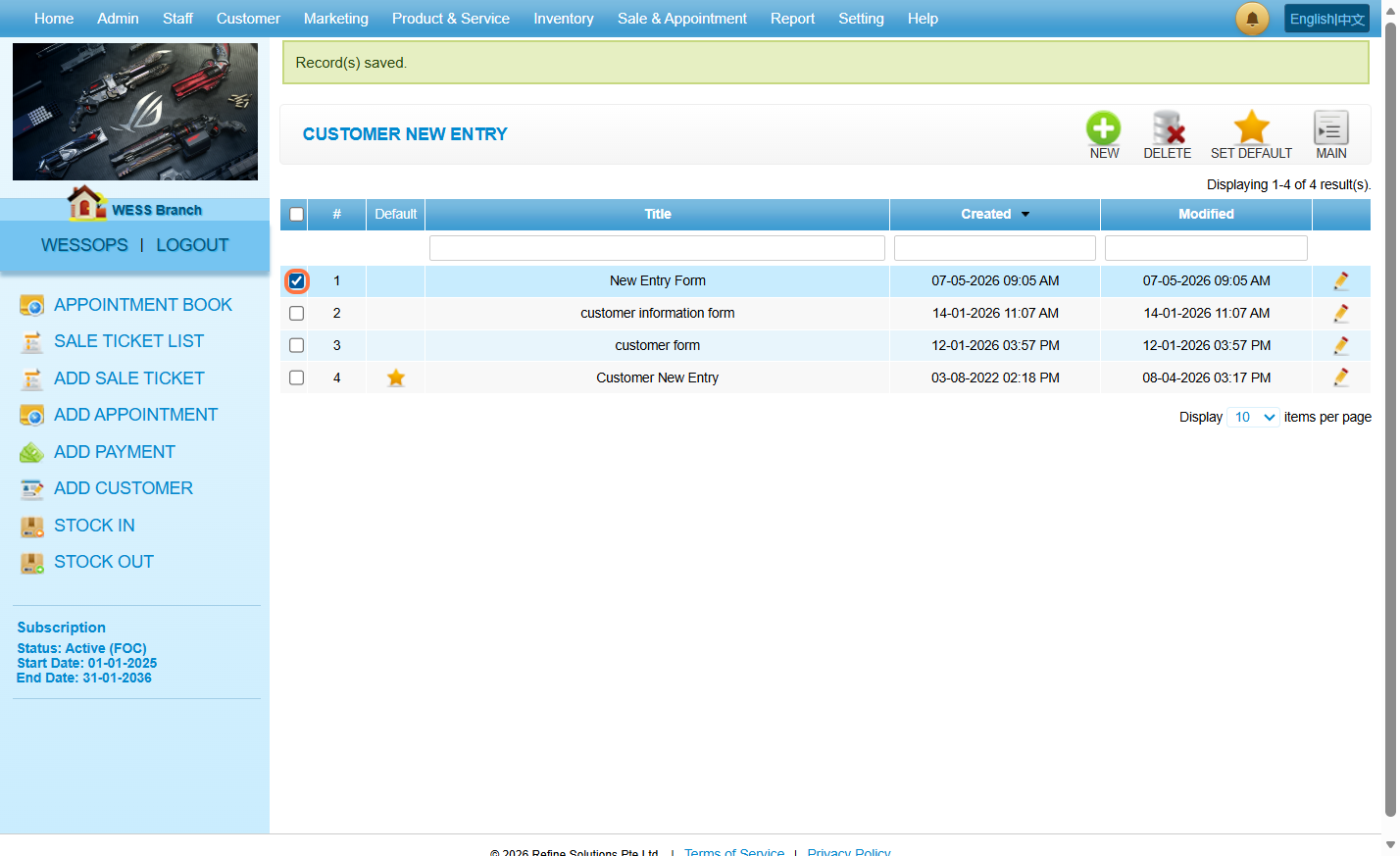
Step 8: Then click on “SET DEFAULT”.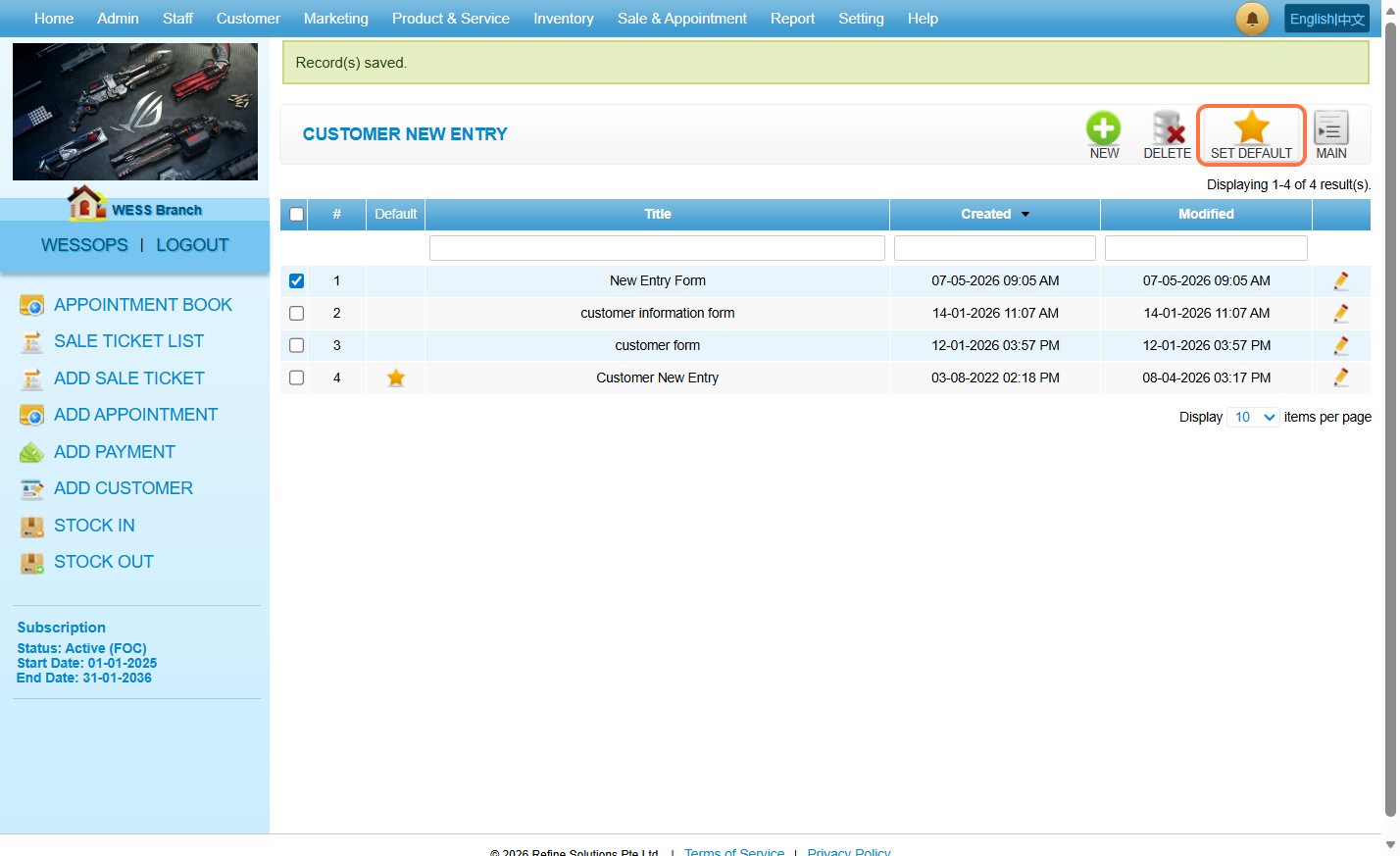
Last Updated: May 2026