
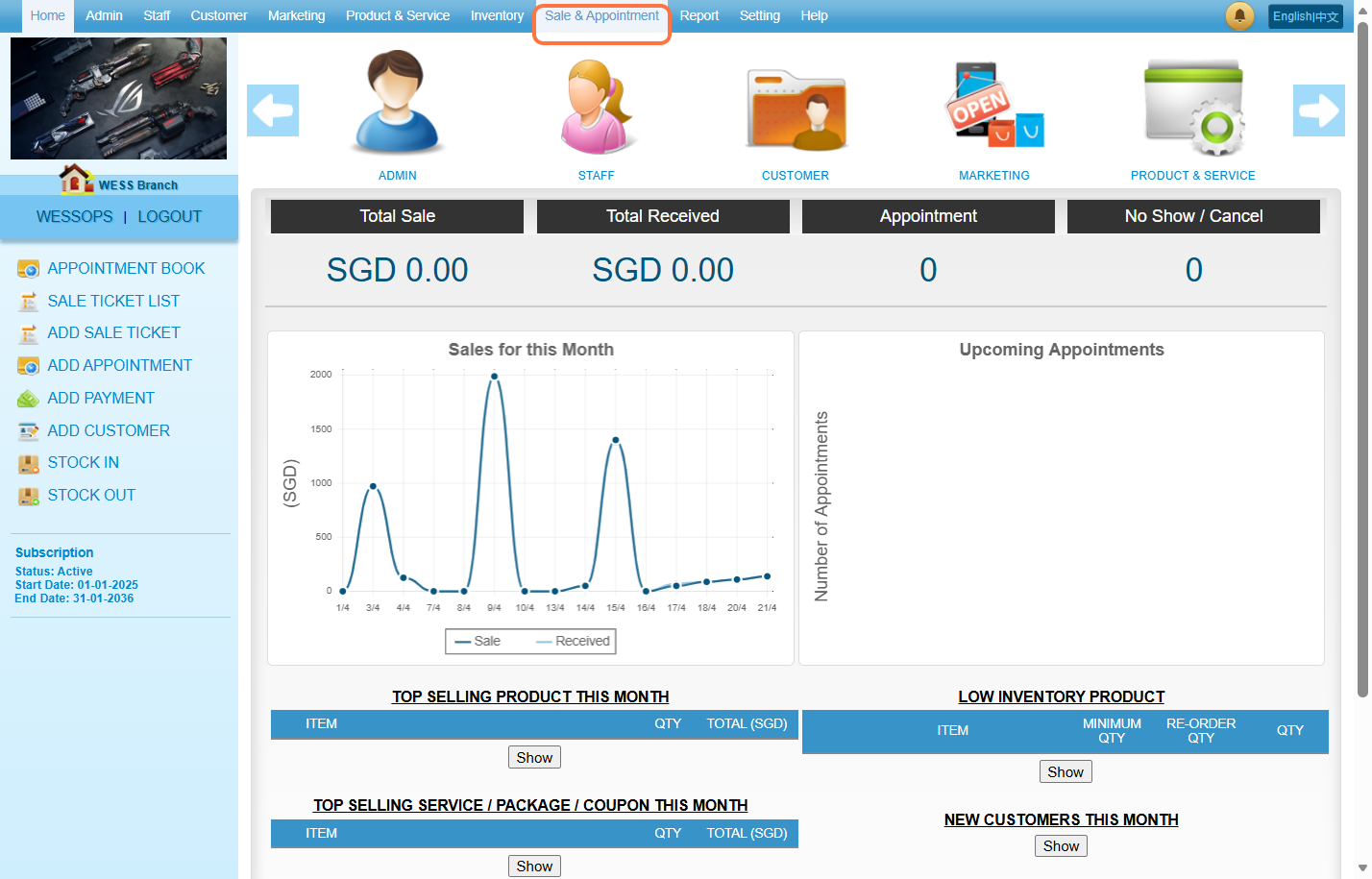
Step 1: Click on “Sale & Appointment”.
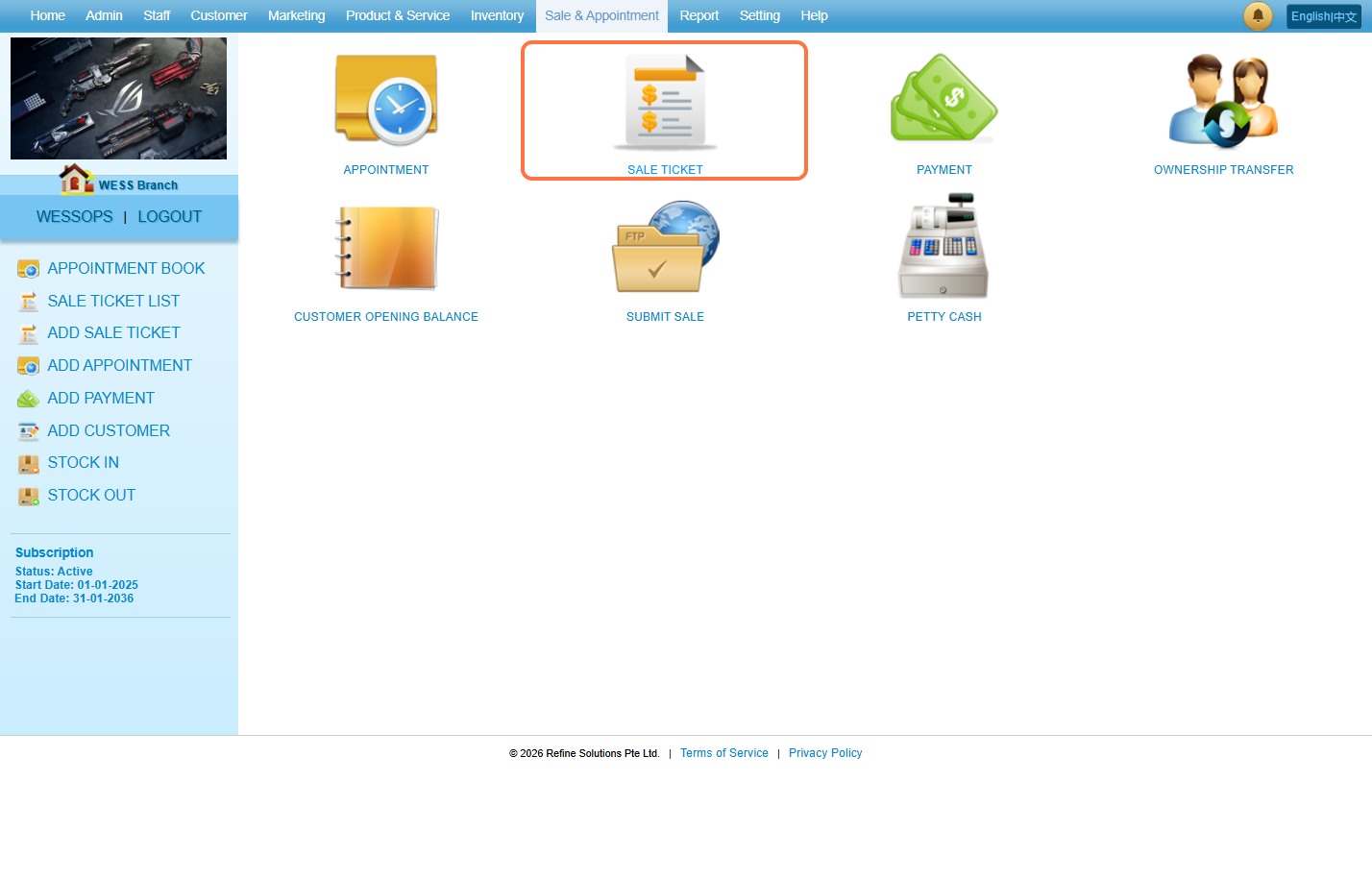
Step 2: Click on “SALE TICKET”.
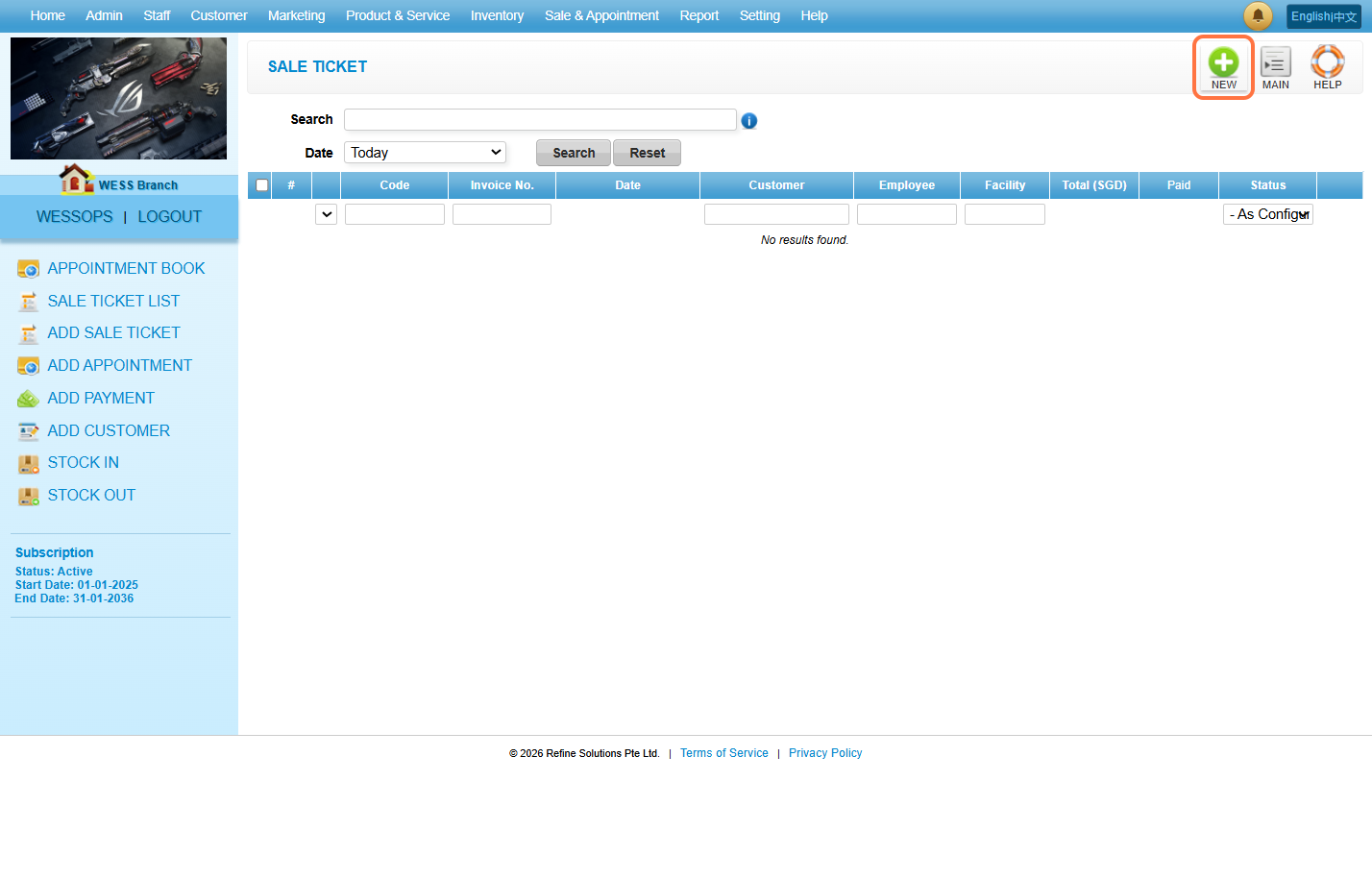
Step 3: Click on “NEW”.
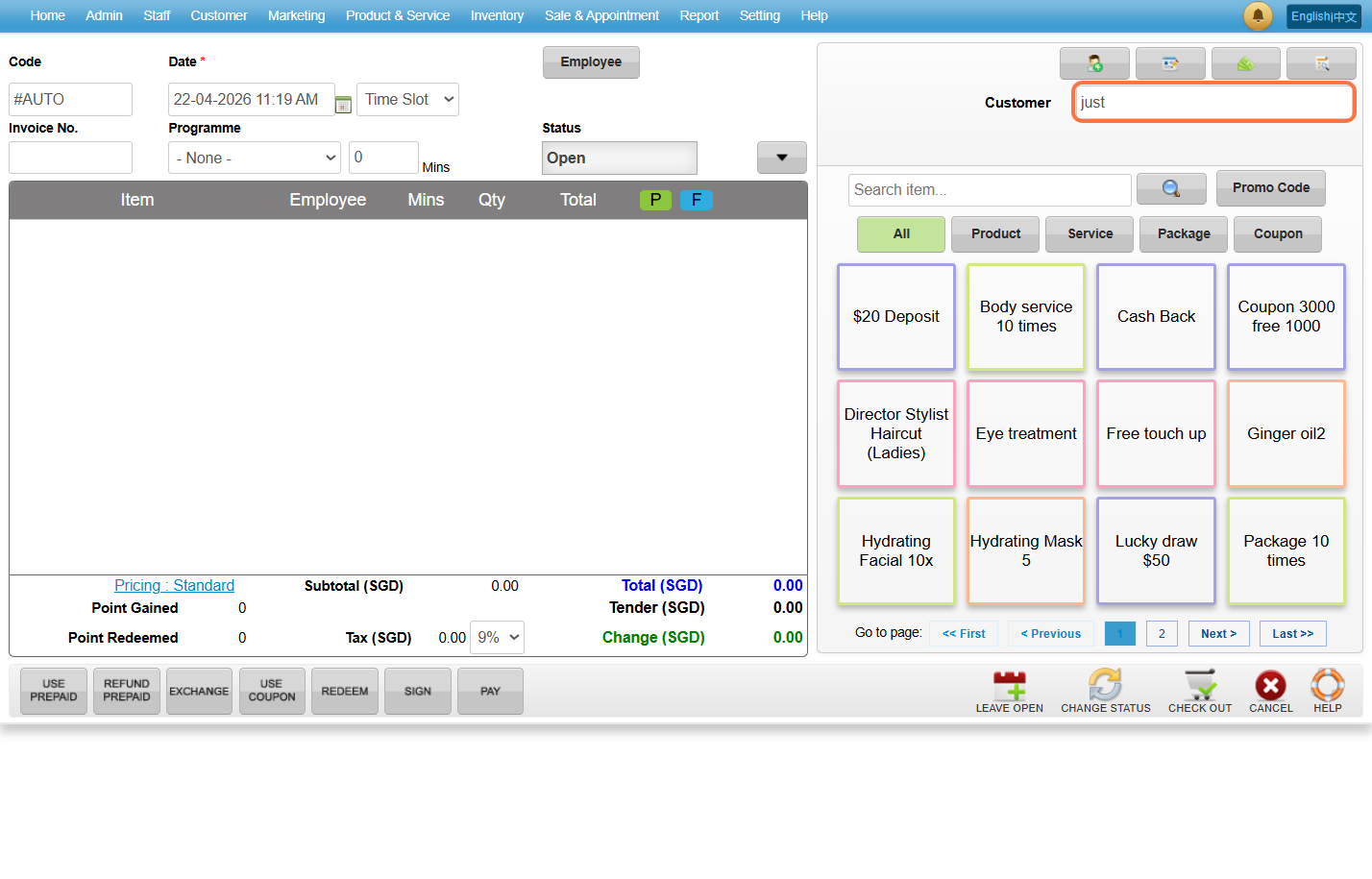
Step 4: Enter the “Customer’s Name”.
Step 5: Click on “Employee”.
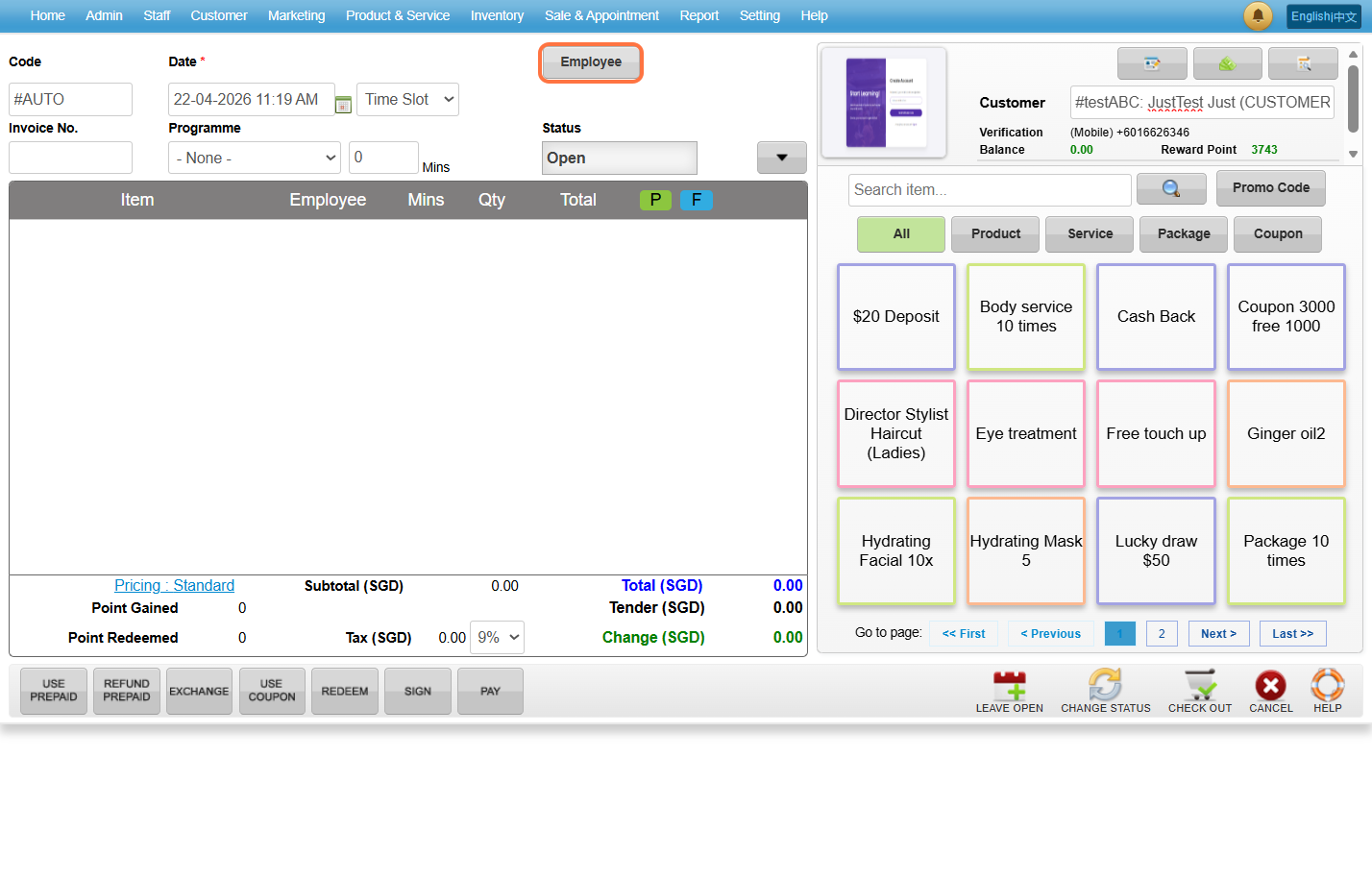
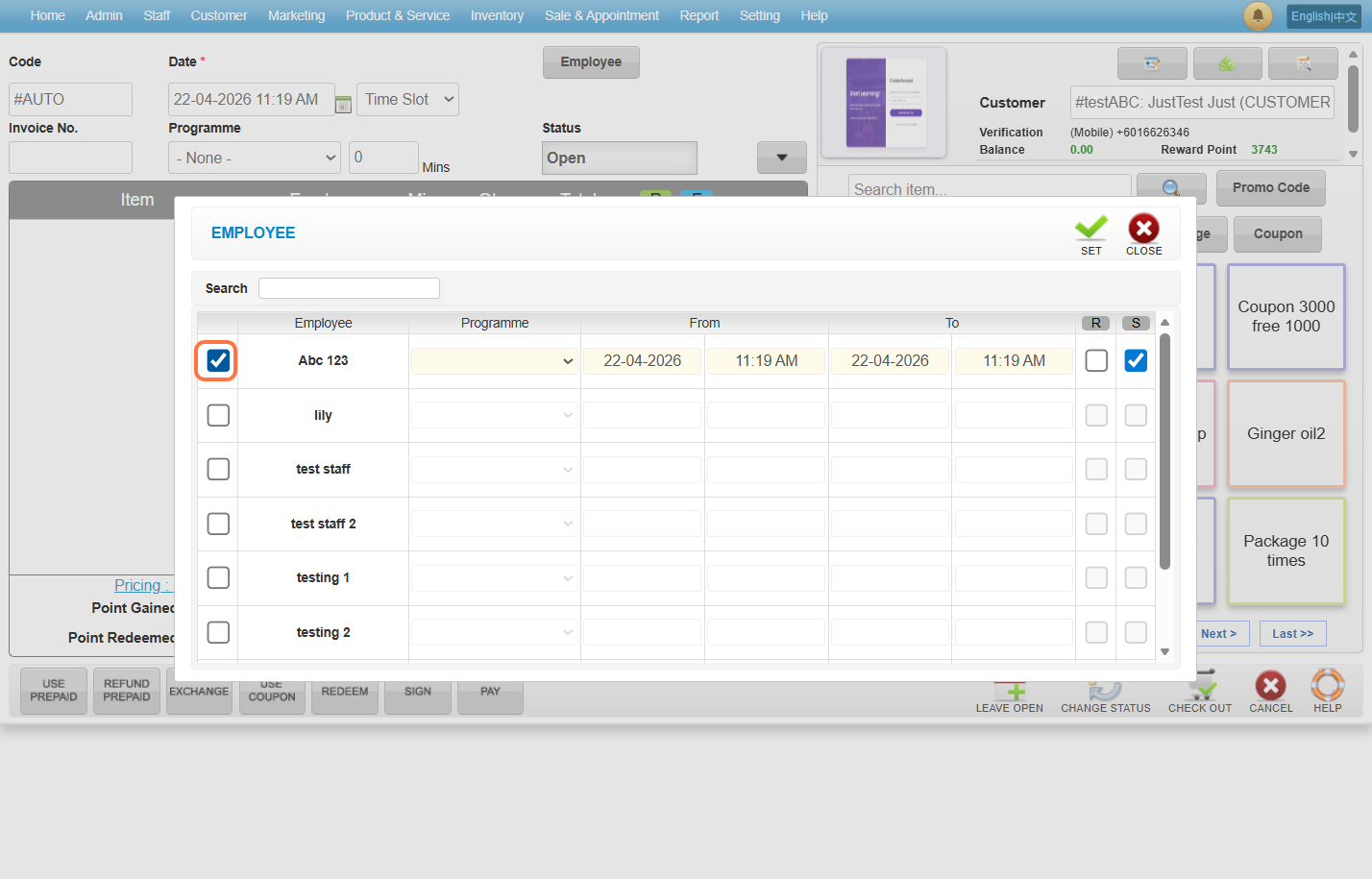
Step 6: Select the employee and check it.
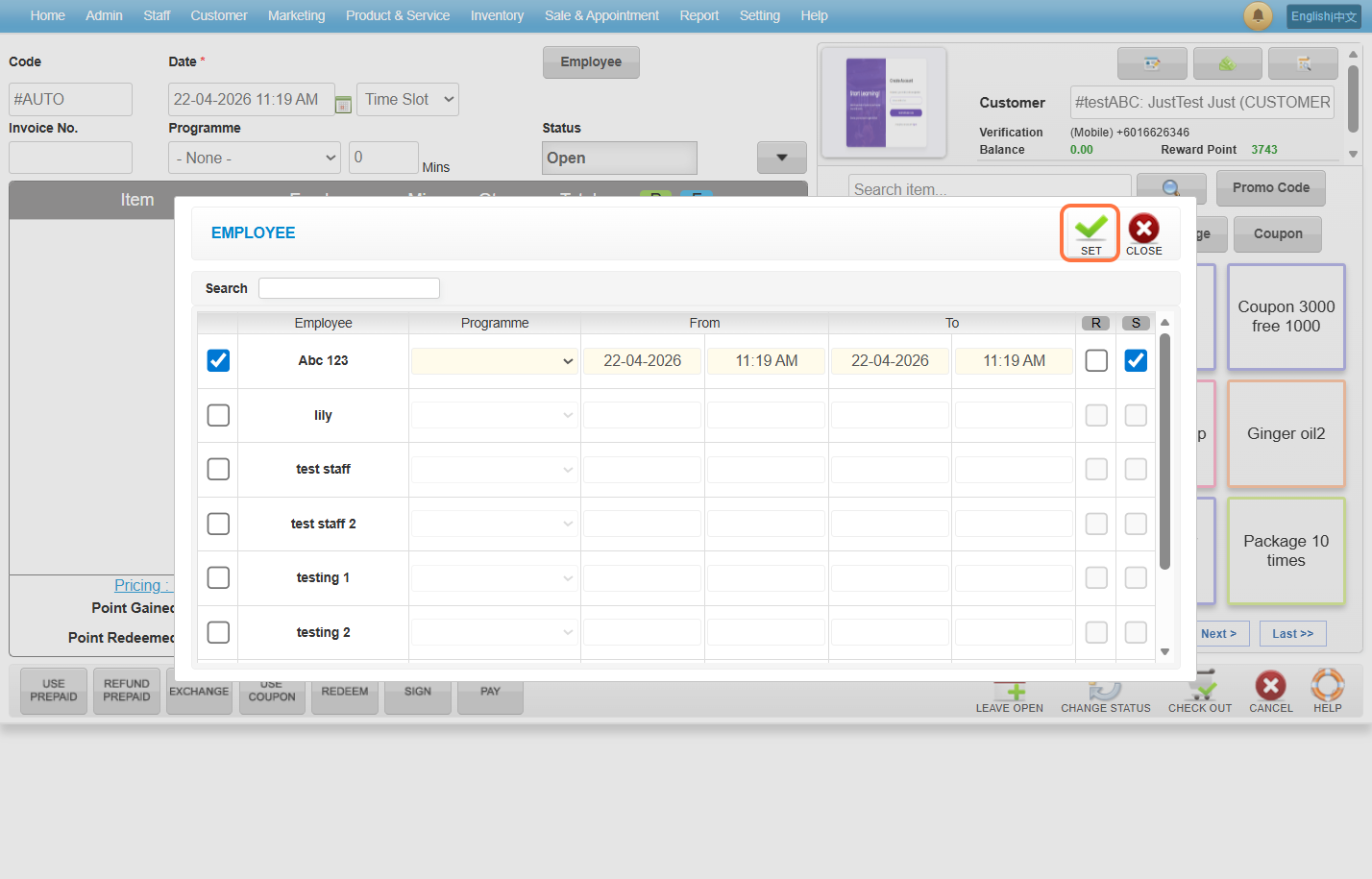
Step 7: Click on “SET” button.
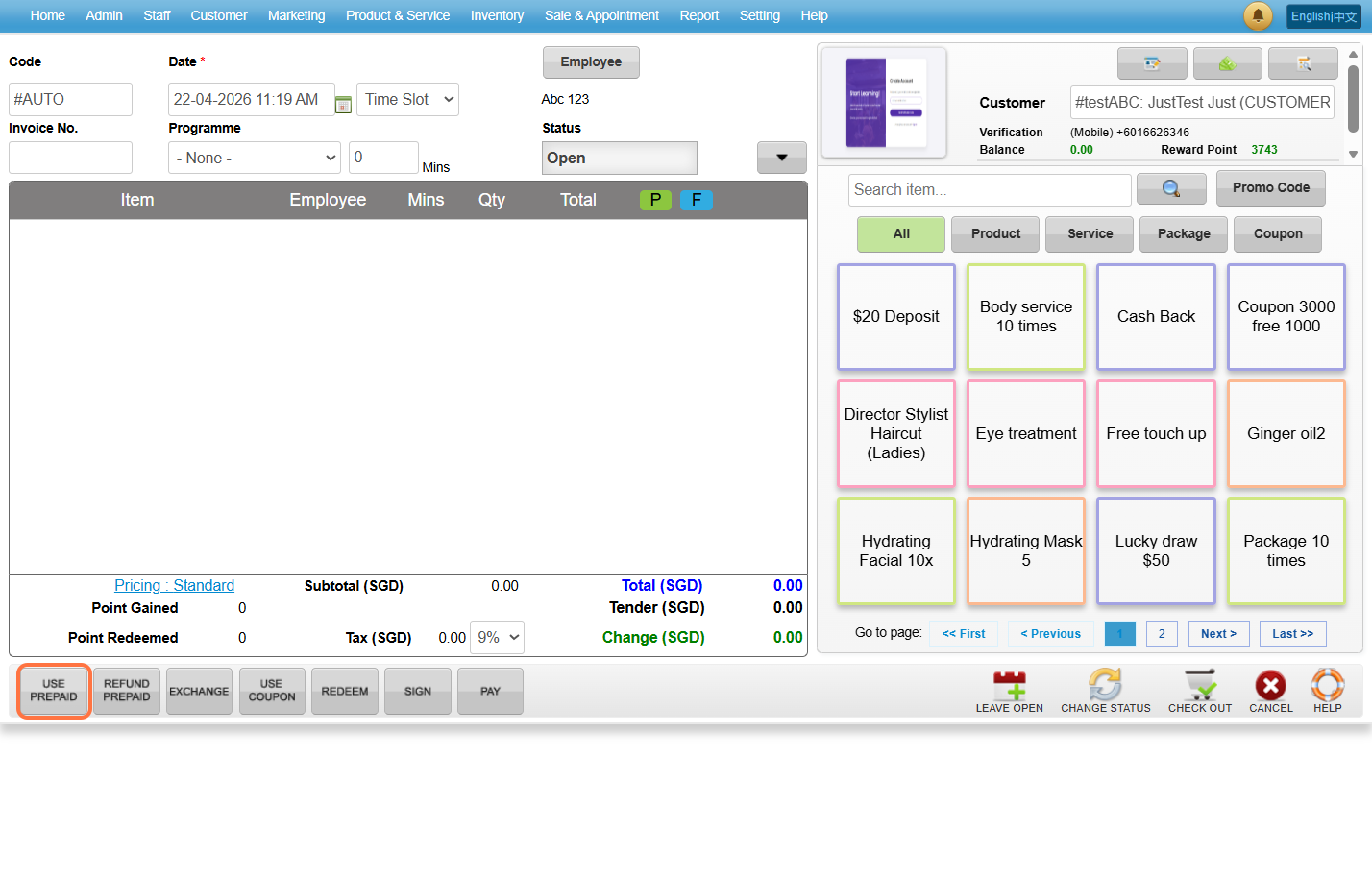
Step 8: Click on “Use Prepaid”.
Step 9: Select the token coupon.
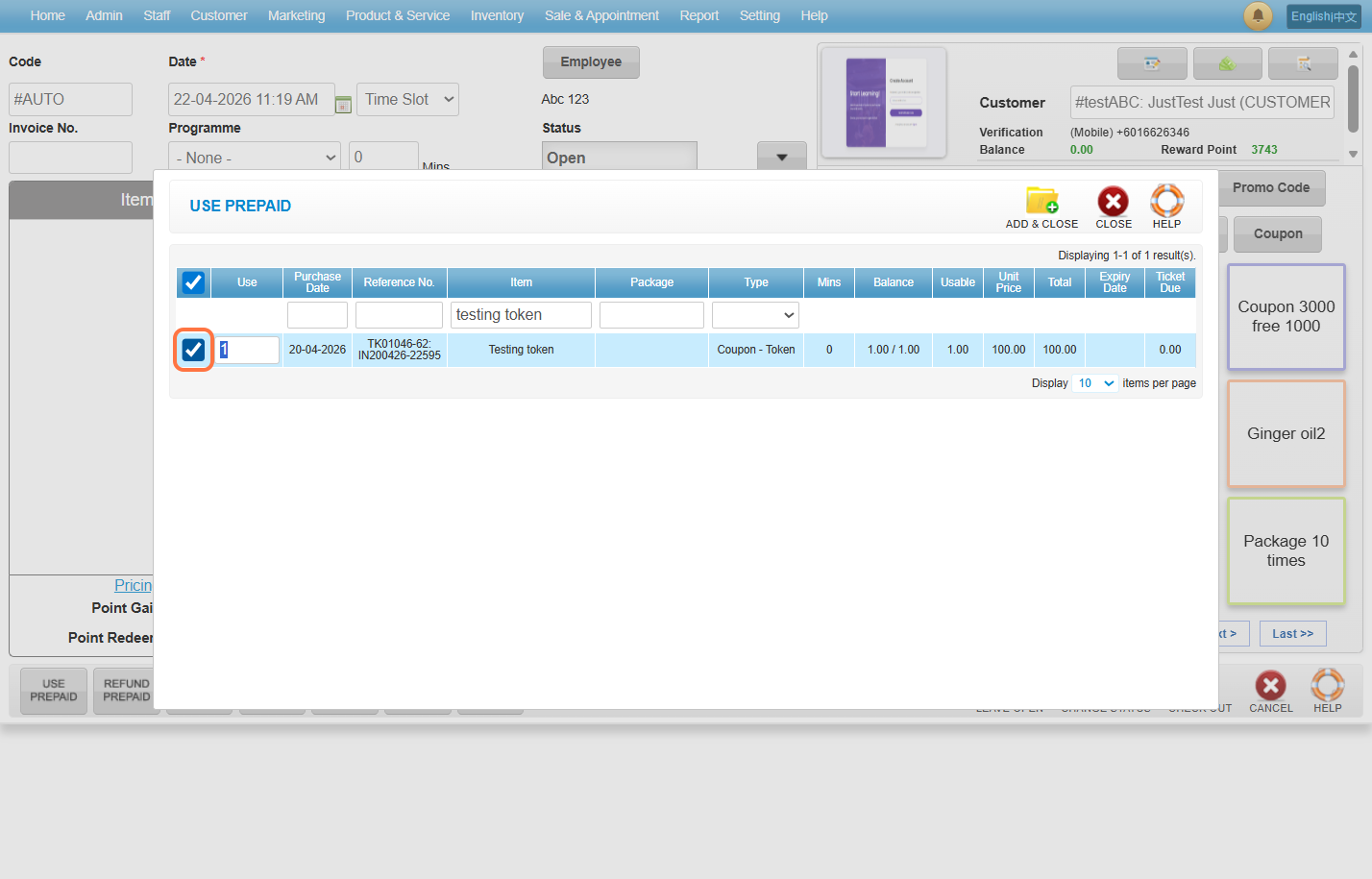
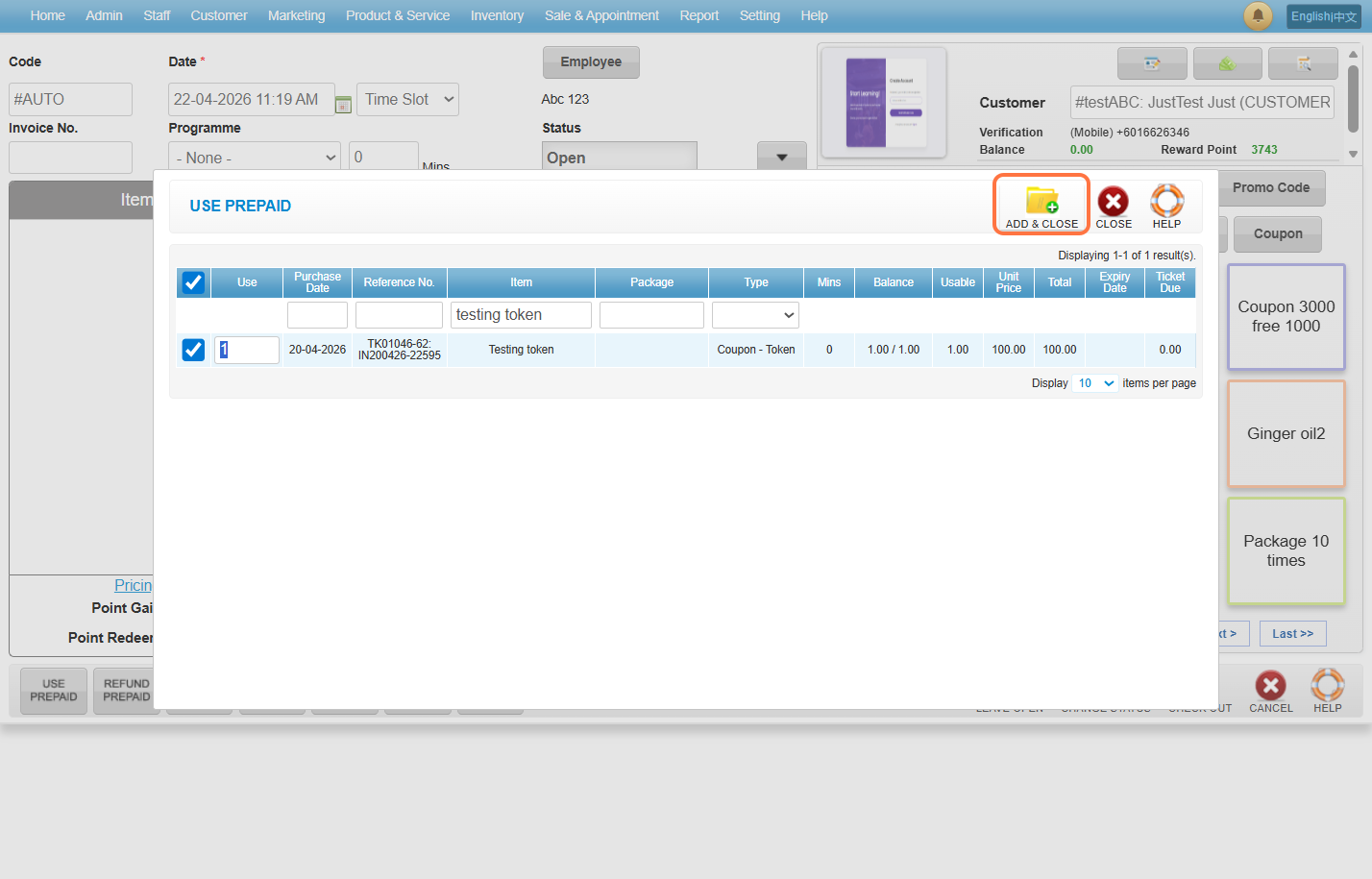
Step 10: Click on “ADD & CLOSE”.
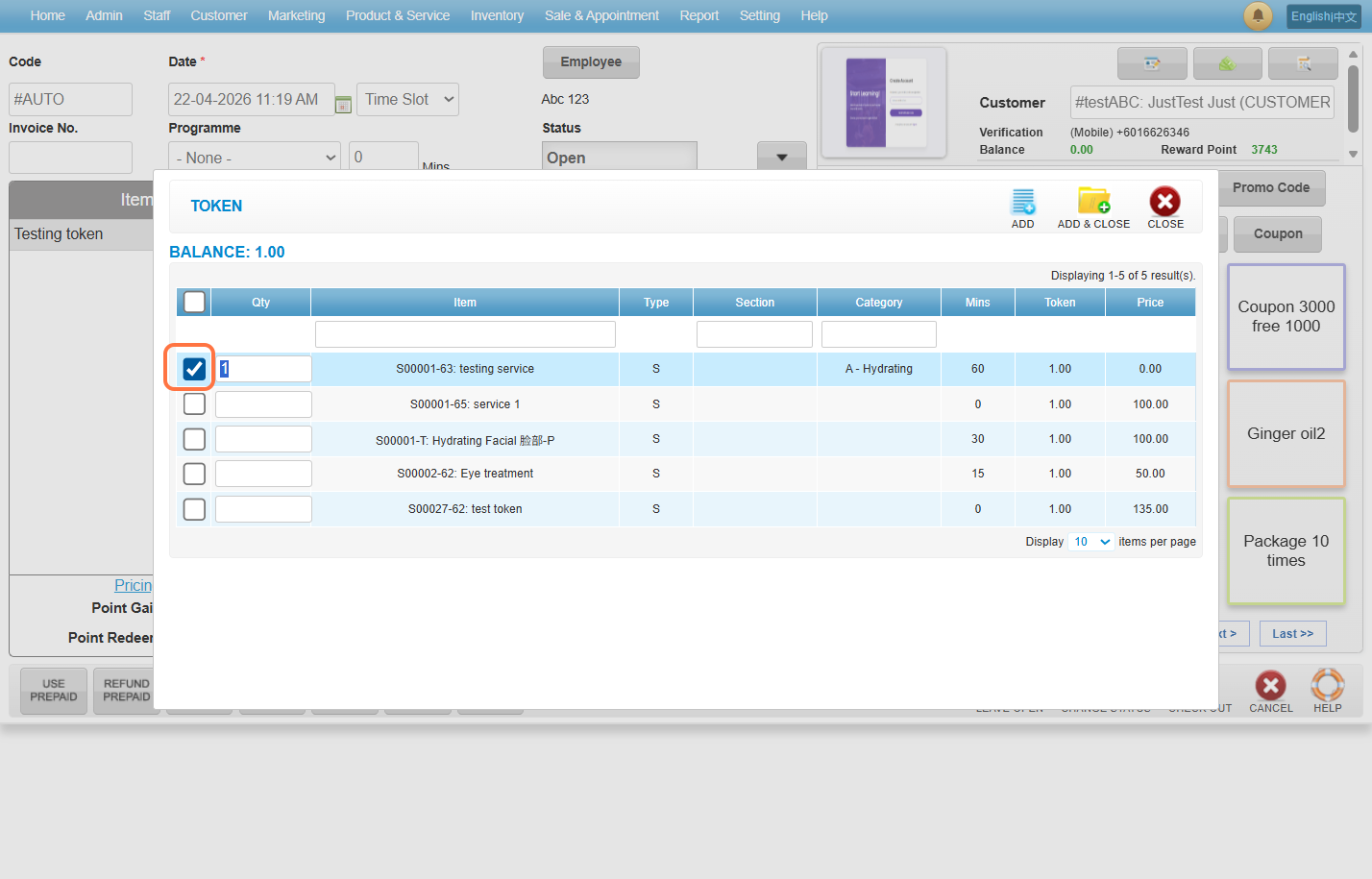
Step 11: Select a service to redeem.
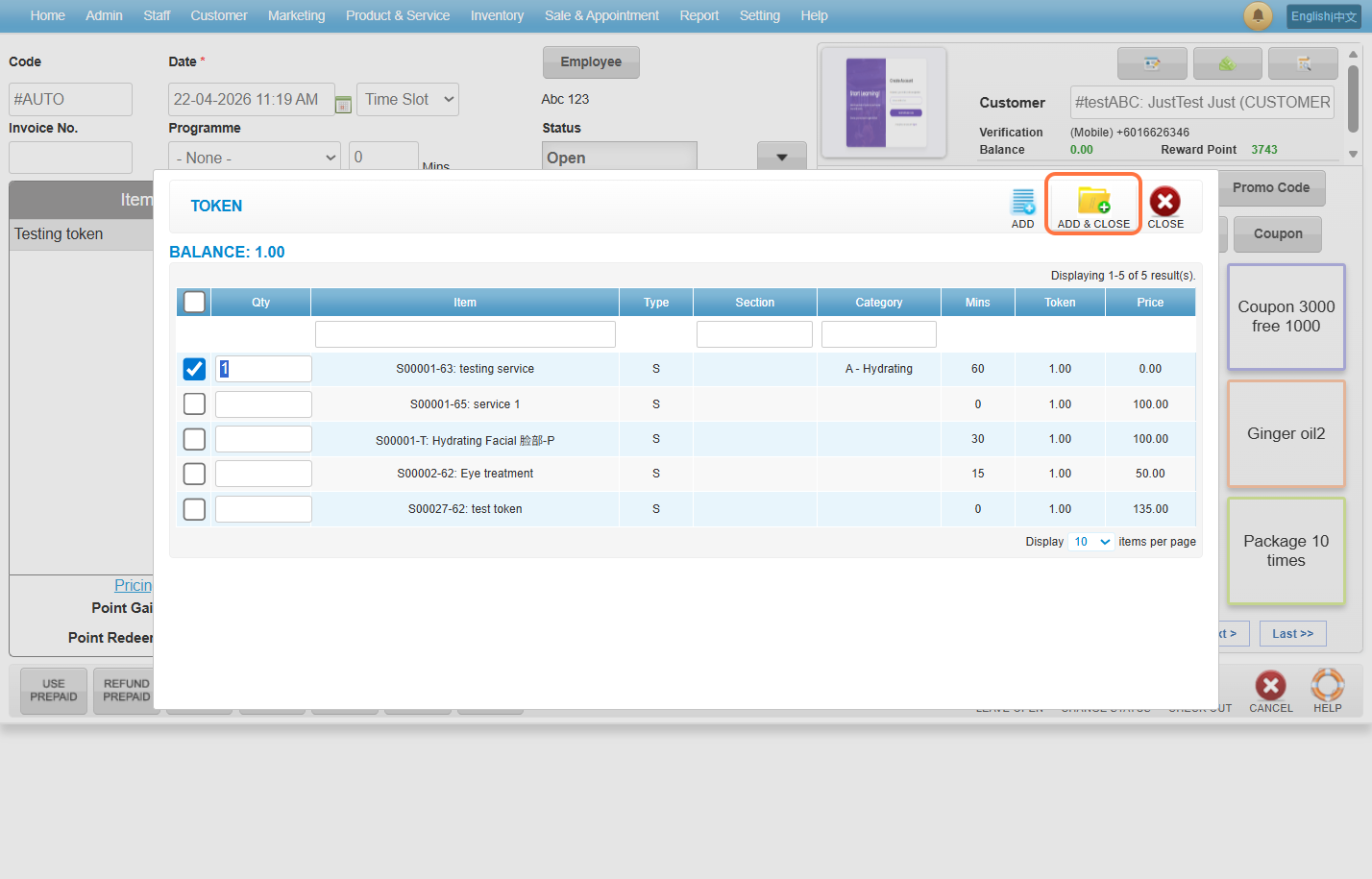
Step 12: Click on “ADD & CLOSE”.
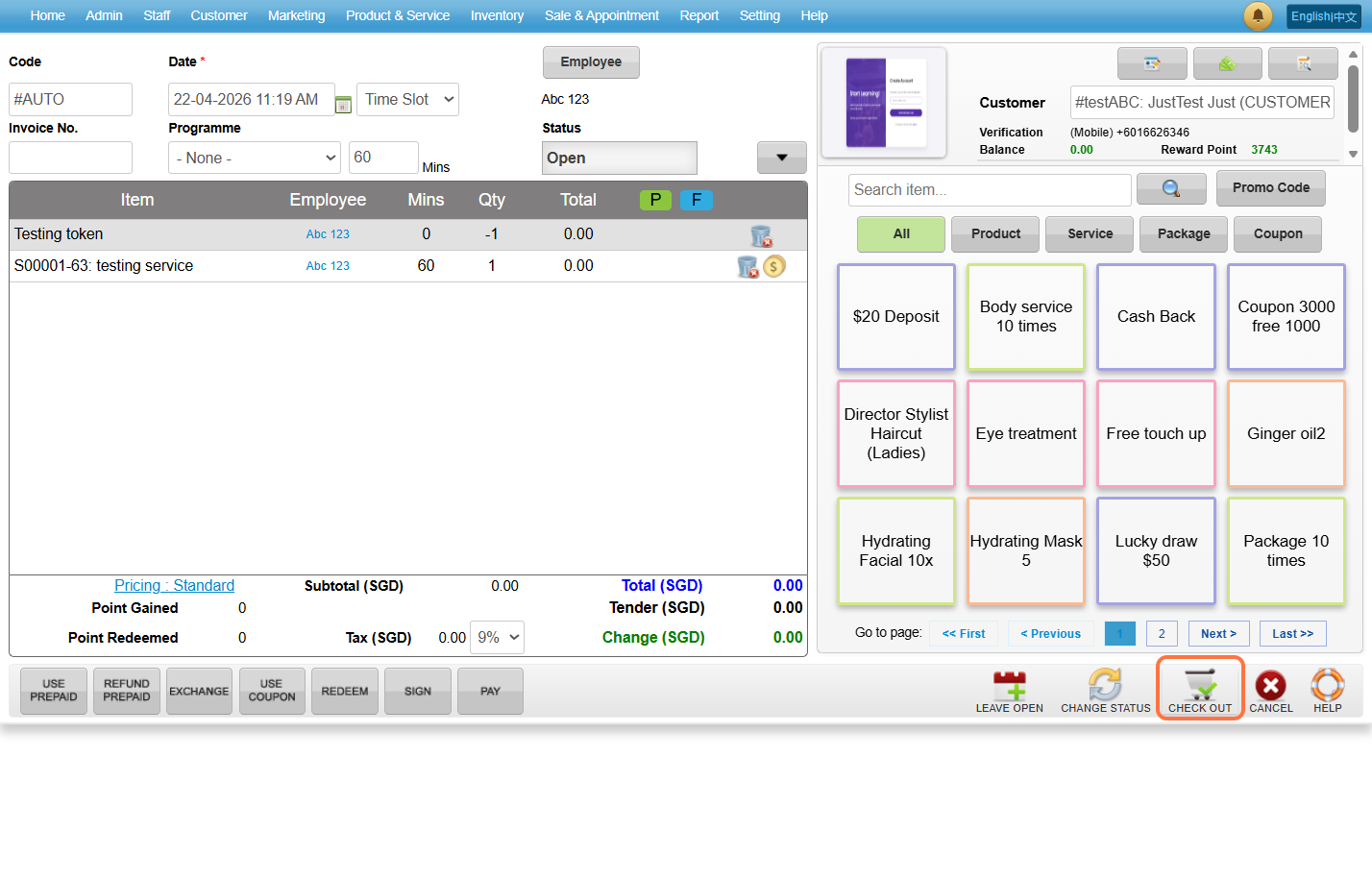
Step 13: Click on “CHECK OUT”.
Last Updated: April 2026