
Step 1: Click on “Settings”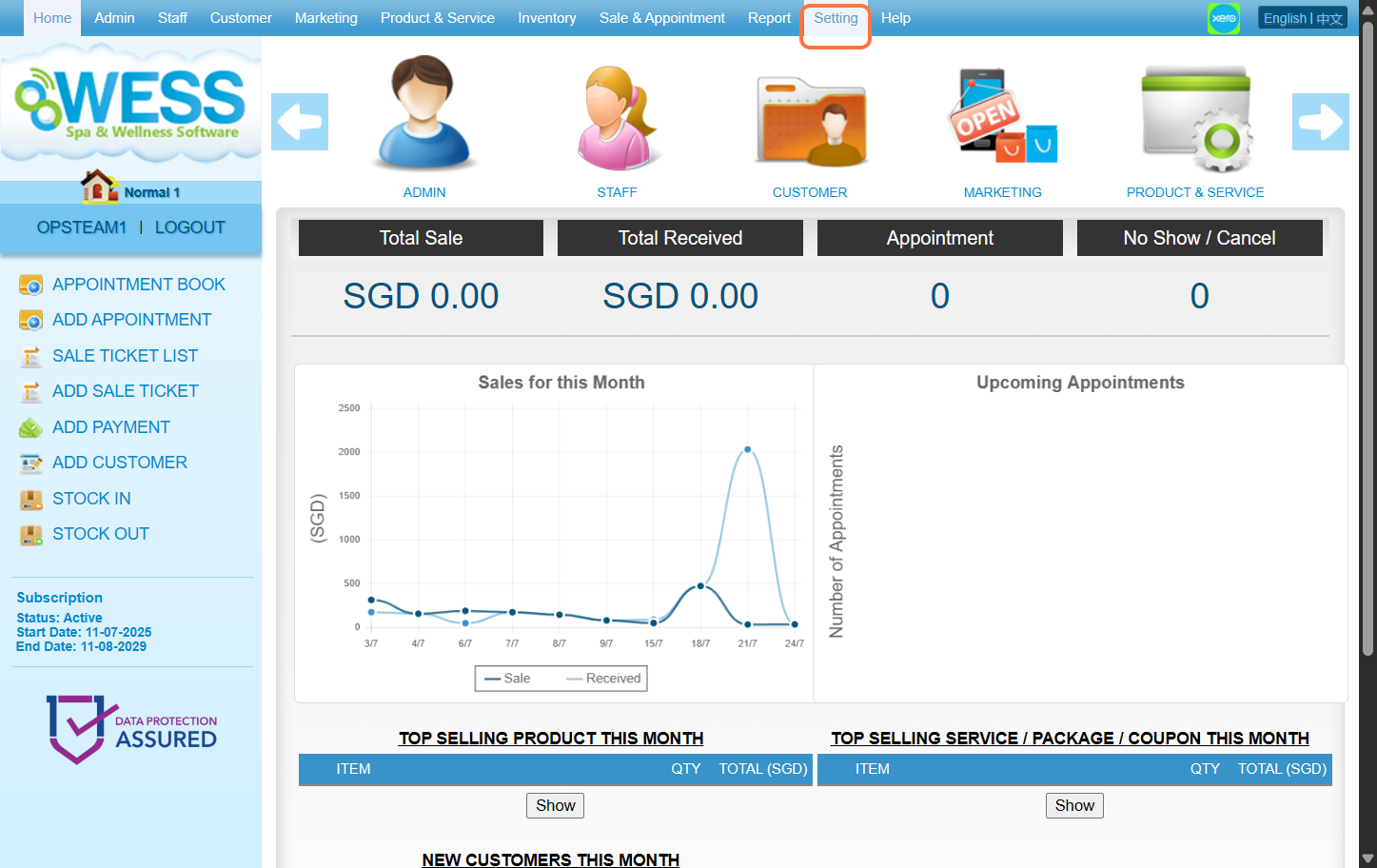
Step 2: Click on “FACILITY” 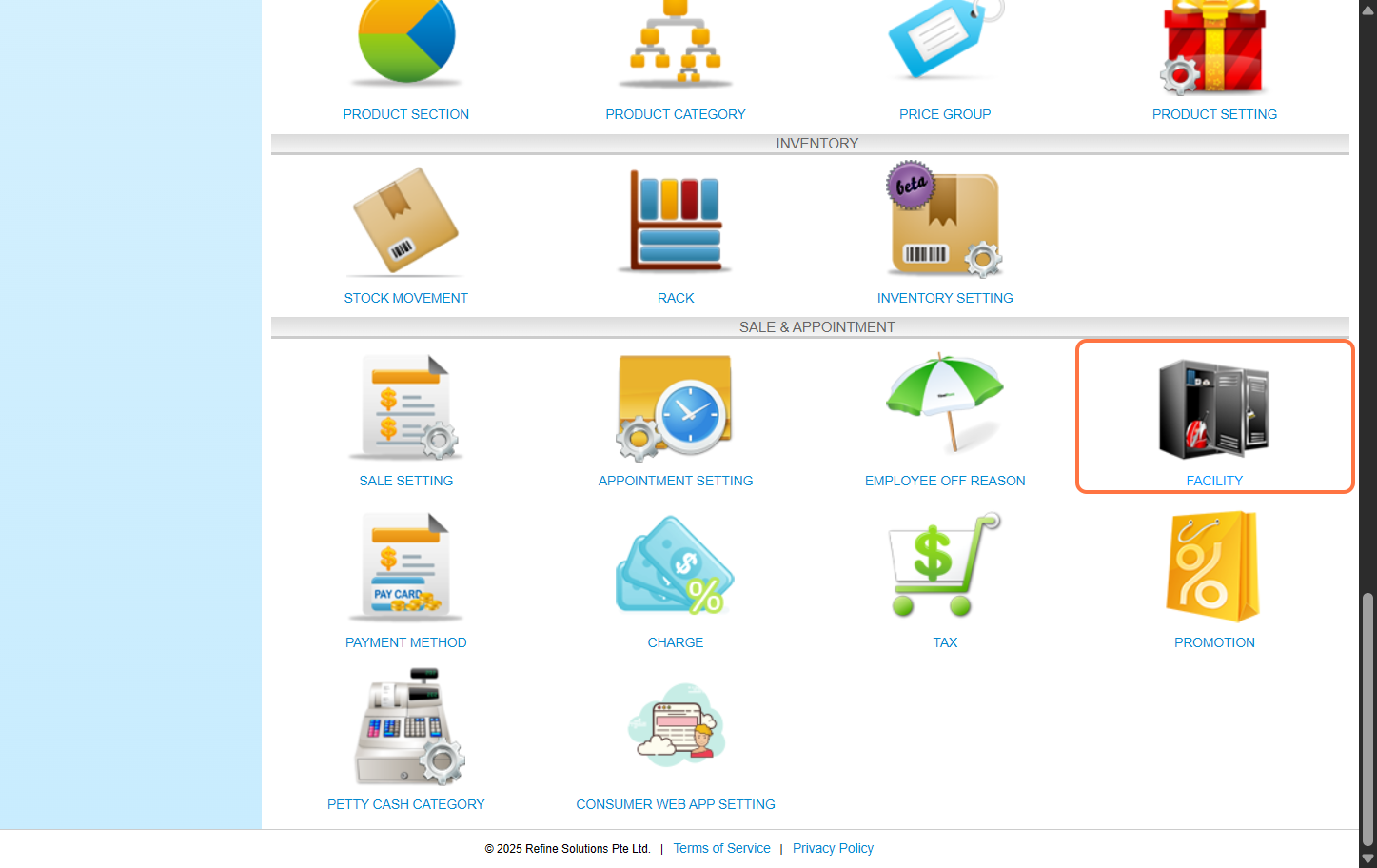
Step 3: Click on “NEW”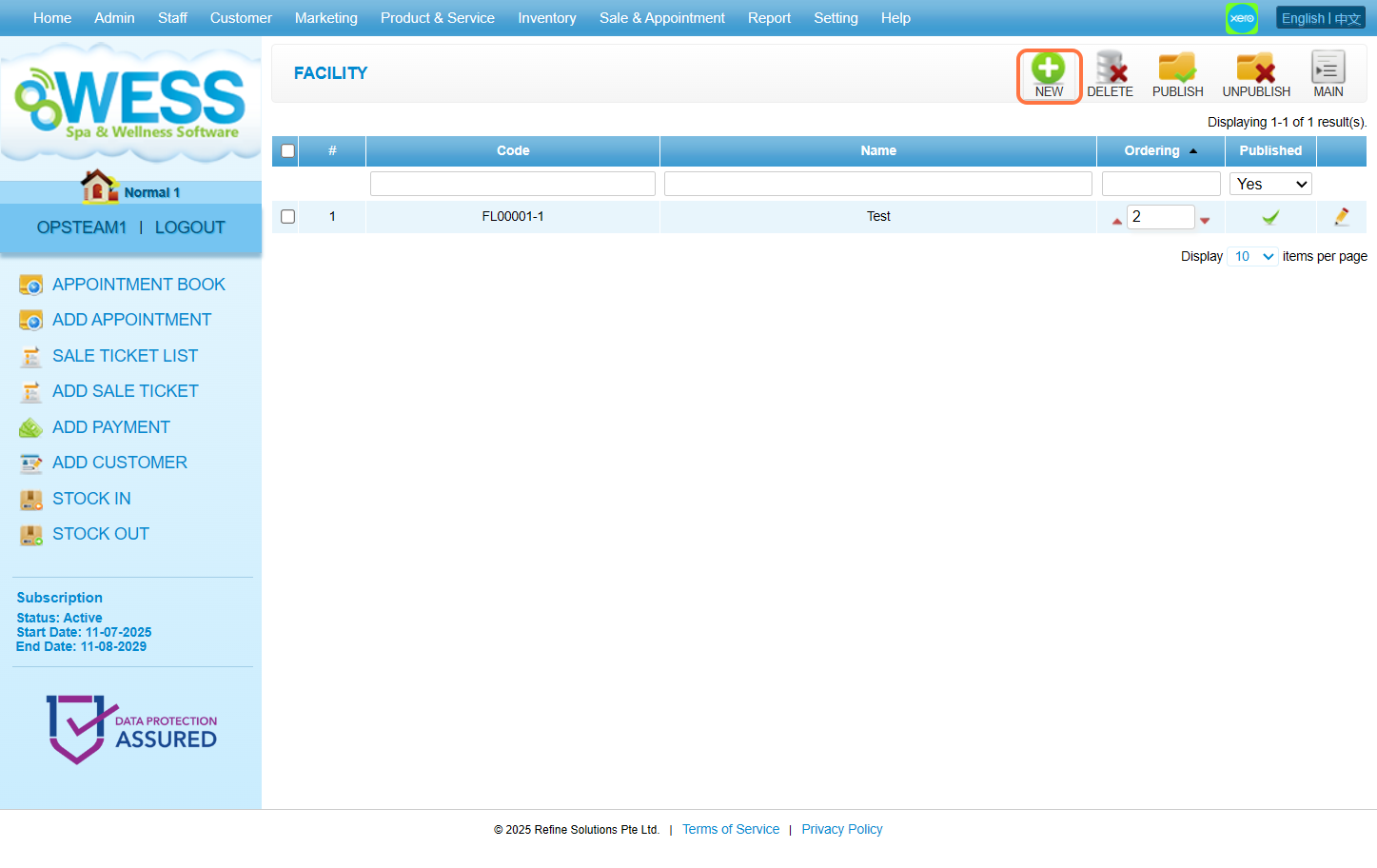
Step 4: Fill in the releavant information.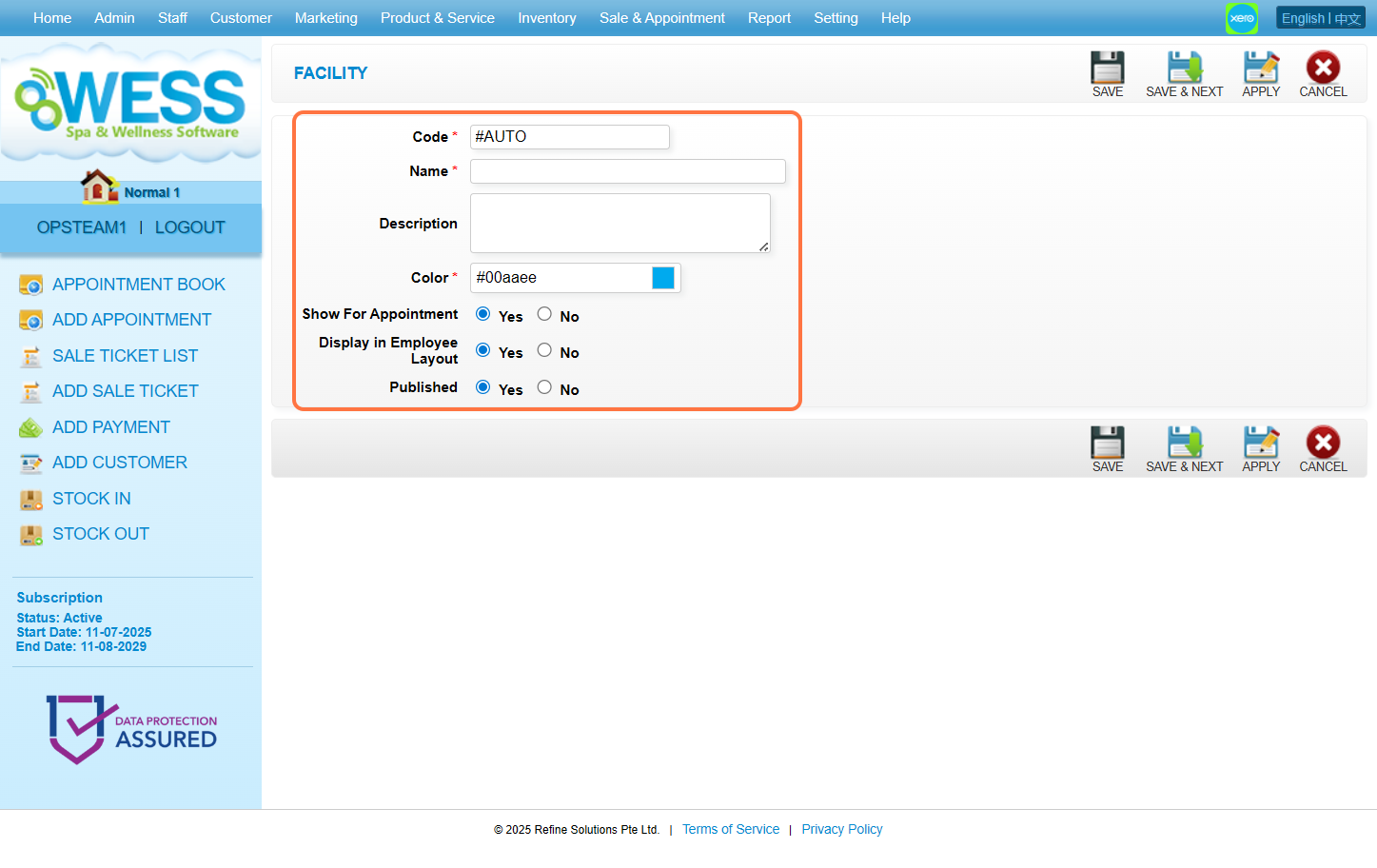
Step 5: Click on “SAVE”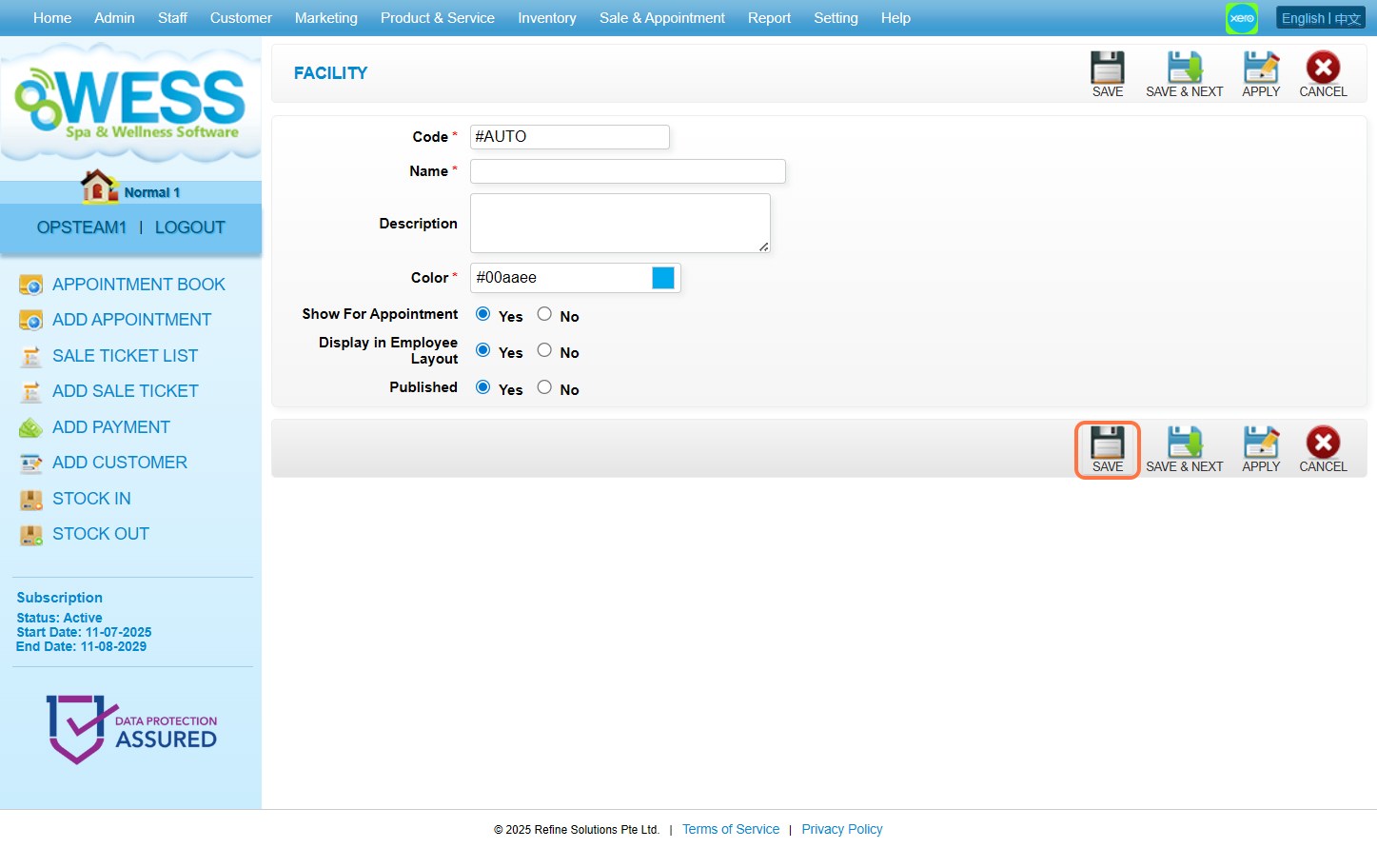
Step 6: Ensure the record is saved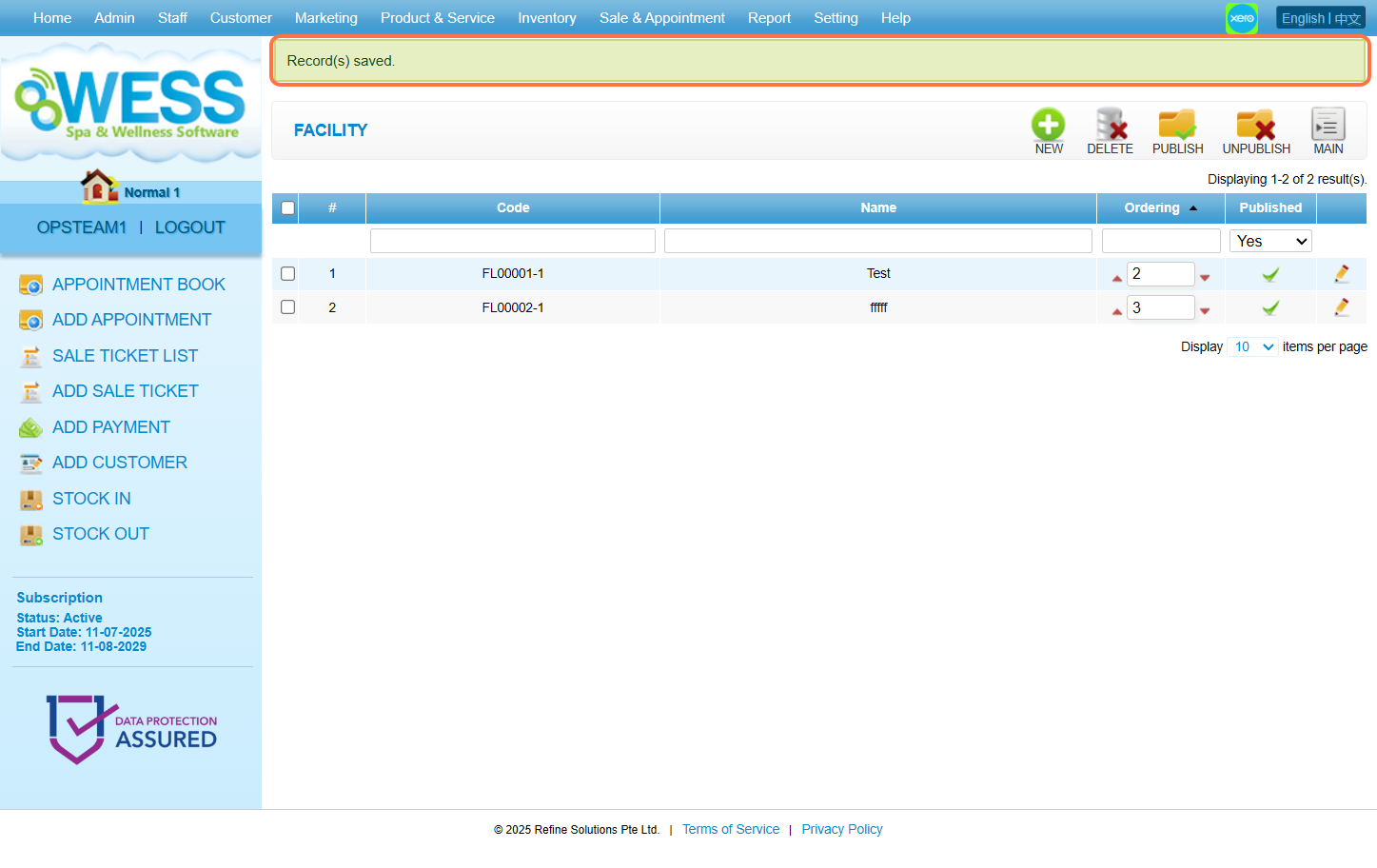
Step 7: Click “Sale & Appointment“.
Step 8: Click “APPOINTMENT“.
Step 9: Click on any appointment block to select it.
Step 10: Click on “Details” to show its related ticket.
Step 11: Click on triangle icon “▾” to expand additional information.
Step 12: Click “Facility“.
Step 13: Tick the checkbox “☑️” to select to-be-used facilities.
Step 14: Click “SET“.
Step 15: Make sure the changes has been saved.
Step 16: Click “LEAVE OPEN“.
Step 17: Make sure the changes has been saved.
Last Update: August 2025