
Step 1: Click “Setting” .
Step 2: Click “SALE SETTING” .
Step 3: Click “OTHERS” .
Step 4: Select “Yes” for “Use expired item” .
Step 5: Click any Save icon “💾” .
Step 6: Now the branch/outlet allows users to use expired item.
[!] Note that some users are still not able to use this feature as it is also an access right which admin can limit users to use.
Step 7: To check the access right(shortcut), click on current username.
Step 8: Click “MY ROLE” .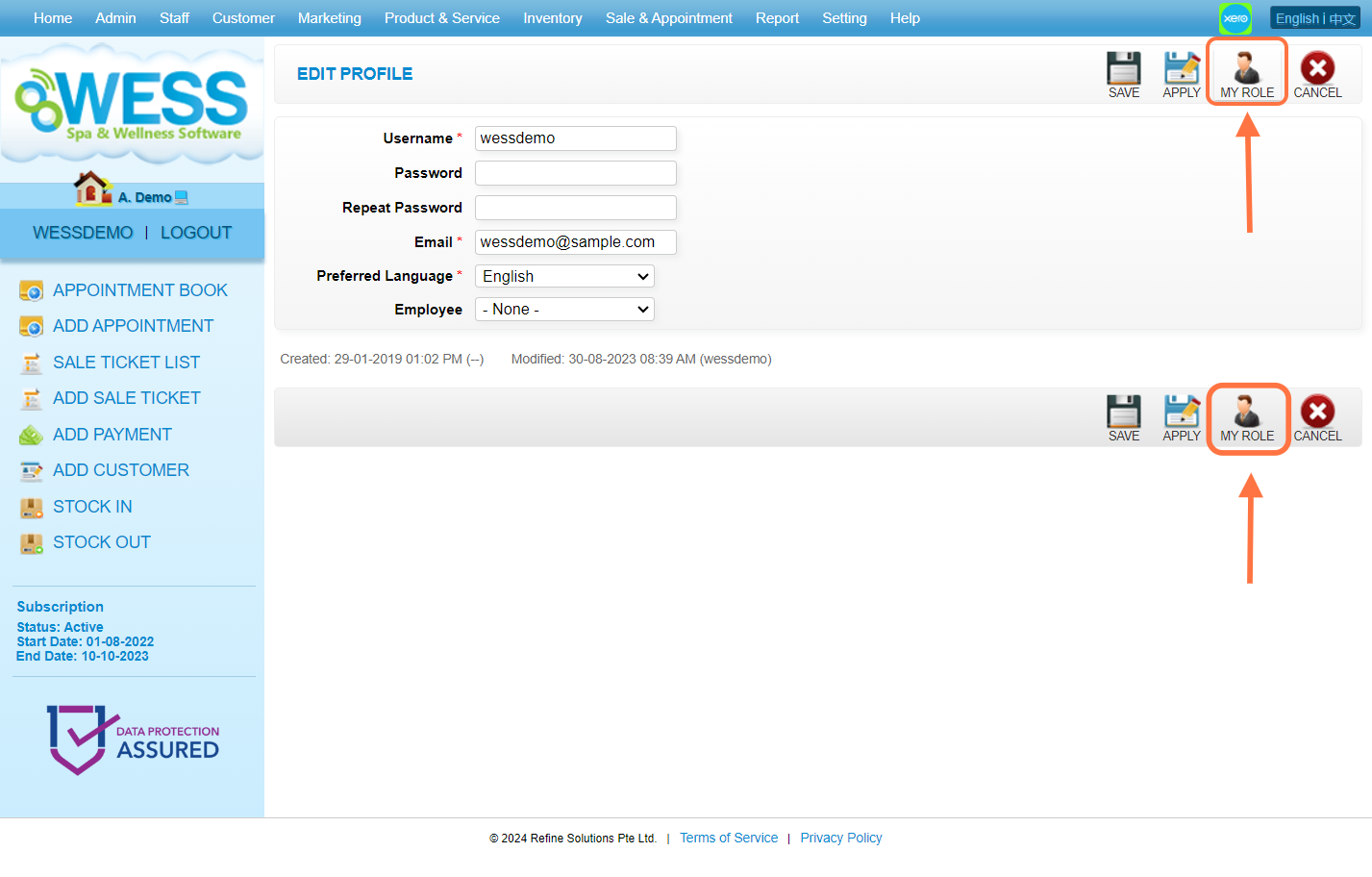
Step 9: Click “SALE & APPOINTMENT” .
Step 10: Make sure your user account have the “Use Expired Item” access right.
Last Update: Aug 2024