
Step 1: Click “APPOINTMENT BOOK”
Step 2: Click on the empty space within the time slot where you want to add an entry.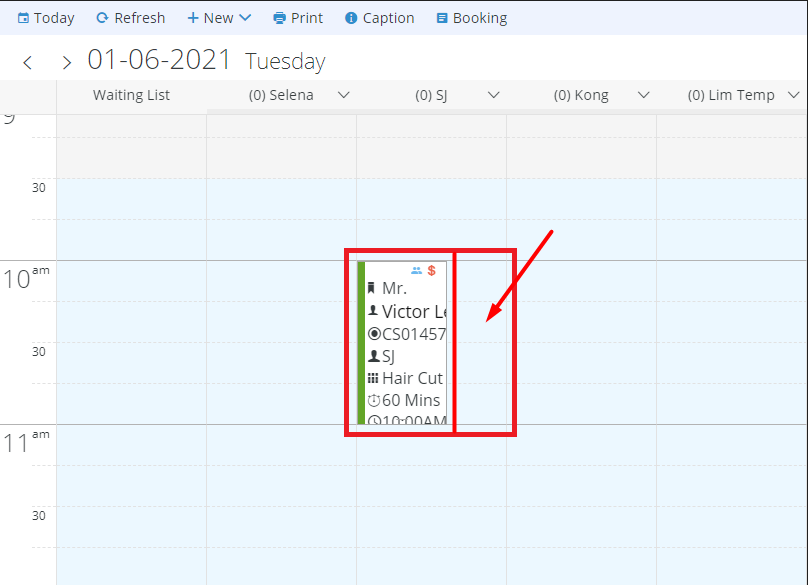
Step 3: Fill in the customer appointment details
Step 4: Click “ADD”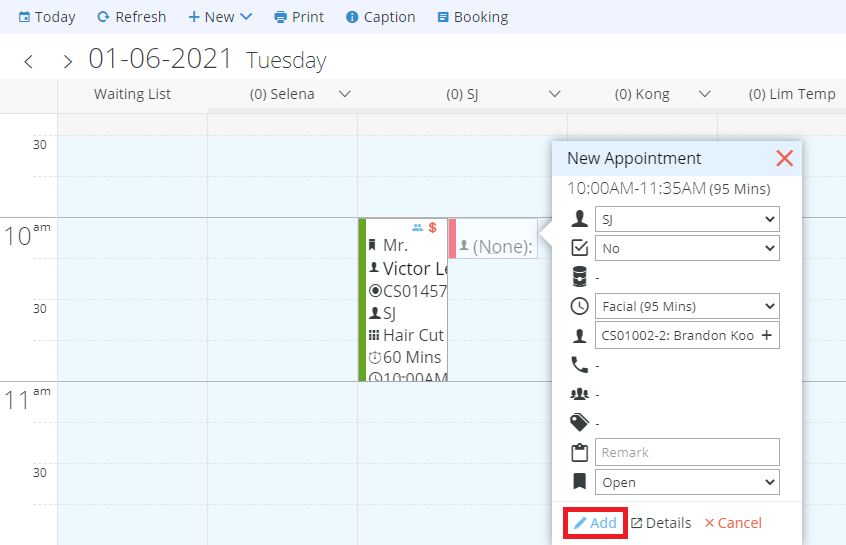
The appointment is added successfully in the same time slot.
Last update: July 2025