
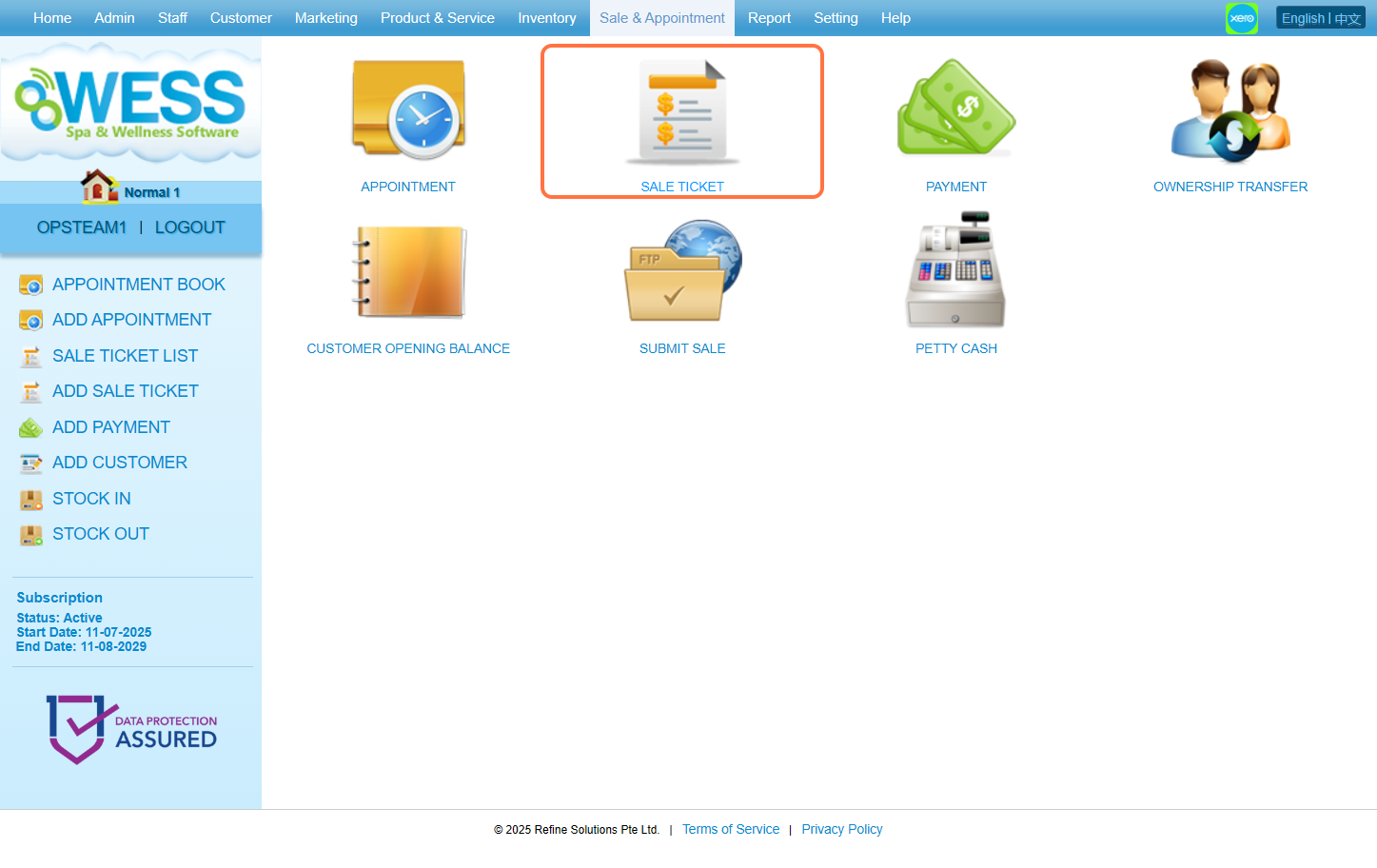
Step 1: Click “Sales & Appointment”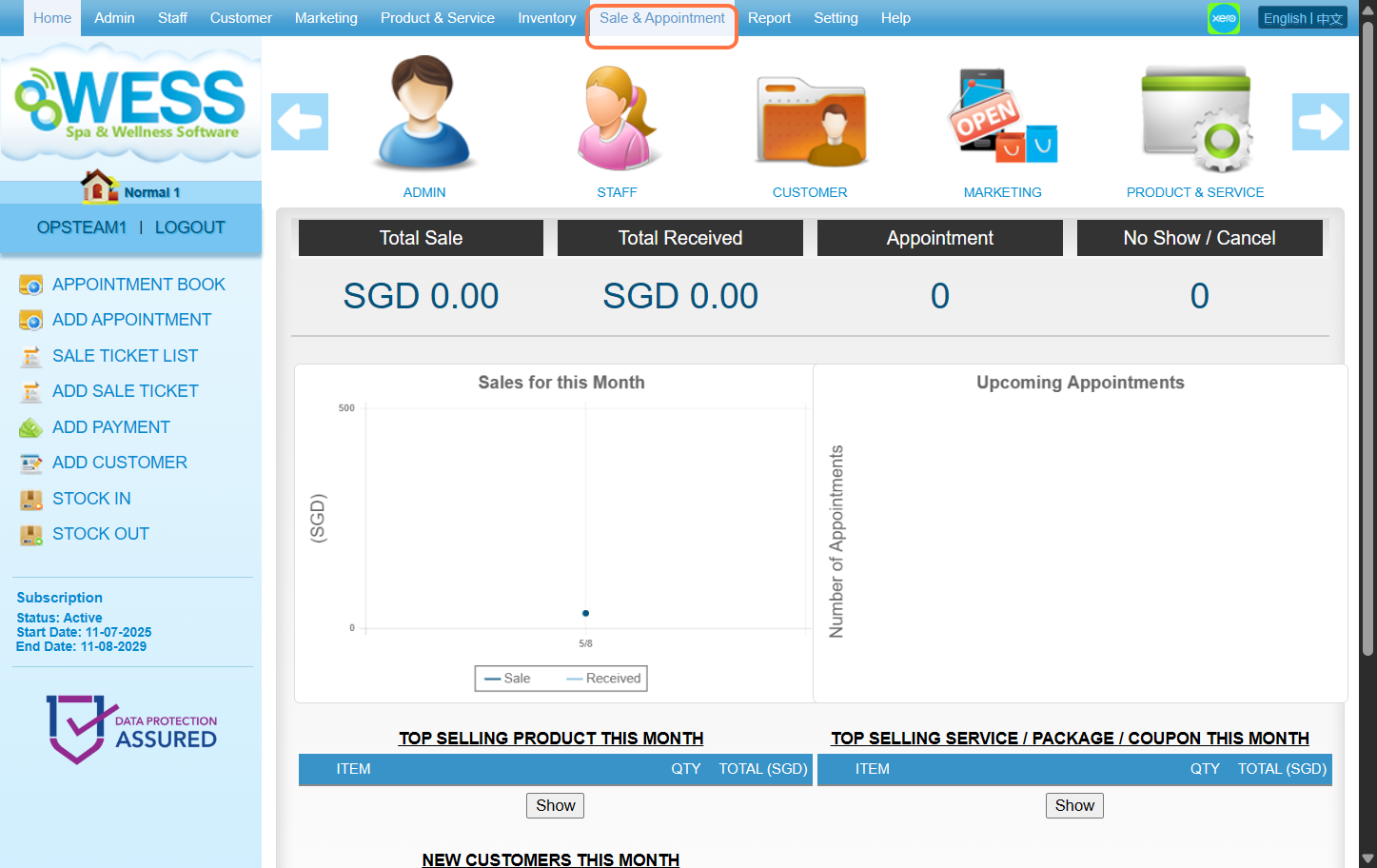 Step 2: Click “SALE TICKET”
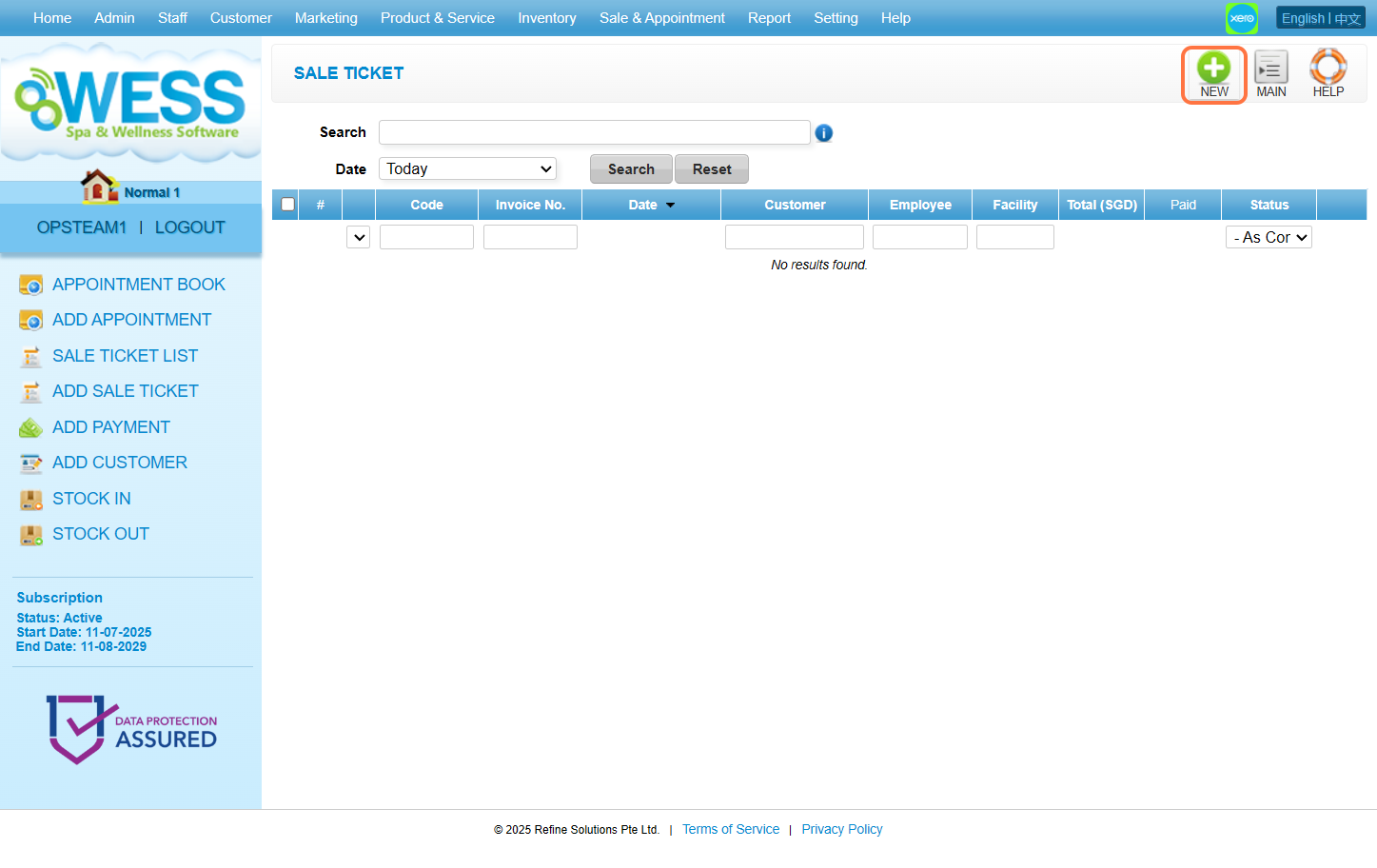
 Step 3: Click “NEW”
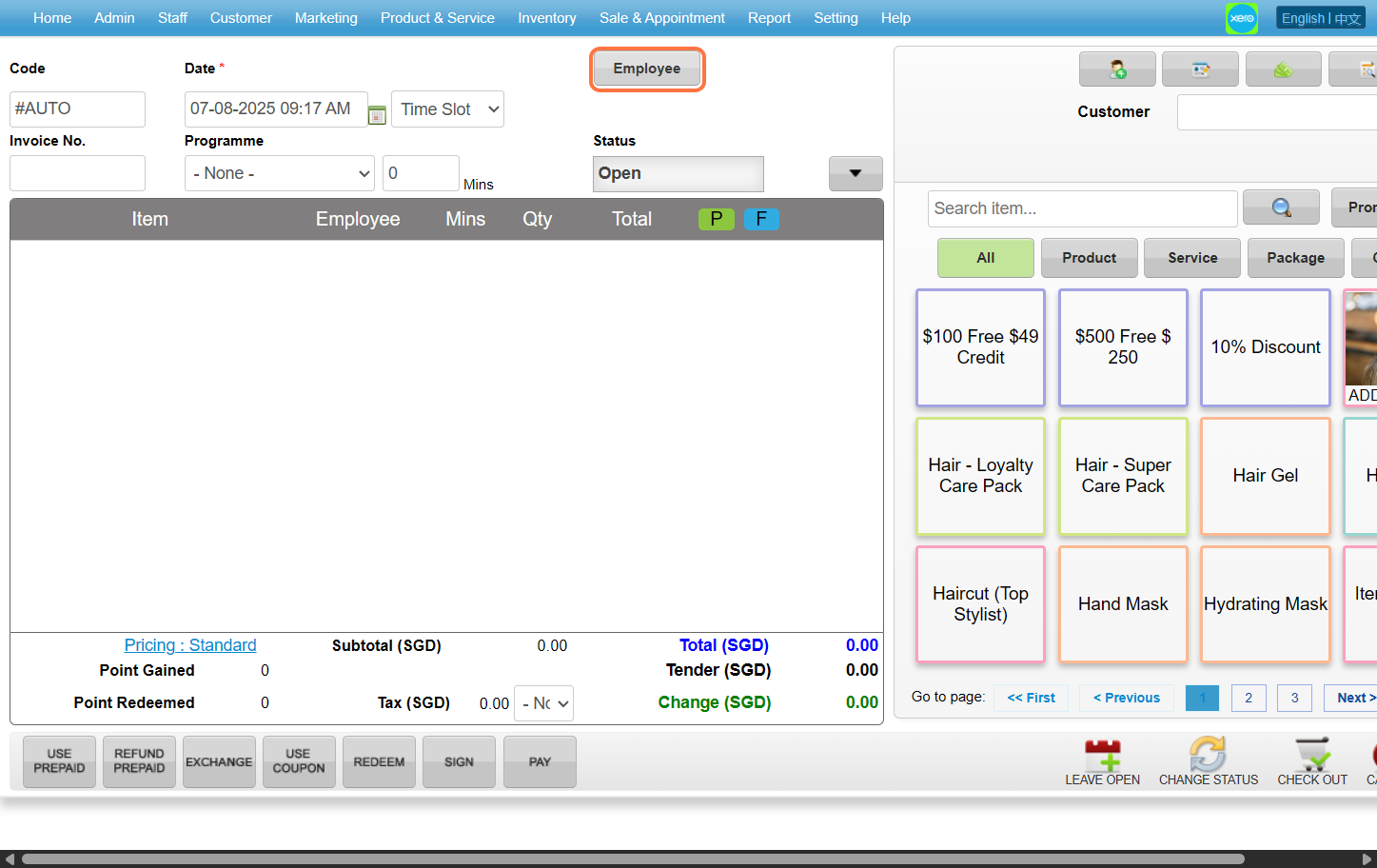
 Step 4: Click “EMPLOYEE”
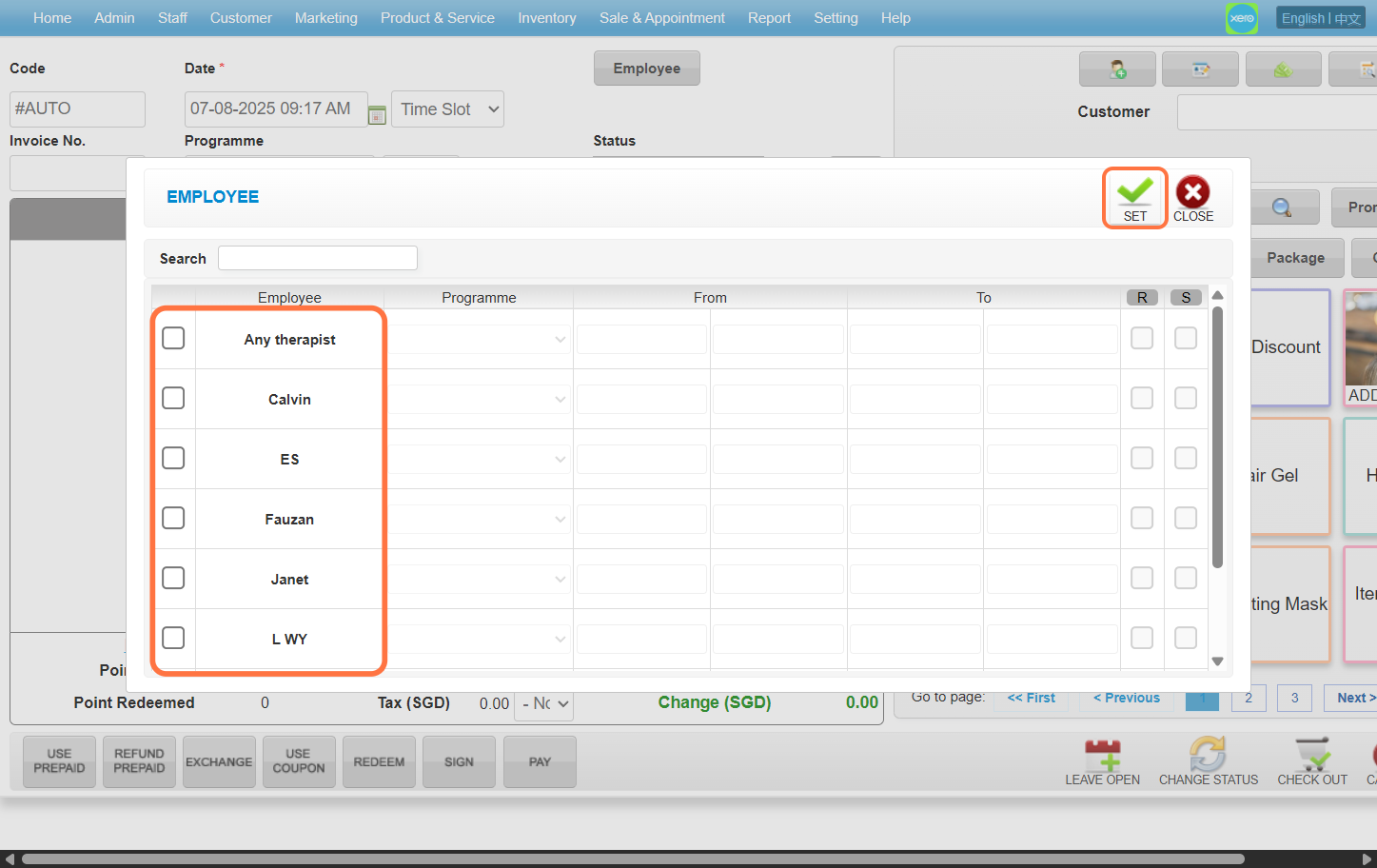
 Step 5: Select any of the employee you want to choose before clicking “SET”
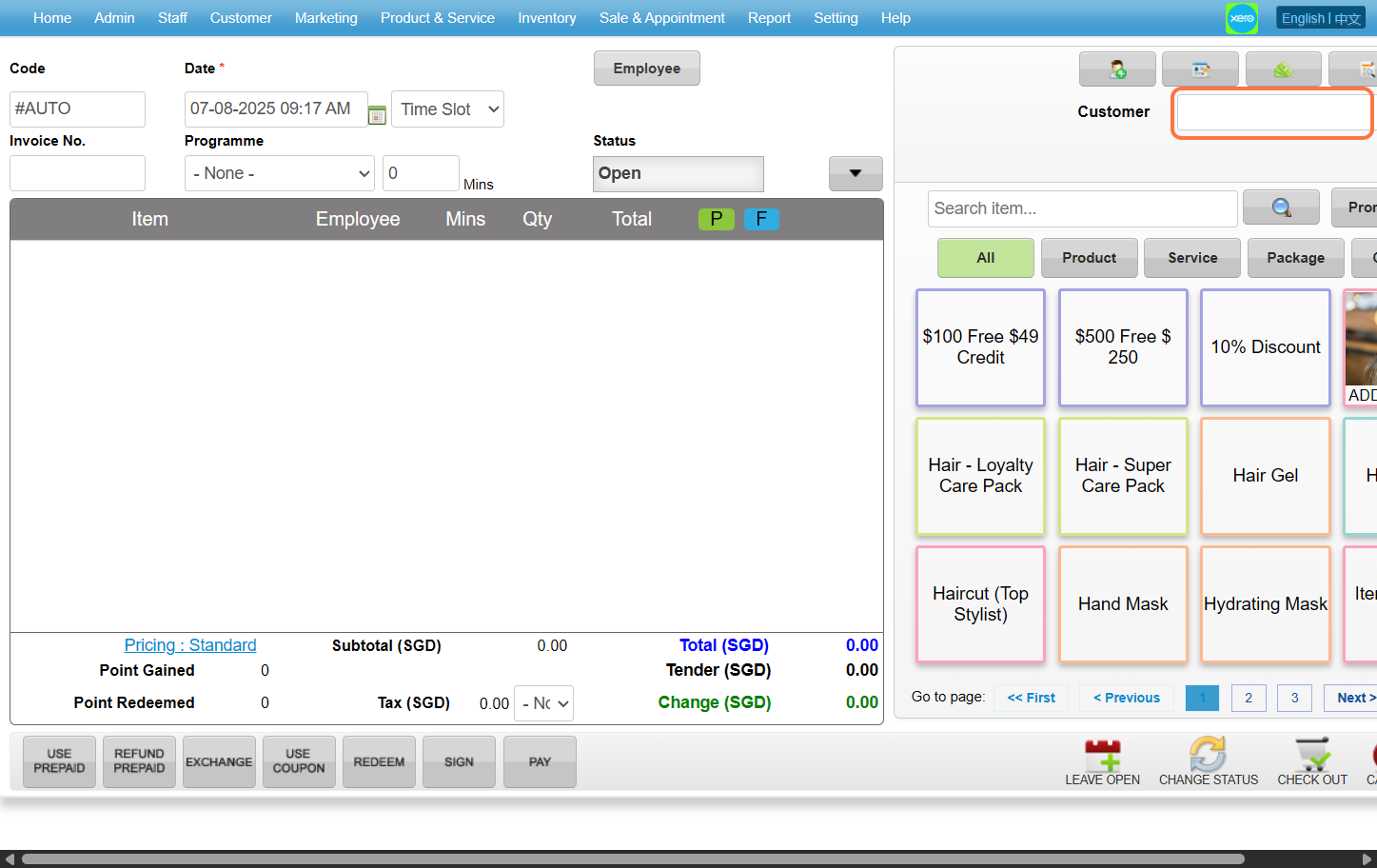
 Step 6: Enter the customer name / code / phone number to search the customer you wanted
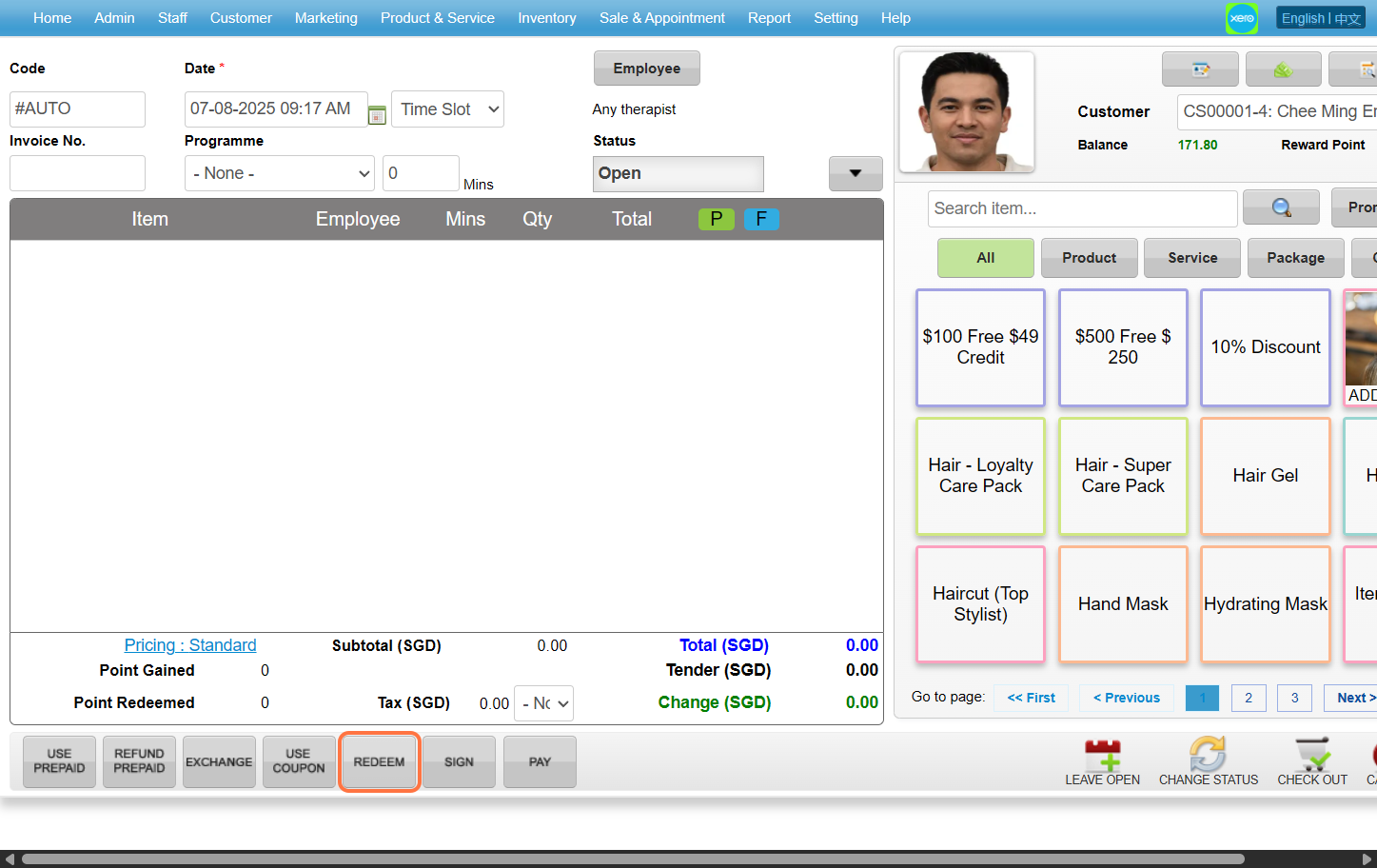
 Step 7: Click “REDEEM”.
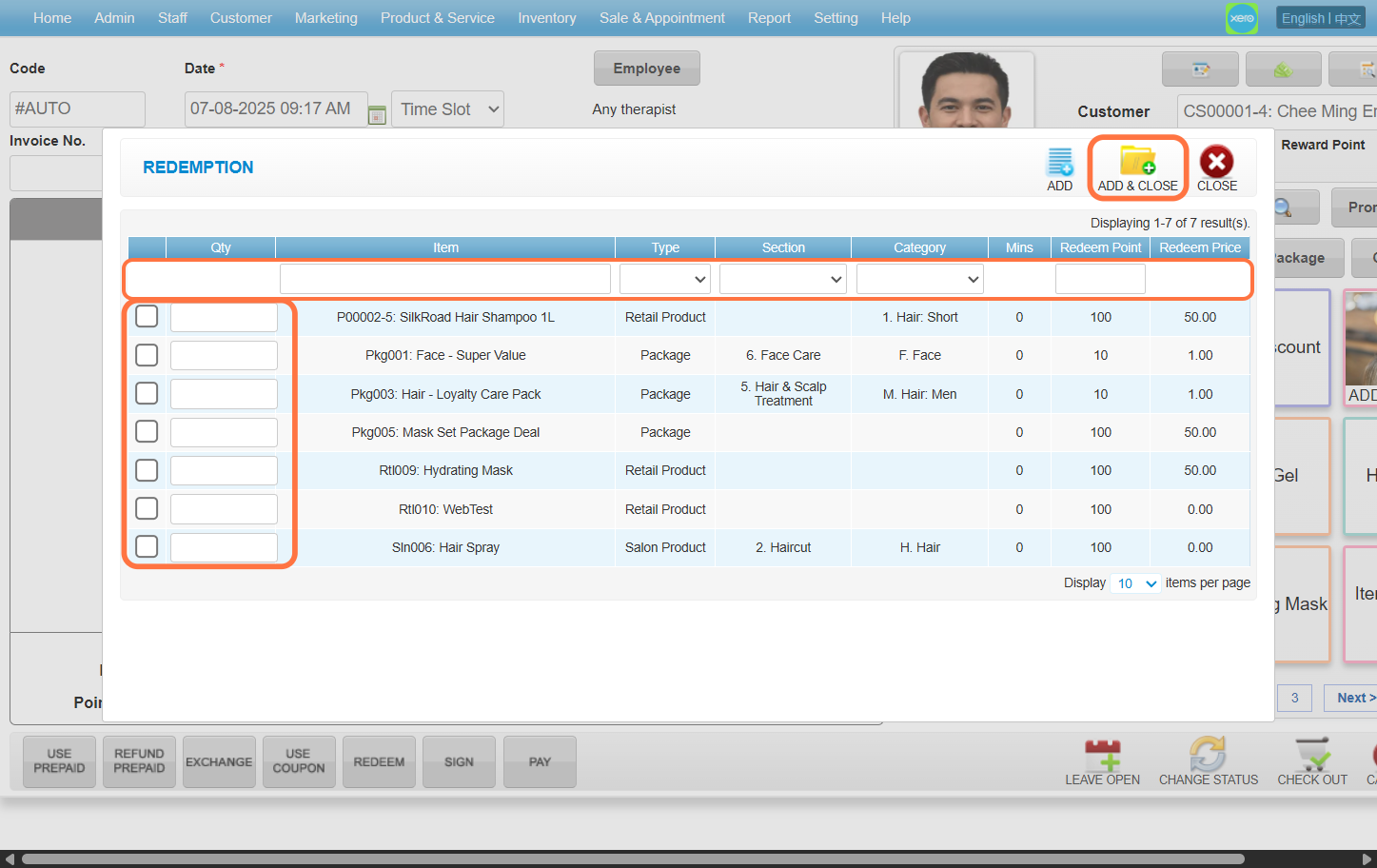
 Step 8: Search the redeem item by item name / type / section / category and select the redeem item. Click “ADD & CLOSE” after done setting up.
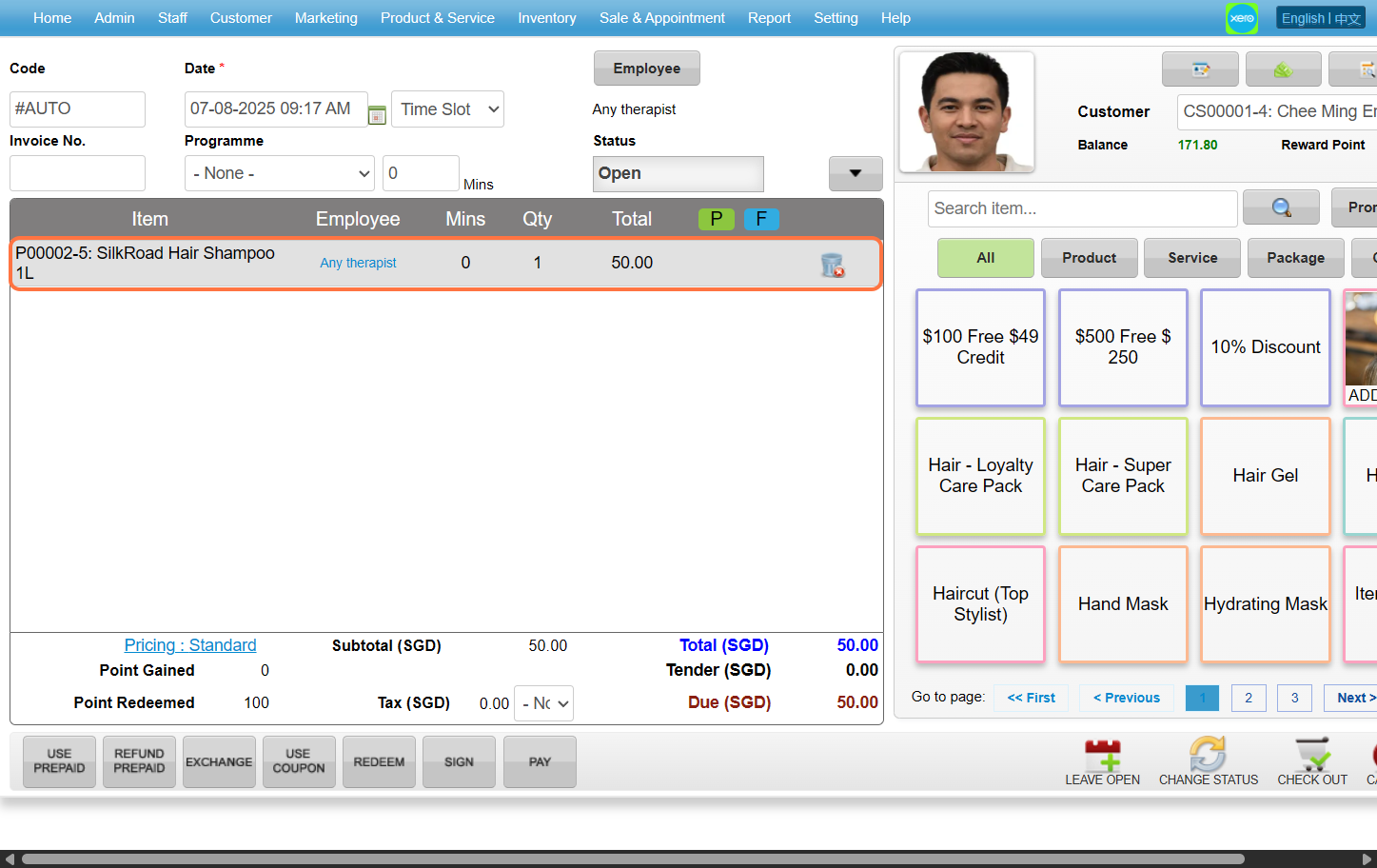
 Step 9: Ensure the redeem item is added.
 Last update: August 2025
Step 2: Click “SALE TICKET”
Step 3: Click “NEW”
Step 4: Click “EMPLOYEE”
Step 5: Select any of the employee you want to choose before clicking “SET”
Step 6: Enter the customer name / code / phone number to search the customer you wanted
Step 7: Click “REDEEM”.
Step 8: Search the redeem item by item name / type / section / category and select the redeem item. Click “ADD & CLOSE” after done setting up.
Step 9: Ensure the redeem item is added.
Last update: August 2025