
Step 1: Setting > Sale setting > Make sure the Exchange button is on > save

Step 2: Click “EXCHANGE”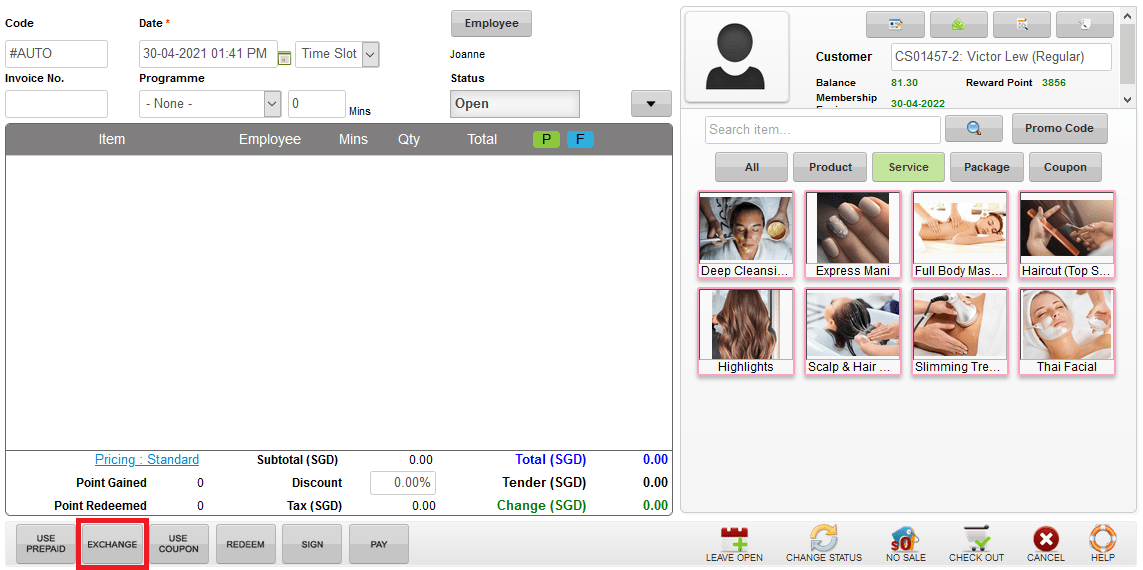
Step 3: Select the prepaid package / prepaid credit want to exchange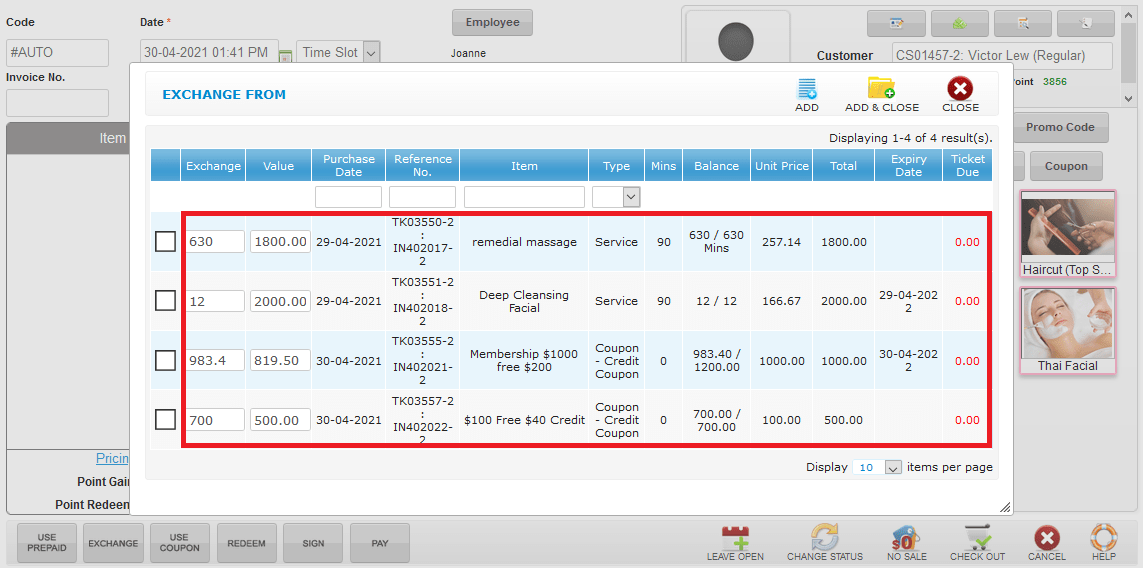
Step 4: Click “ADD & CLOSE”
Step 5: Search the item by item name / type / section / category and select the item want to exchange
Step 6: Click “ADD & CLOSE”
Step 7: Click “CHECK OUT”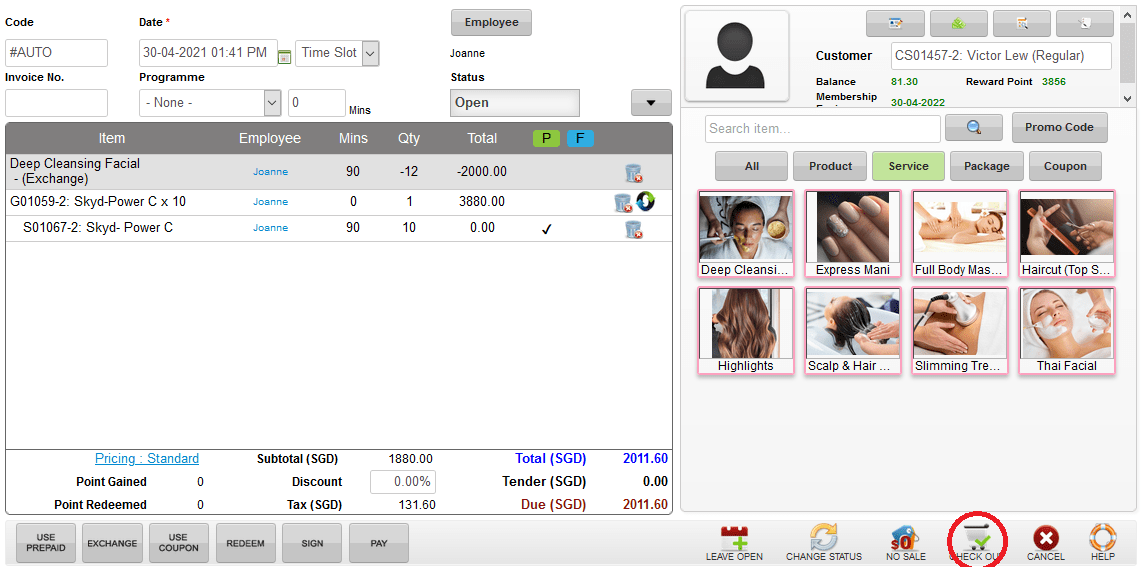
Last update: November 2022