
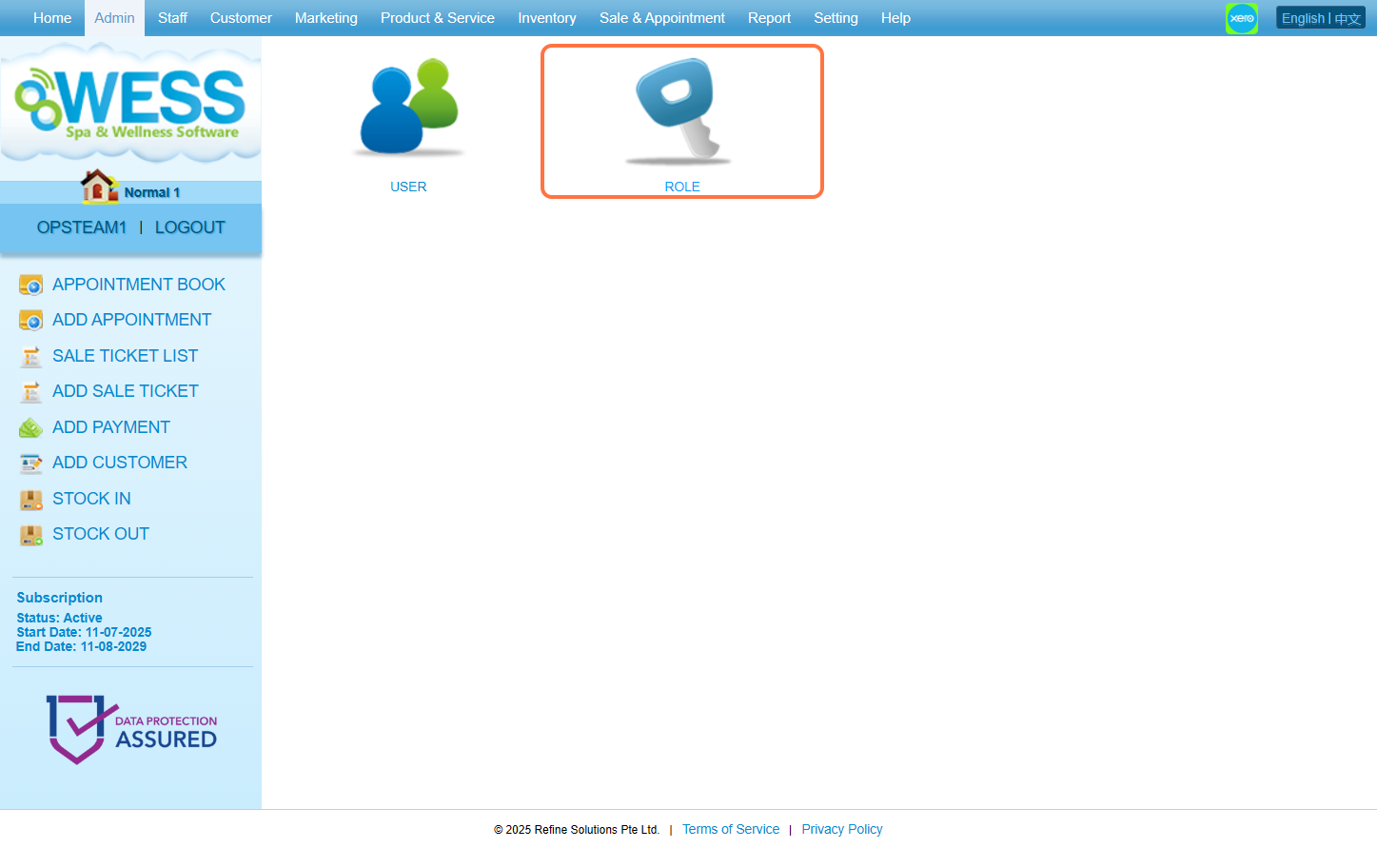
Step 1: Click “ADMIN”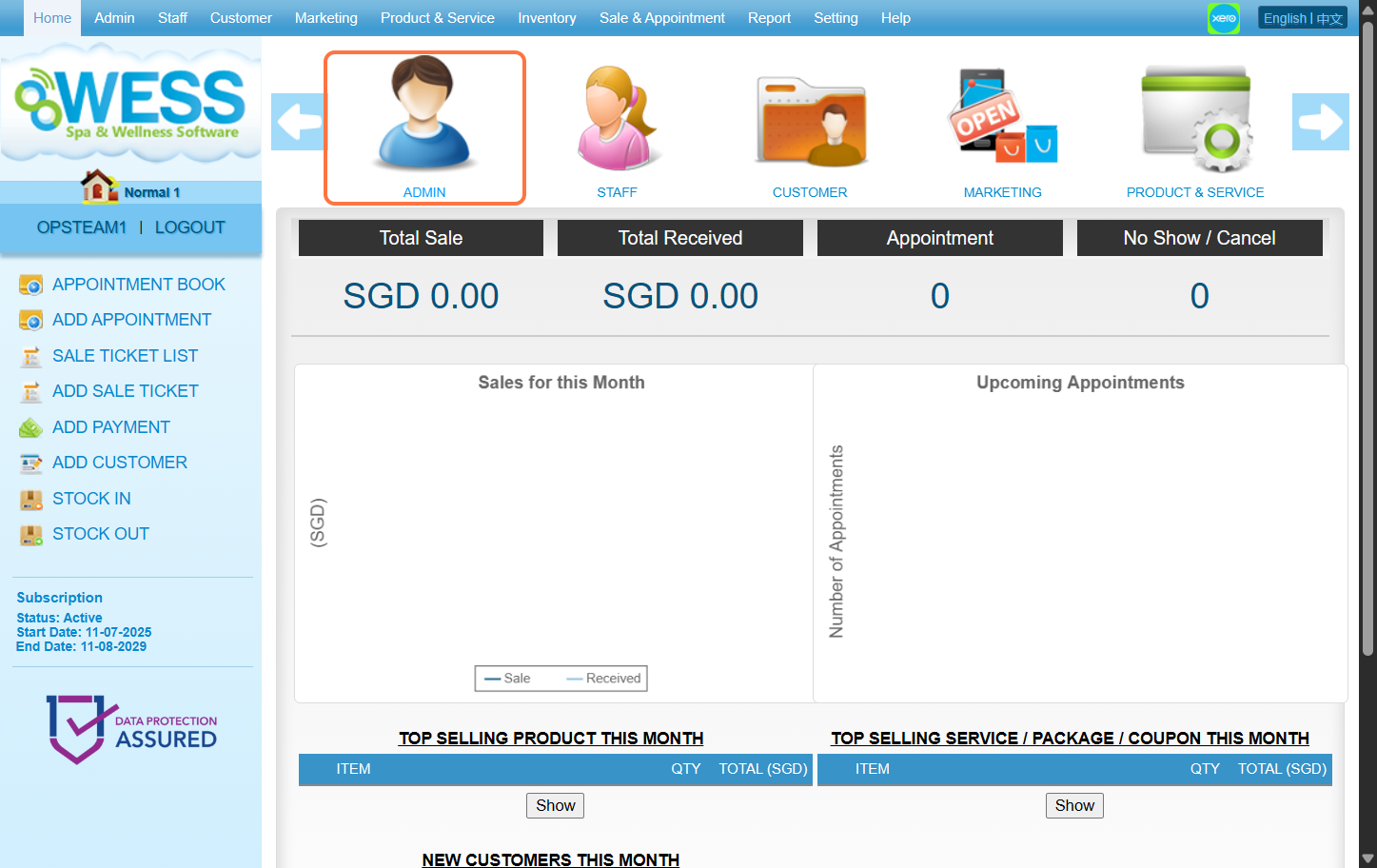 Step 2: Click “ROLE”
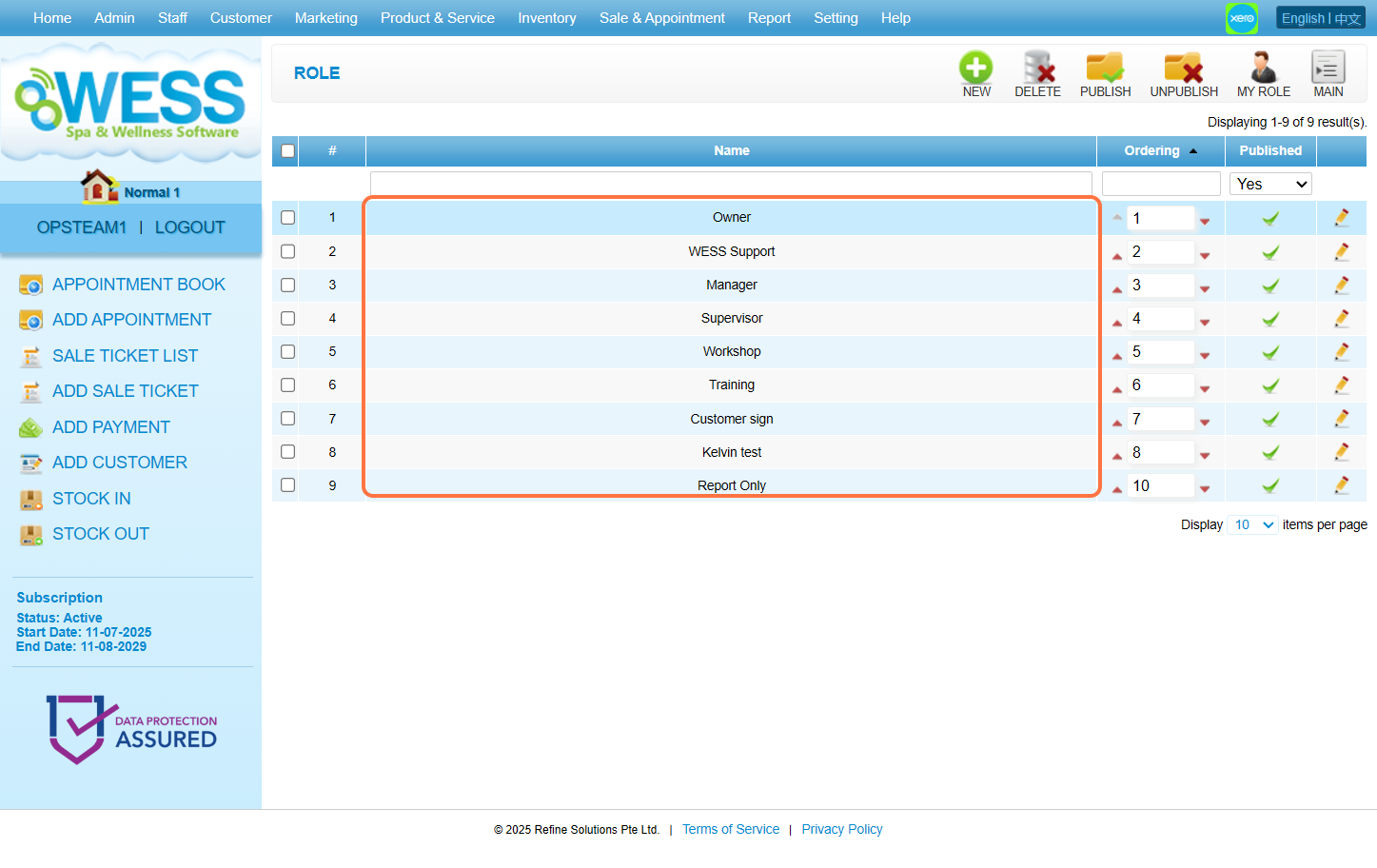
 Step 3: Select any role you want to edit/make changes on
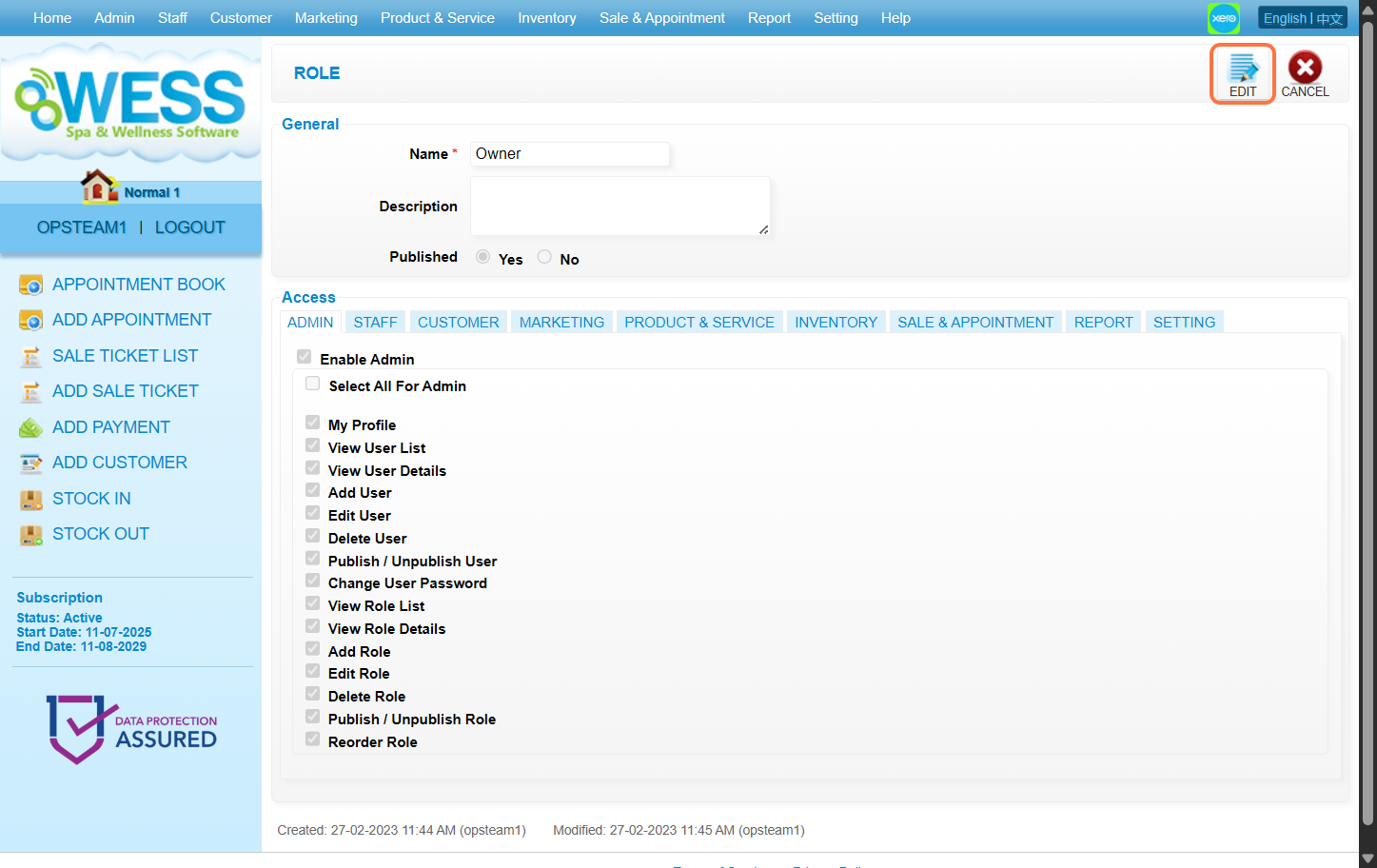
  Step 4: Click “EDIT”
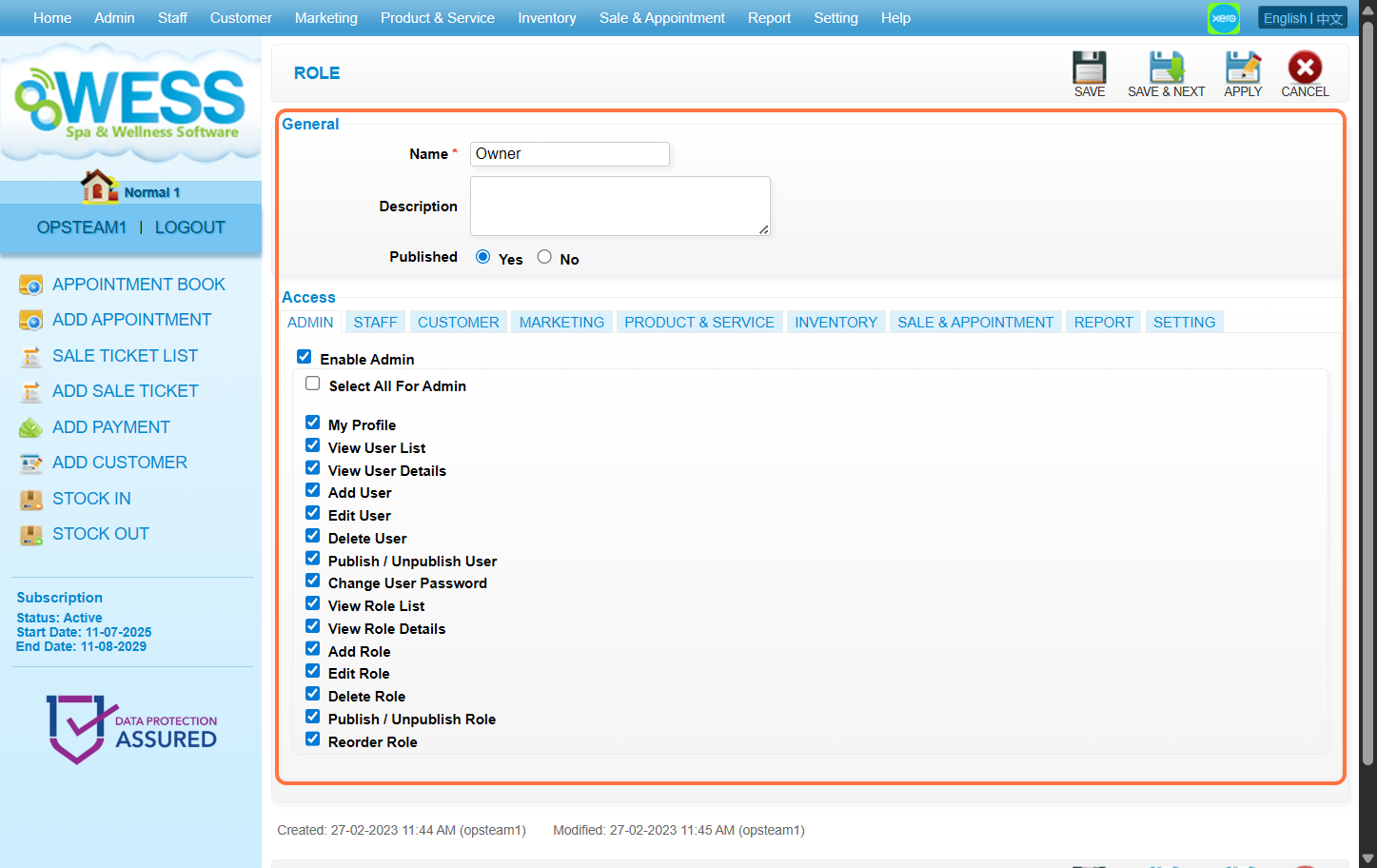
 Step 5: Make any edits/changes that you wanted to do
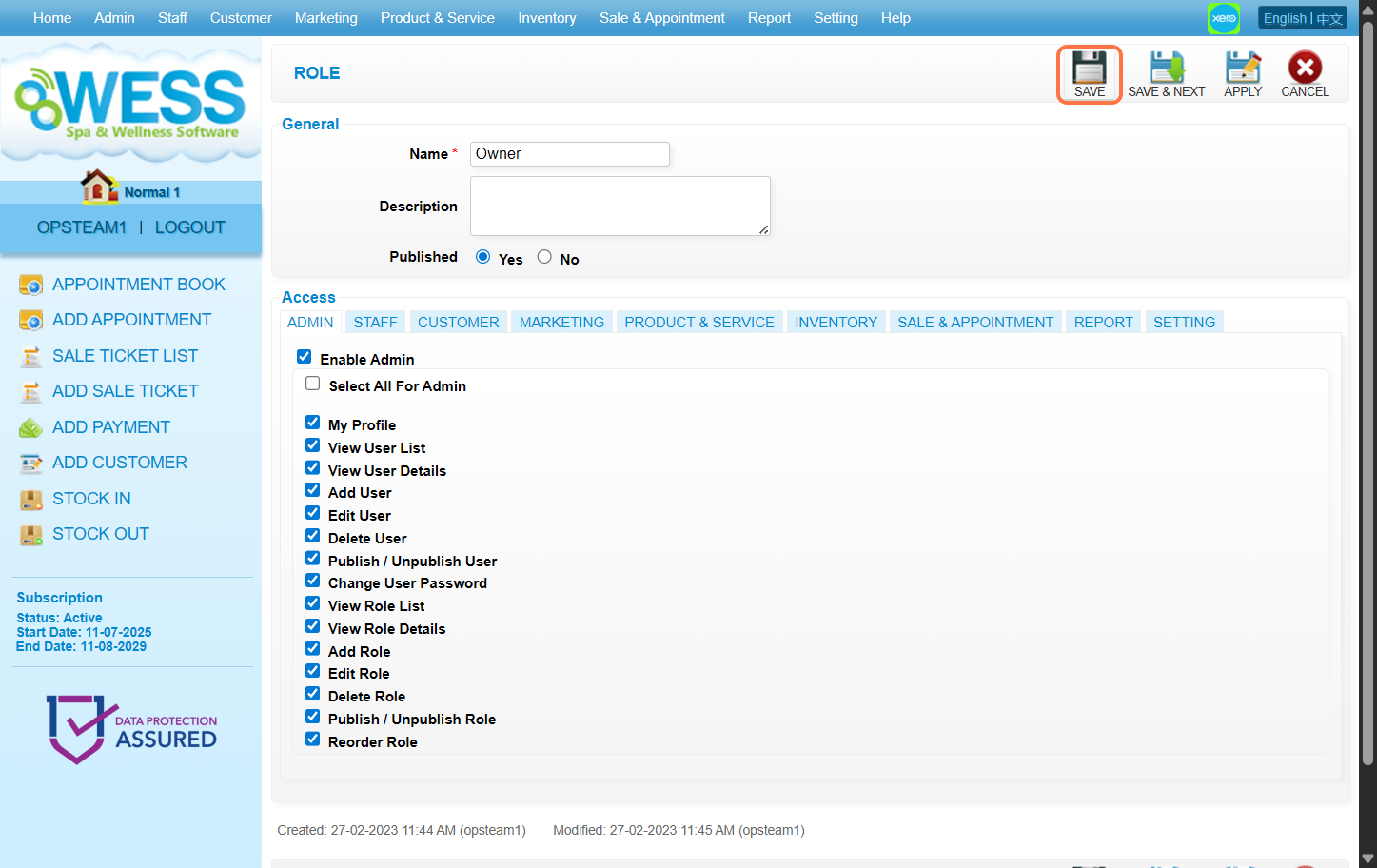
 Step 6: Click “SAVE”
 Last update: August 2025
Step 2: Click “ROLE”
Step 3: Select any role you want to edit/make changes on
Step 4: Click “EDIT”
Step 5: Make any edits/changes that you wanted to do
Step 6: Click “SAVE”
Last update: August 2025