
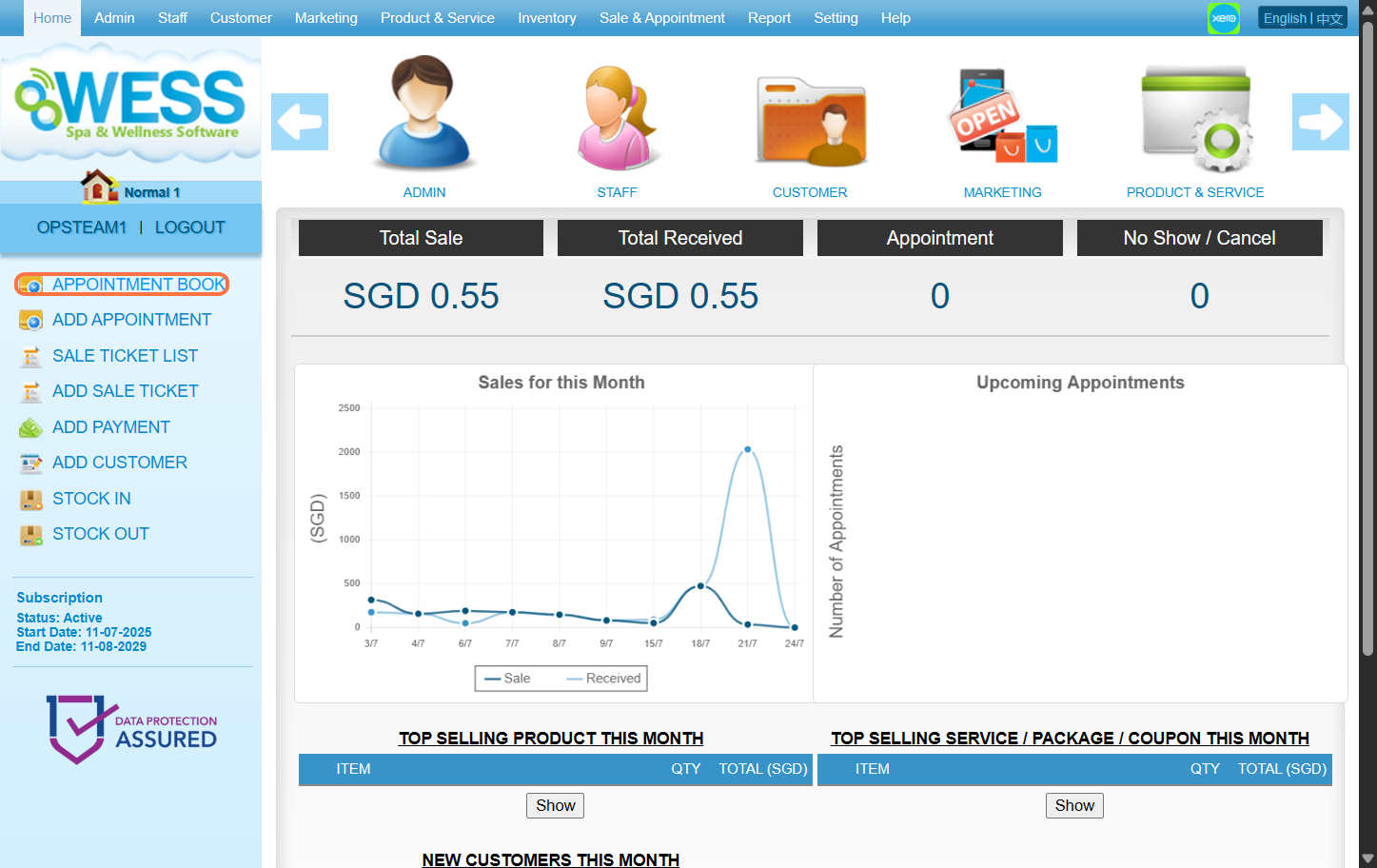
Step 1: Click on “APPOINTMENT BOOK”
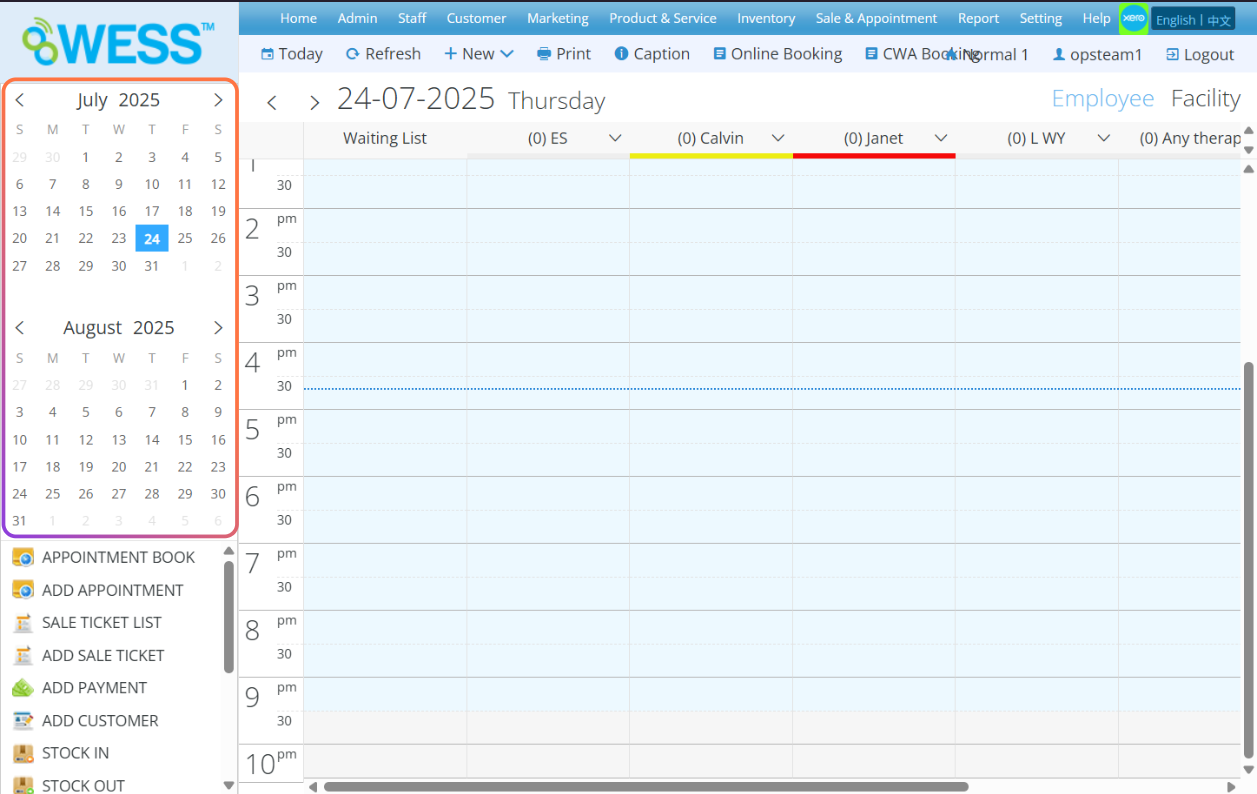
Step 2: Select the date
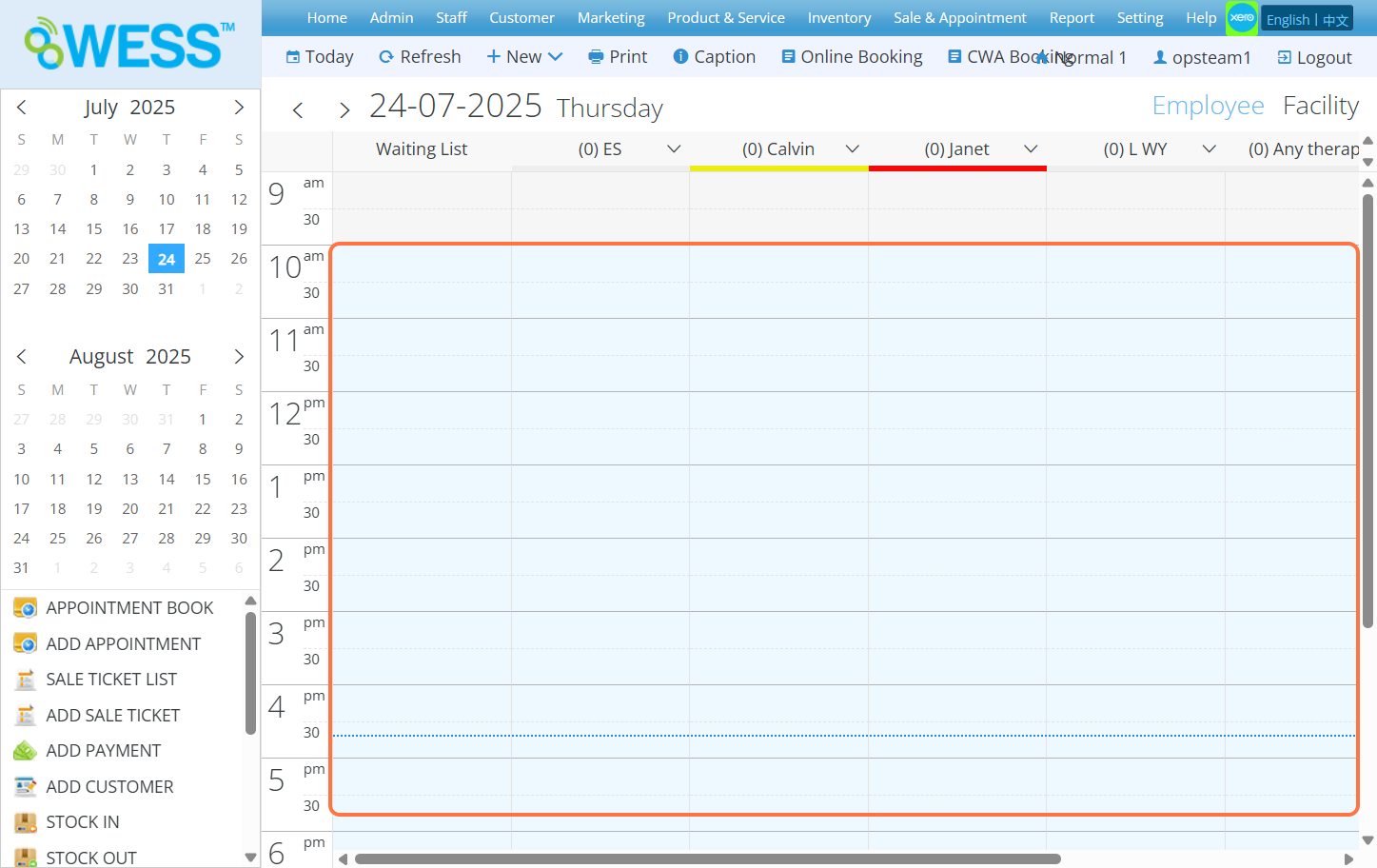
Step 3: Select the time that customer want to booking
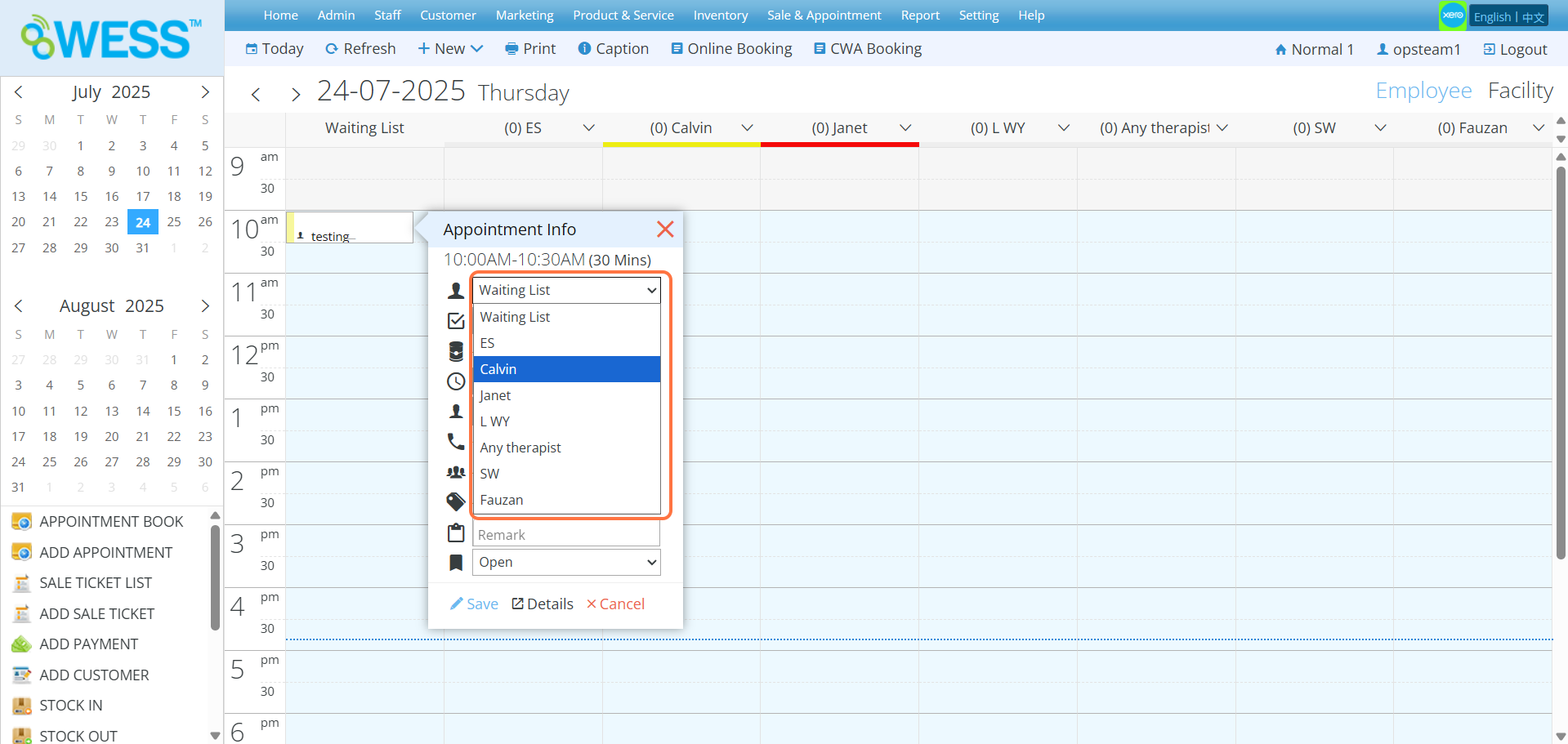
Step 4: Click and select an employee
Step 5: Click and select a programme
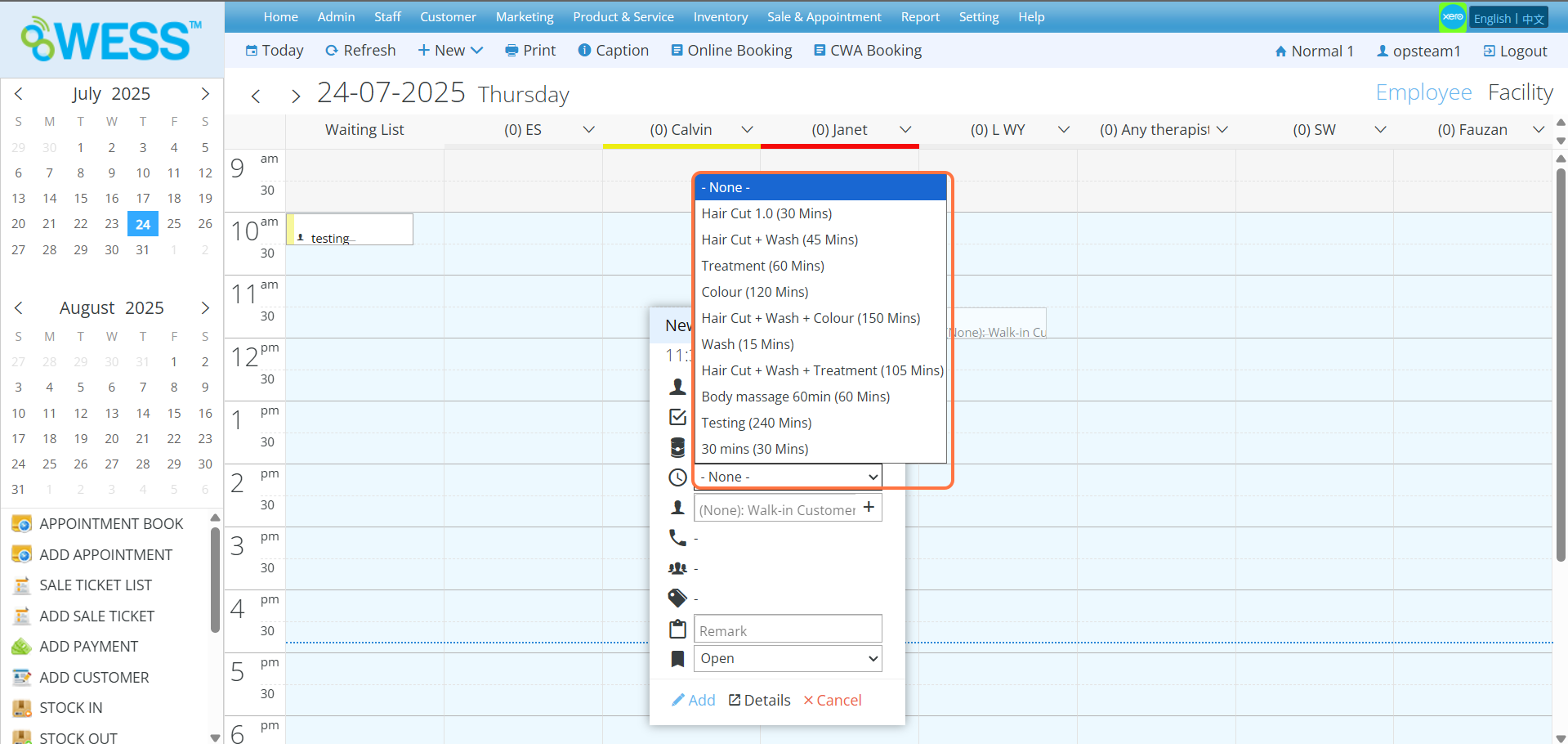
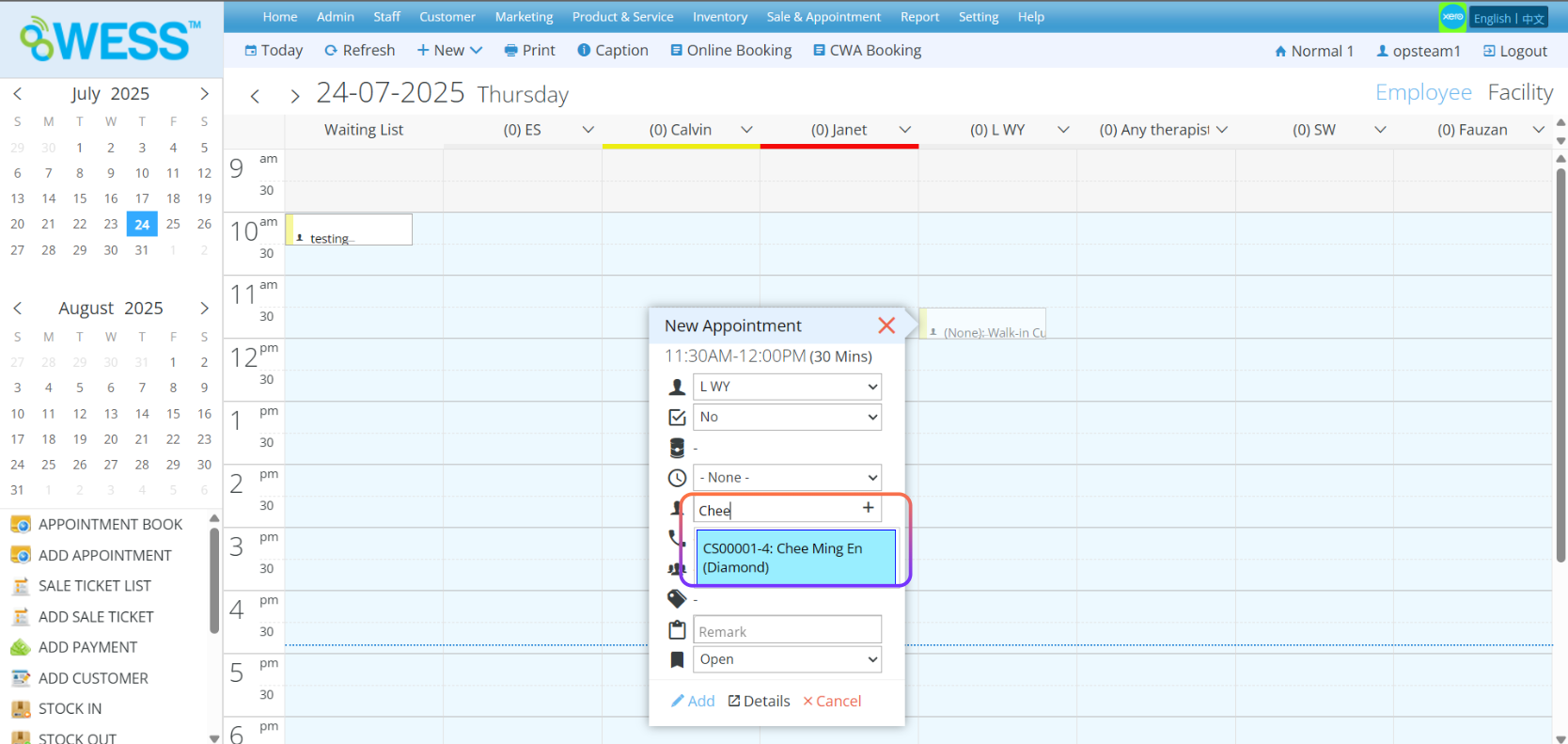
Step 6: Enter the customer name
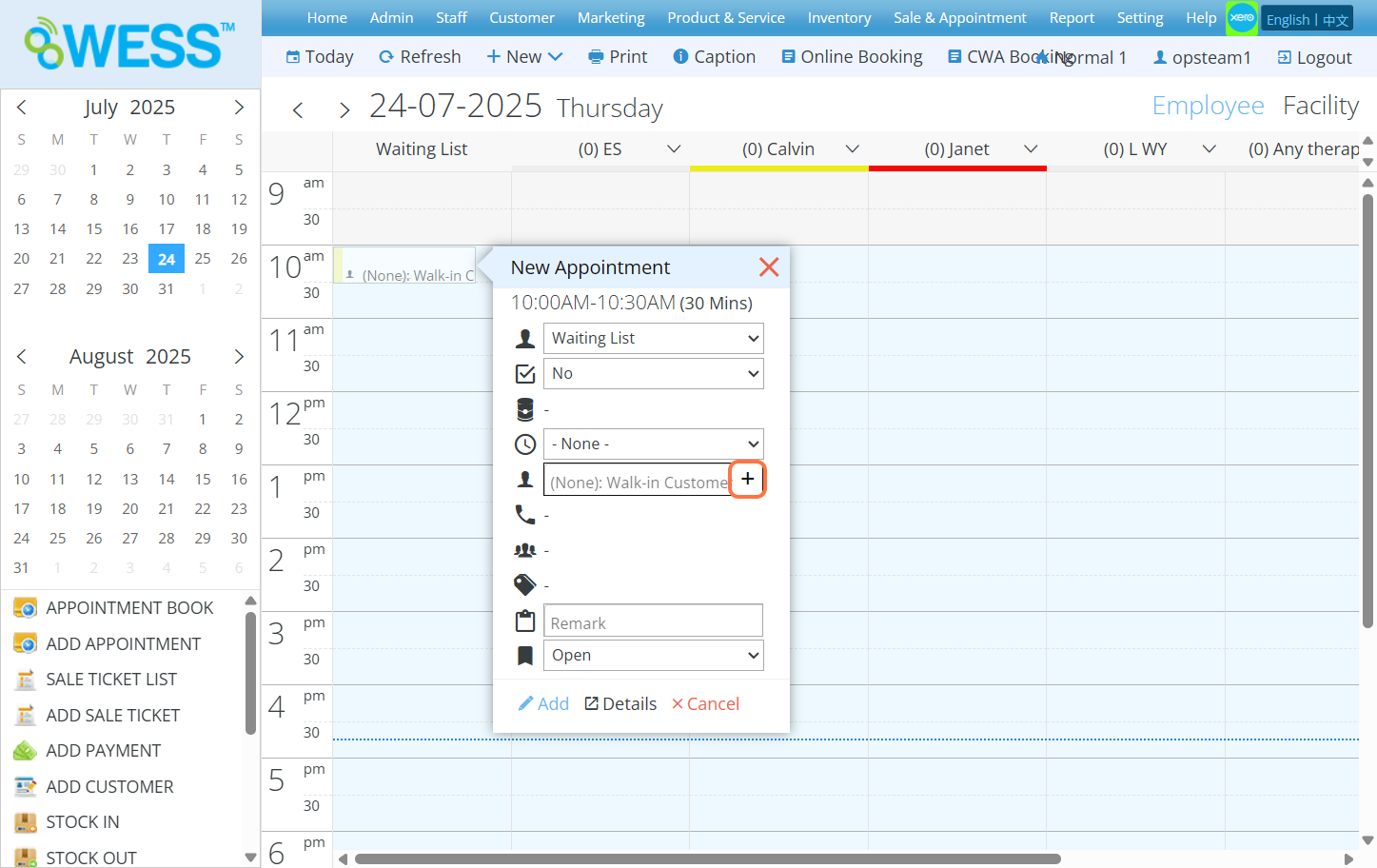
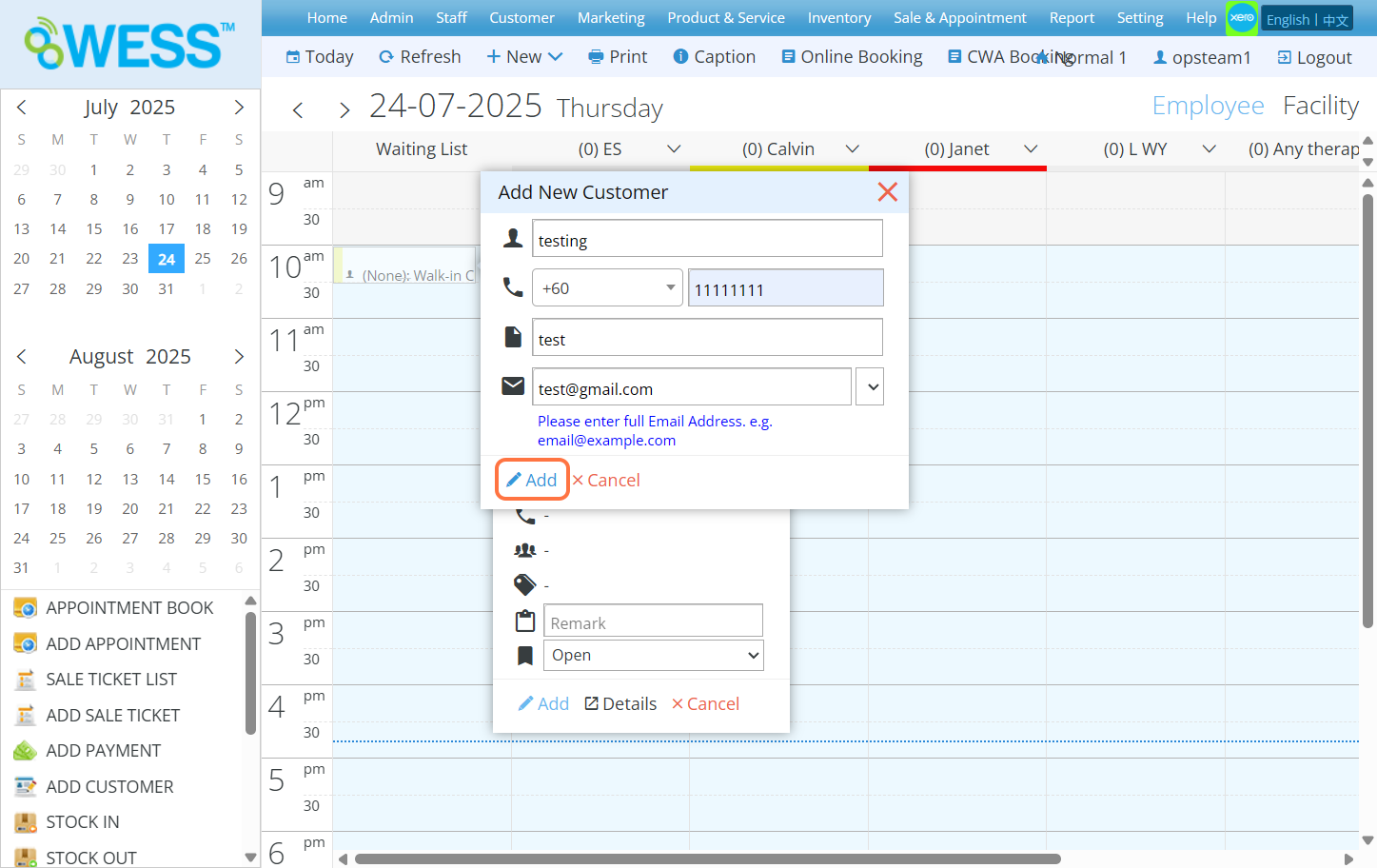
Step 7: [Optional] Click “+” button if said customer is new and doesn’t exist in the record
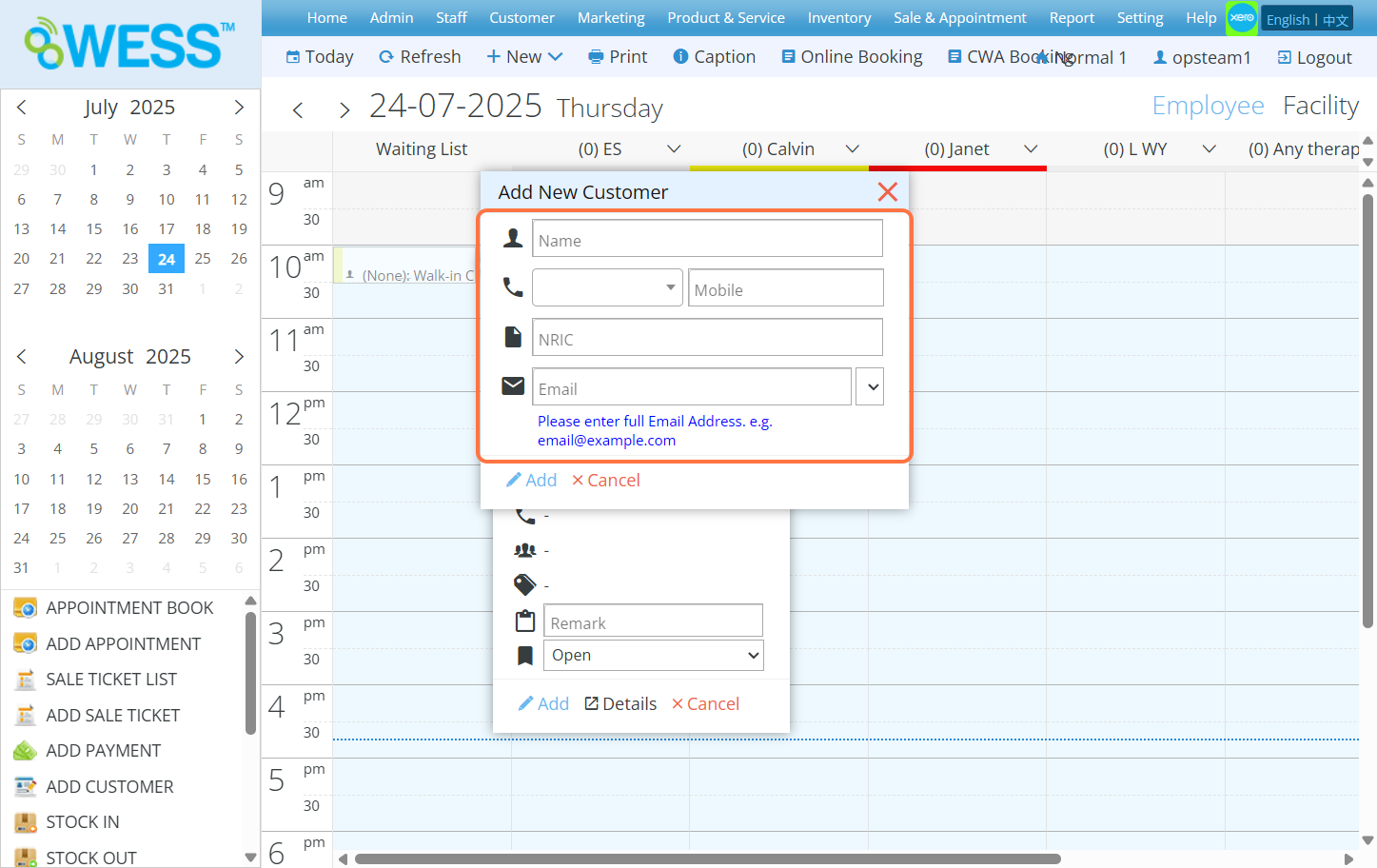
Step 8: [Optional] Fill in the blanks with information of said new customer
Step 9: [Optional] Click “ADD”
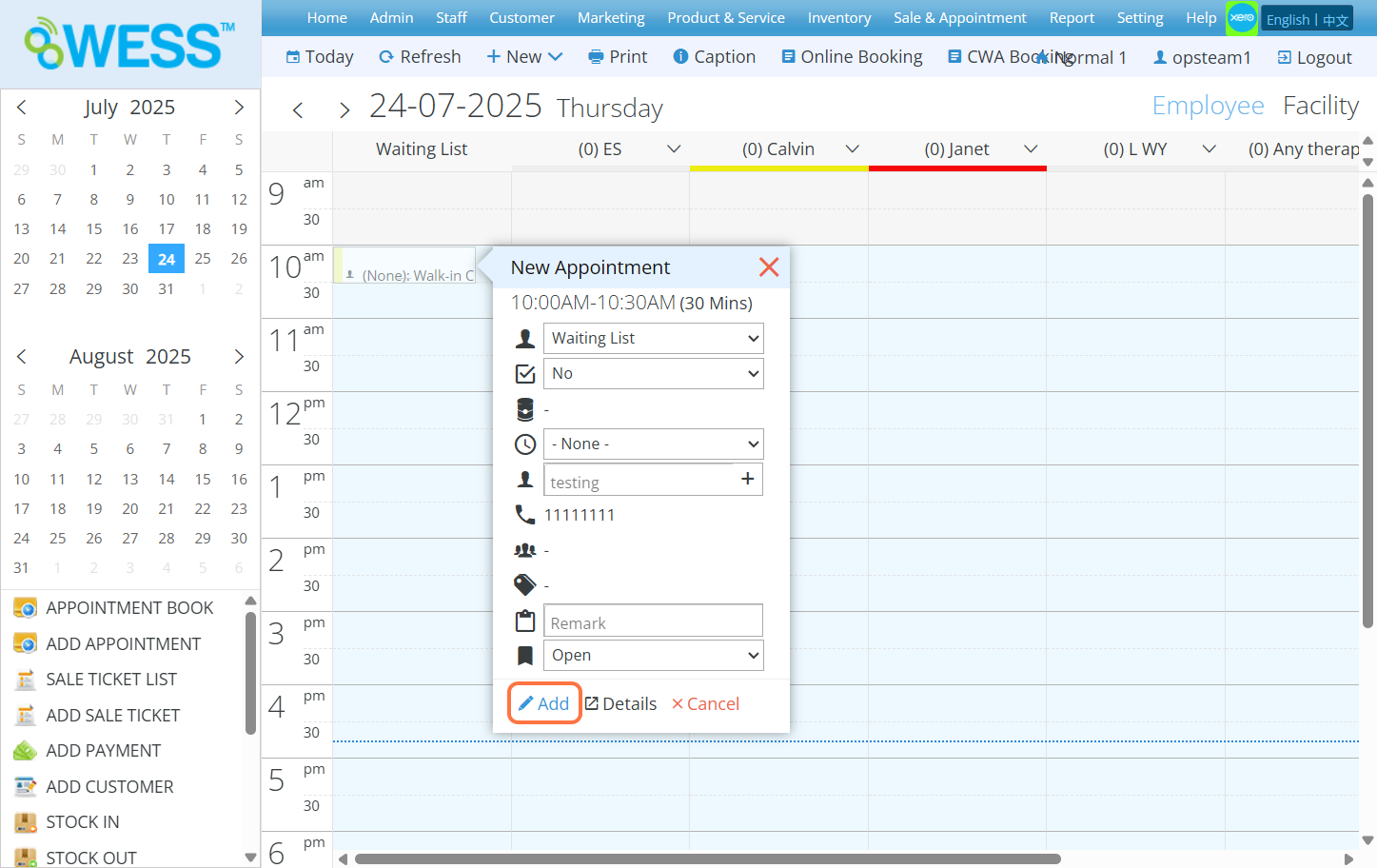
Step 10: Click “ADD”
Last Updated: July 2025